I haven’t seen a feature like this in the software yet so if I missed it please let me know where I can find it because it would be so critically helpfull to have.
I have an issue with a pattern file I made in which I have made overlapping lines or splines perhaps and so it’s not visible when looking at the project visually which object is used in the different lines.
I am missing a tool panel that I can open to the right of the viewport where I can have the list of all elements in the design such as points, lines, splines, and that I can click on them to make the viewport set focus to it. Such a structured list/tree view is standard the rest of the CAD softwares and it would be essential also here for managing and mantaining pattern files.
Am I missing it somewhere in my settings or is this not implemented at all?
Might seem simple but could maybe all the objects be added in a group by default to start? I didn’t know that I should add them to groups for this to work and I think this would help out with anyone trying the app out at first to see the full functionality just having a default group made and items added to it by default, until the user want to select and separate them into more finer detail?
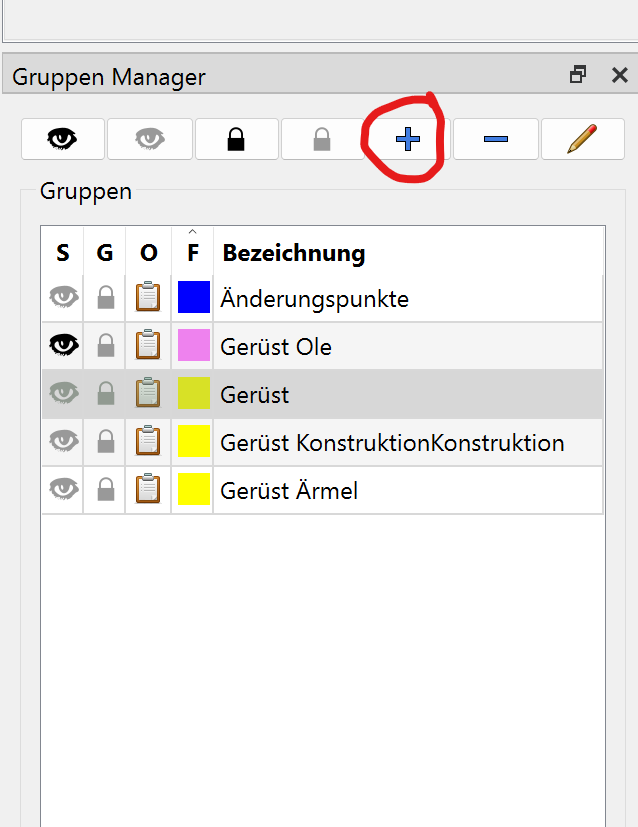
Dafür muss man zuerst Gruppen definieren in die man sie zuordnen muss. Das ist auch jetzt schon möglich. Bei einer Konstruktion entstehen nicht immer Punkte, die in einer gruppe später landen sollen. Ich arbeite von Beginn an mit Gruppen und ordne zwischendurch immer meine Punkte gewissen Gruppen zu, damit ich sie später gleich finden kann. Viele Punkte landen auch in mehreren Gruppen, um damit weiter zu arbeiten oder für Maßanpassungen leichter zu finden sind.
I think we dicsussed this issue before… I was working on a feature where you could add a tool / object * to a group when created, but ran into the issue of which group color to use if a tool / object is in more than 1 group.
The app itsdself distinguishes between a “tool” and an “object”. For most tool’s the objectId is the same as the toolId. Operational tools on the other hand are a group of “objects” where they share a common parent toolId. For our use we can just refer to each graphic item as an object as each objectId is unique.
You don’t have to add objects to groups… it just makes for a cleaner pattern as you can hide / show different parts of a block which can get rather messy when you have 100’s of point names with many over lapping one another. Because I was able I added the group Object list, and made it so you can double click to zoom to that object.
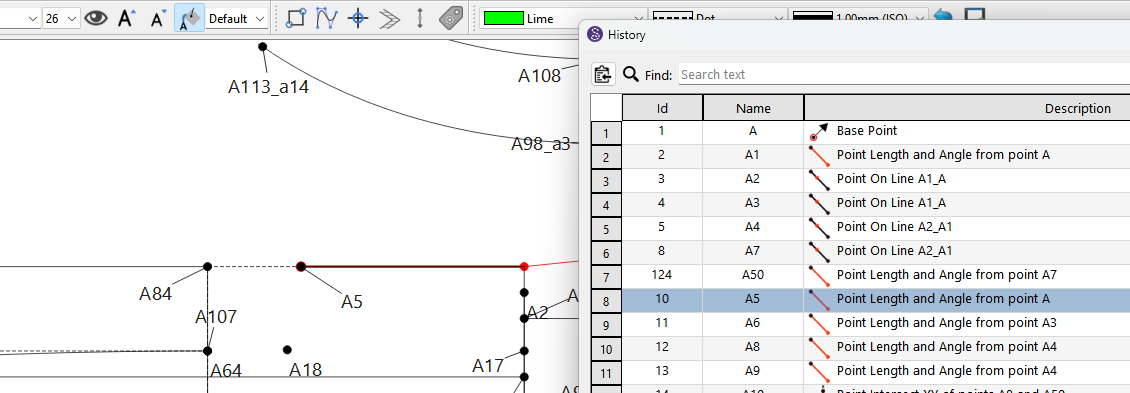
The History though IS the place where you can see the items in the current BLOCK in chronological order… as that’s how the app works - on a single block at a time with each tool in chronological order. Could I take and turn the History dialog into a tree based dock… sure, but my time is better spent on other bugs / features. BUT, it certainly makes sense to improve the History by zooming to the selected object, and not just hilighting the object as one may never see it if zoomed way out. To be honest I didn’t know the hilight feature existed until I actually worked on the History dialog and saw:
When altering/delete a name/point, you get the option to alter all funktions, that built off on it. But often times -though I know where I used it in a formula- I have no idea what specific one I alter that moment, since there can be a dozen one, one afrer the other. But if it was possible to zoom to the specific one thats being altered in that moment, that would clear that up.
And further, it maybe would be easier to just highlight and zoom to the object/tool every time you open the Fx-Window? Thought that might be a step to much?
I think I have explained this in the past. The problem is the way the app currently references / derefrences tool usage. Each tool only keeps a count of how many time it’s been referenced. 0 count means no other tool is referencing the tool and it can be deleted. The tools don’t keep track of which other tools are using it. Therefore, without
parsing the whole pattern everytime a change is made - which would dramatically slow the app down - there is no sensible way to dynamically maintain a “tree” of what’s using what. Also it’s not really a tree, as formulas allow you to bridge across branches.
That being said… what might make more sense is to add a function that parses the pattern only for a specific object to see what dependents it has… rather than spending useless time constanly maintaining a map of all the dependencies.
It makes sense to zoom to an object in the History as you may not know where the object is in a busy pattern. On the other hand to use the fx editor you have to click on a tool to either use the Property Editor or the the Properties Dialog… i.e. You have already identifed the tool.
Yea I remember you mentioned this before though it was for a different issue.
I understood it’s not needed for using the app, I’m suggesting that it would be done by default for projects so that the app meets a new user half way in the process and makes the onboarding simpler. I’m used to working with PC apps so for me this seems an eas UX/ quality of life improvement to make. I am trying to teach my mom how to use the program also since she is an experienced seamstress but not a proficient PC user. For this target audience any such decision that can be taken for them ahead of time makes a world of difference in making use of the app
Automatically placing objects in a group makes no sense. I
f you have 10 groups how is the app to know what group to put the object in?
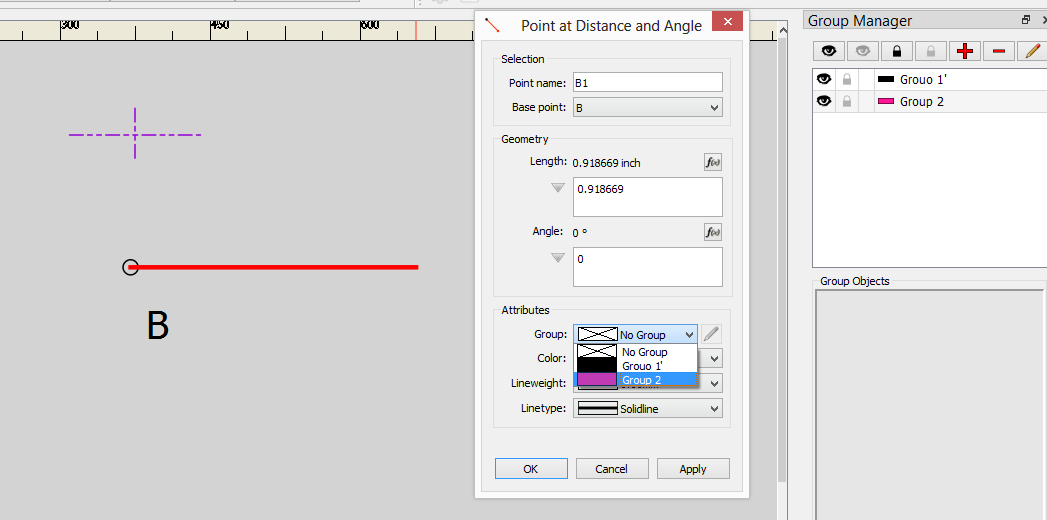
Like I’ve said I started work on being able to assign a new tool / object (at least those that open a dialog) to a group, but ran into issues with trying to maintain the ability to put objects in more than 1 group.
I’m not suggesting that it does it for all of them and that the app decides. I am suggesting that there would be a default group that objects get placed in when starting out the pattern similar to a root note in a tree. Though this analogy might not be the best if the groups are not hierarchical
That’s precisely what my group attribute would have done… it would add a tool to group upon creation - and just like the pen attibutes, there would be a default group.
Also what was intended for further development of the groups was saving / loading group presets so you don’t have to keep creating groups for every new pattern… just a load a preset with either a user defined preset, or a “standard” preset that has semantically defined groups… i.e. specific names, colors, linetypes & lineweights. Of course you could always create an empty pattern with a bunch of groups, and save it as a template.


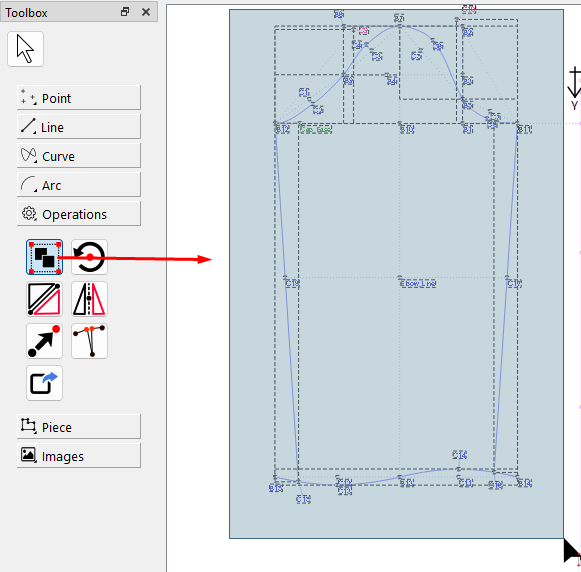
 My suggestion is more about making this more user friendly for whoever else is new and hasn’t found out yet about the groups.

 with
with