After changing then synchronising through the little window that shows up, everything function, no probleme, the new measurement have been properly changed. And then the little window pops up again, I make it disappear by cliking again “yes”, but the window will keep poping up every15-30sec.
2 Likes
Hello and welcome, @Luuminante
Yes, it is a problem. We’re trying to find what’s causing it. Just reply “No” the next time it pops up if you haven’t changed any measurements.
1 Like
When this bug appears on my computer, I close Seamly and open it again and it’s gone most of the times.
2 Likes
Thank you for your answer ^^, I’ll reply “no” next time it shows up not needed. And yeah, I reboot seamly everytime too.
2 Likes
I thought it is because my cloud sync is messing with the file, turn out it is a bug. Thanks dev team for looking into it.
3 Likes
I have figured out what the issue is / was with the measurement sync. Apparently just opening a file also triggers the file watcher to send a file change, which was causing a recursion if one clicked Yes to sync the files. Dilaog pops up, Click yes… opens and reloads file… file change signal sent… Dialog pops up again… click yes… etc… etc.
I have fixed the recursion, and have completely removed the dialog and sync button / menu item as they provide no uselful function, other than to take more steps to sync and / or delay syncing. Now the measurements will automatically reload (sync) when you make changes to & save the current measurement file.
8 Likes
a question, before I open new thread about the error
I upgraded to latest version that should correct that window popping out. I found that when I whenever I open a second (or third etc..) instance of Seamly there is an “error” sound when opening and sometimes I get a window like that:
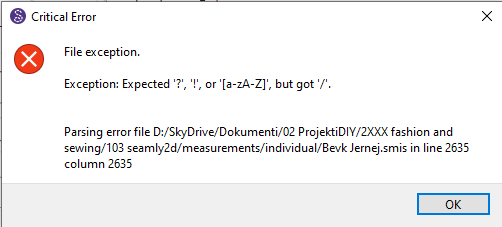
“line” (and “collumn”) line has always some other number, I also checked the measurement file in Notepad++ and the line with the error number is empty.
Could this be somehow connected to the previous error?
Or Seamly prevents more than one file to be opened using the same measurement set and I just didn’t recognised that before?
2 Likes
I think this is a totally unrelated error to the synchonisation error. I’m not certain if you have a conditional formula inside your measurement file, but it seems that one of the measurements isn’t correct in the file Bevk Jernej.smis on line 2635.
You can either open the measurements file in a text editor and go to line 2635 and manually correct the formula or post your measurements file so that one of us can correct it for you.
1 Like
line 2655 is empty:
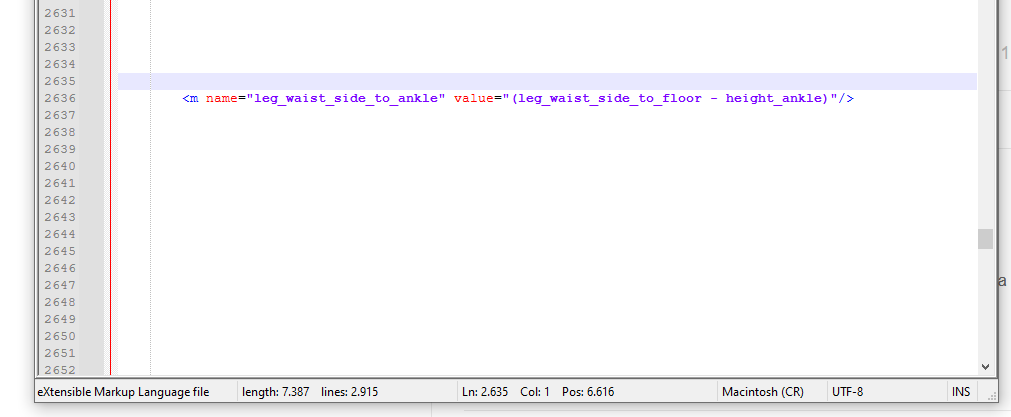
and number of line is changing:
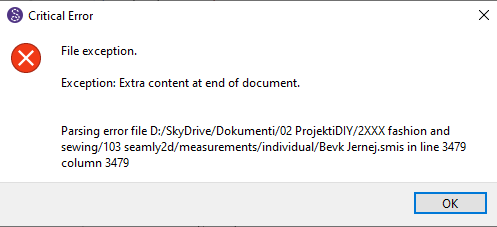
and it only happens when I open the 3rd instance of Seamly2D using same measurements set. Btw it’s not critical, disregarding the name :)))) I will try to do more research and open another posti f the problem persists.
2 Likes
It’s not a sync related issue. I’ve never seen this error before. Something does not look right with the measurement file if there is more than 2635 lines and a column of 2635.
-
You did not mention whether you’re opining the same pattern file or different pattern files with the same messurement file?
-
What happens if you repeat the same steps, but with a different measurement file?
-
Can you post the measurement file? Without seeing the patterrn or measurement files we can only speculate.
3 Likes
-
different patterns with same measurement file
-
today I cannot replicate the error
-
yes, and it is strange, like 54 empty lines between "usual” lines. Another measurements file has 26 empty lines and a third one none. All of them work with both Seamly2D and SeamlyMe
This one is the most strange 
Bevk Jernej.smis (9.4 KB)
Bevk Matija.smis (2.5 KB)
this one is normal
Bevk Neda.smis (756 Bytes)
I guess I will just manually delete empty lines
2 Likes
Ok… I looked at the 3 measurement files and there is nothing wrong with them. No empty lines in any of them. I have no idea where the above pic with line 2635 is coming from?
It’s improbable that one would ever have a measurement file with 2635+ lines… in fact that file only has 94 lines with the one in question at line 86. So I have no idea what is happening. And the File Exception error provides little clue as the exception was thrown within a Qt routine, and not Seamly.
I’m going to test a few things and see what I come uo with.
3 Likes
I had a similar problem last month. I opened a measurements file in Notepad ++ and it had all those extra lines between each line. I closed the file opened it in SeamlyME & then opened it again in Notepad++ and it was normal, so I thoughit it was Notepad++ that did it, so didn’t mention it.
1 Like
Thank you, I guess it must be an error with the Notepad++. Case closed and sorry for false alarm :)))))
@Grace thank you for sharing that
@Douglas picture is from Notepad++ on Windows
2 Likes
No, I don’t know if it’s a case with Notepad++ since you got errors on Seamly2D. My issue was slightly different because I didn’t get any errors because I first opened the file in Notepad++, so that made me think it was with Notepad++.
Did opening your file in SeamlyME sort out the error problem when you opened the file in Seamly2D?
I do think that @Douglas must look into it to make sure that it’s not something with the Seamly software.
2 Likes
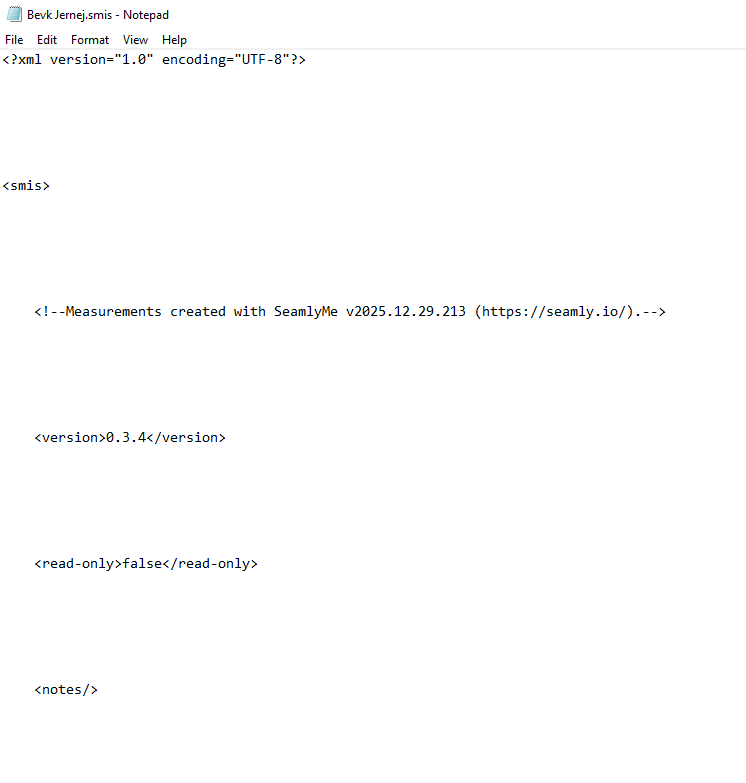
ok, if I go to SeamlyMe and change something, than empty lines are gone:
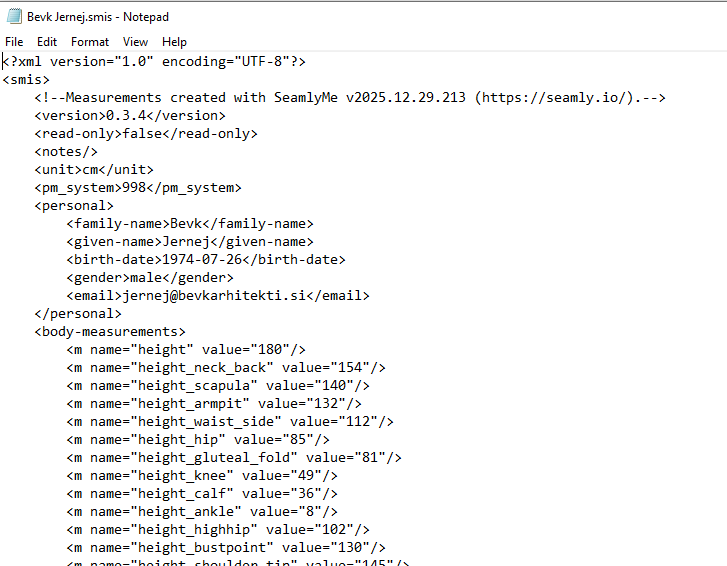
than I use “load individual” and load the same measurement file and I got this:
using “load individual” few times and I get more empty lines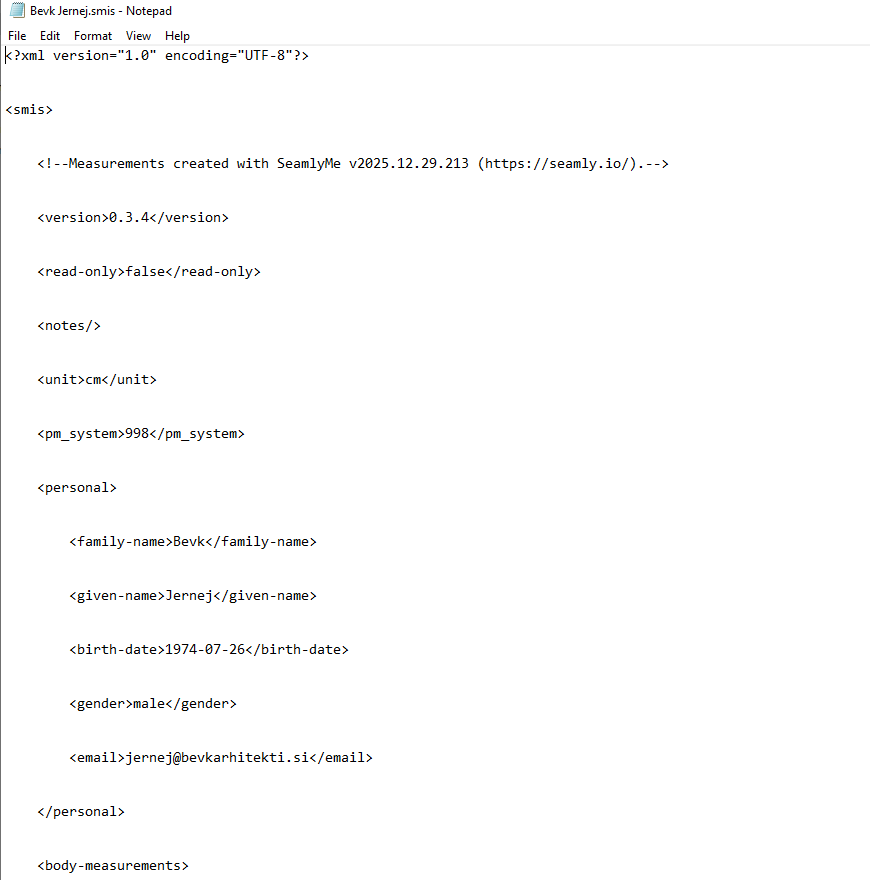
1 Like
I got that… Seamly should be not writing empty lines into the measurment file, so that’s why I was wondering where the empty lines are coming from.
2 Likes
I think I know where the issue is coming from… it’s due to saving to “skydrive” now known as “onedrive”. It’s seems to be causing issues with 2D and Me files.
2 Likes
Thank you for finding this. Yes, I am using One drive. All my working files are in Documents and they are backed up through OneDrive and accessible on all my working computes.
MS is really weird, on my comp it is still pointing to SkyDrive even when it doesn’t exist for 10 years
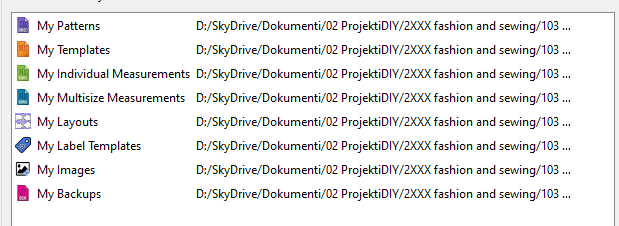
I will try to first find the solution of renaming that  I never bothered till now.
2 Likes
The issue is not whether it’s named SkyDrive or OneDrive… apparently it’s using that drive regardless of name. I need to do some testing to see if there is indeed an issue saving 2D or Me file to OneDrive.
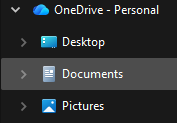
I don’t use OneDrive or the cloud in general as I believe it’s the worst way to backup files… thus I have not had this particular issue pop up. I save files on an external drive to reduce the wear and tear on the laptop’s internal SSD - which has a limited read & write life. Thing is with Windows 11 all those common folders are now uder the OneDrive. 
2 Likes