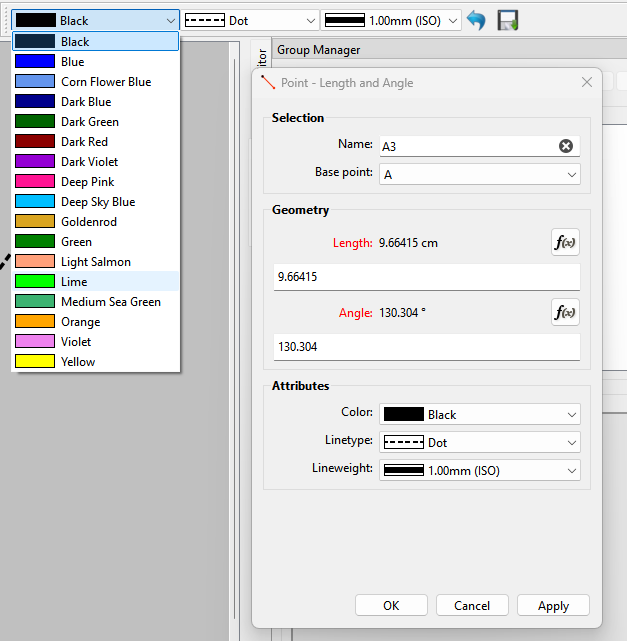
On Gnome, modal dialogs have very strong implications:
they are centered on the parent window
they can’t be moved
they “gray out” the parent window
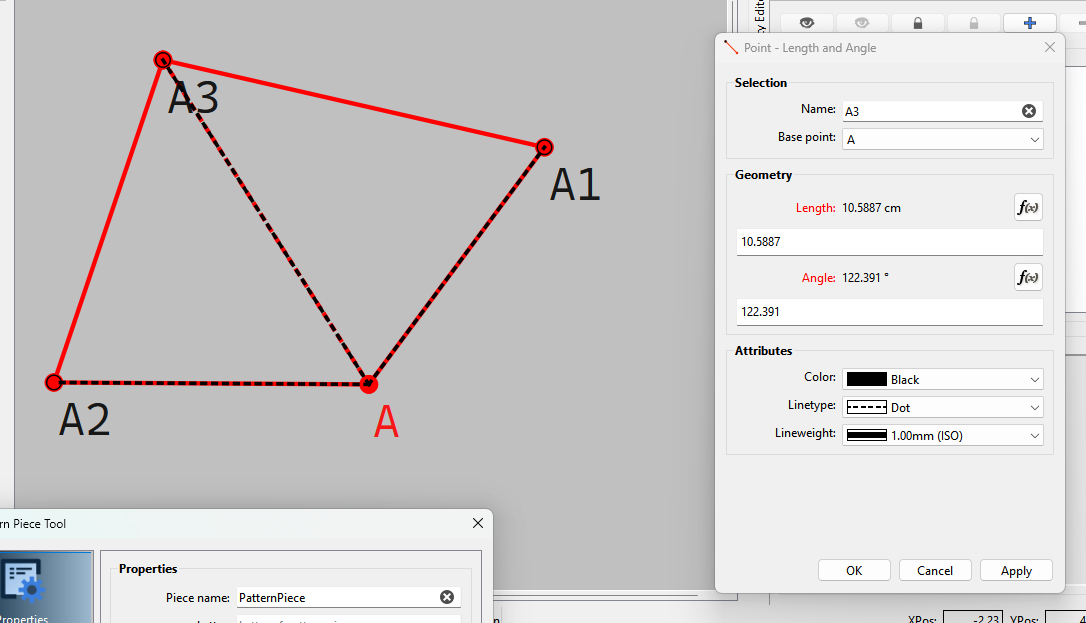
This is fine to have big visual clues for open dialogs and the sort as you don’t want to interact with the main window at the same time. However, for tools parameters like the one in Seamly, it prevents you from seeing the drawing zone.
This issue as already been discussed some time ago in Issue: Dialog boxes don't move in Ubuntu build. This already has a video showing the issue, I can provide a new one if it’s not clear enough.
To fix the issue, we could simply not define the tool dialogs as modal (just remove the this->setModal(true) line in Dialog*::ShowDialog). This will make the tool dialogs behave more like other non-modals like the Variables dialog (though even non-modal tool dialogs still get closed when clicking on another tool).
I’ve tested this change locally, and it works fine for me on Gnome, but I don’t know how it will behave on other platforms/desktop-environment so that’s why I made this post. Would this behavior change be accepted? If yes I can open a PR.
No. They are modal for a reaon - they block access to the rest of the app until the dialog closes. You can’t have the tool dialogs non-modal, otherwise you could open every tool all at once, and the app just doesn’t work that way. Non modal dialogs like the History are designed so you can keep them open while working elsewhere in the application.
As I said earlier Gnome has strong opinions on what is a modal and I don’t think it works well for the tool dialogs.
With the Gnome semantics, the “Apply” button is useless because I can’t see behind the modal. I can’t have the formula dialog on the side as it’s always on top of the tool dialog. I can’t use other sub-windows (like Calculator or Variables). These are strong limitations that make using Seamly quite more painful than it should.
That being said, I think that making the tool dialog non-modal will also benefit other platforms, not only Gnome. This will allow panning, zooming and generally interacting with the main drawing area, which is a massive pro IMO. It also allows the user to open and use sub windows. (Disclaimer: I haven’t tested on other platforms.)
Seamly already has code to prevent this, here.
Dialogs get cancelled when you try to open a new one (or the same twice).
With that case already handled, I couldn’t find another situation where my change was problematic.
On this branch, I made Point - Length and Angle and Point - On Line use the non-modal version and the rest is untouched, so it’s easy to test and see the difference. Could you please give it a try?
But I like this feature! When you really never want to see behind the modal (like when opening a file) it’s quite nice.
Which then by closing the dialogs lead to a crash.
Again… by making the tool dialogs non-modal you’re creating the potential for so many unwanted behaviors, and bugs.
BTW… since I’m currently updating all the dialogs anyways I’m moving the modal setting to the ui form where it should be rather than setting it by code:
Setting it in the code is inefficient as it’s redundant code where the ui sets it first as non modal then the code sets it as modal.
In desktop environments like GNOME (the default on Ubuntu, Fedora, and Debian), modal dialogs are locked and “attached” to the center of their parent windows by default.
To make modal dialogs movable, you need to unattach them from the parent window using either a quick terminal command or a graphical tool.
Method 1: The Quick Terminal Command (GNOME / Cinnamon)
Open your terminal and run the following command to detach modal dialogs globally:
bash
gsettings set org.gnome.shell.overrides attach-modal-dialogs false
Use code with caution.
Note: For older systems or certain desktop variations like Cinnamon, you can use the dconf equivalent:
The change takes effect immediately. Your dialog boxes will now behave as independent, movable windows. If you ever want to revert back to the default locked behavior, simply run the command again and change false to true.
Method 2: Using GNOME Tweaks (Graphical GUI)
If you prefer managing system settings visually, you can use the GNOME Tweaks utility.
Install GNOME Tweaks (if you don’t already have it) by opening your terminal and running:
bash
sudo apt install gnome-tweaks   # For Ubuntu/Debian/Mint
sudo dnf install gnome-tweaks   # For Fedora
Use code with caution.
Open the Tweaks application from your app menu.
Navigate to the Windows section in the left sidebar.
Locate the option labeled Attach Modal Dialogs and toggle the switch to OFF.
This is expected behavior for me. If the user has already set a color in the dialog, I don’t think changing the default should supersede the user’s change. I’m fine with being wrong with this UX decision, and will happily implement the necessary connect if you think otherwise.
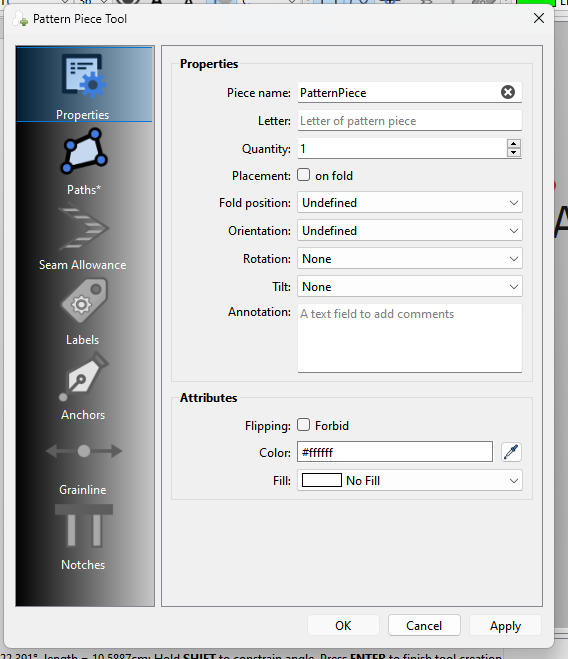
What do you mean locked out? The Seam Allowance → Notches tabs behind disabled? I’ve always seen Seamly do that. The bug is on develop, not only my on branch.
How did you do that? I’m unable to repro. Clicking “New Piece” cancels the tool dialog for me:
I understand that it adds some complexity to the app because it unlocks new interactions. If it wasn’t clear before: I’m ready to fix my branch for any bug that will surface from the change. I also think that giving the user the ability to interact with the drawing area is worth the extra code complexity. (FWIW, many CAD software allow you to do so.)
@Lucaas just chiming in, I hope you will managed to find some generally acceptable solutions. I am also one whose workflow suffers from the limitations of modal dialogues. Being able to pan and zoom while a dialogue is open would be great (even on windows)
Not a bug. When creating a Pattern Piece you can only edit the Path as the Piece has NOT been created yet.
By knowing the app & code and going through all the possible options a user could do.
Create a Point - Length & Angle… when the dialog opens change the length. Click Apply.. Now create a piece including the point just created. The Pattern Piece dialog Ok button is disabled, and it won’t create the Piece. Closing the Pattern Piece and Tool dialogs crashes the app.
The solution has to come om the Linux side… we can not change the mode of the dalogs. One option - Change to a non Gnome distro. Another option is to use 2 monitors. As far as zooming… edit the properties in the Propertry Editor - you can still zoom.
Indeed, the tool dialogs don’t get cancelled if the Apply button has been clicked. Once again, I don’t see it as a major road block, this is easily fixable.
If you don’t want to change the mode of the dialogs because of the fallout bugs, this is understandable. I think that saying that you “can not” is a bit exaggerated. As for your “options”, asking your users to change their whole system or to buy new hardware to get around some limitation of your software is completely missing the point.
Anyway, I don’t think I can change your mind and I already spend enough energy arguing here. I’ll keep the change in my local fork, if you ever want to take a look, you know where to find it.
It’s not a limtation of Seamly. It’s a limitation of using Gnome on Linux. It’s not Qt’s or Seamly’s fault that the devs of Gnome decided to lock modal windows to the parent and prevent their movement.
You seemed to have missed the one solution I posted to disable the issue with modal windows…
Via Terminal: Run the following command:
bash
gsettings set org.gnome.mutter attach-modal-dialogs false
It’s not a matter of changing my mind. Seamly is simply not programmed to use the tool dialogs as non-modal.
I will stick with we can not change the dialogs to be non-modal… but if you’re nice I have a solution to strip the transient status and force free-floating tool dialogs on GNOME.