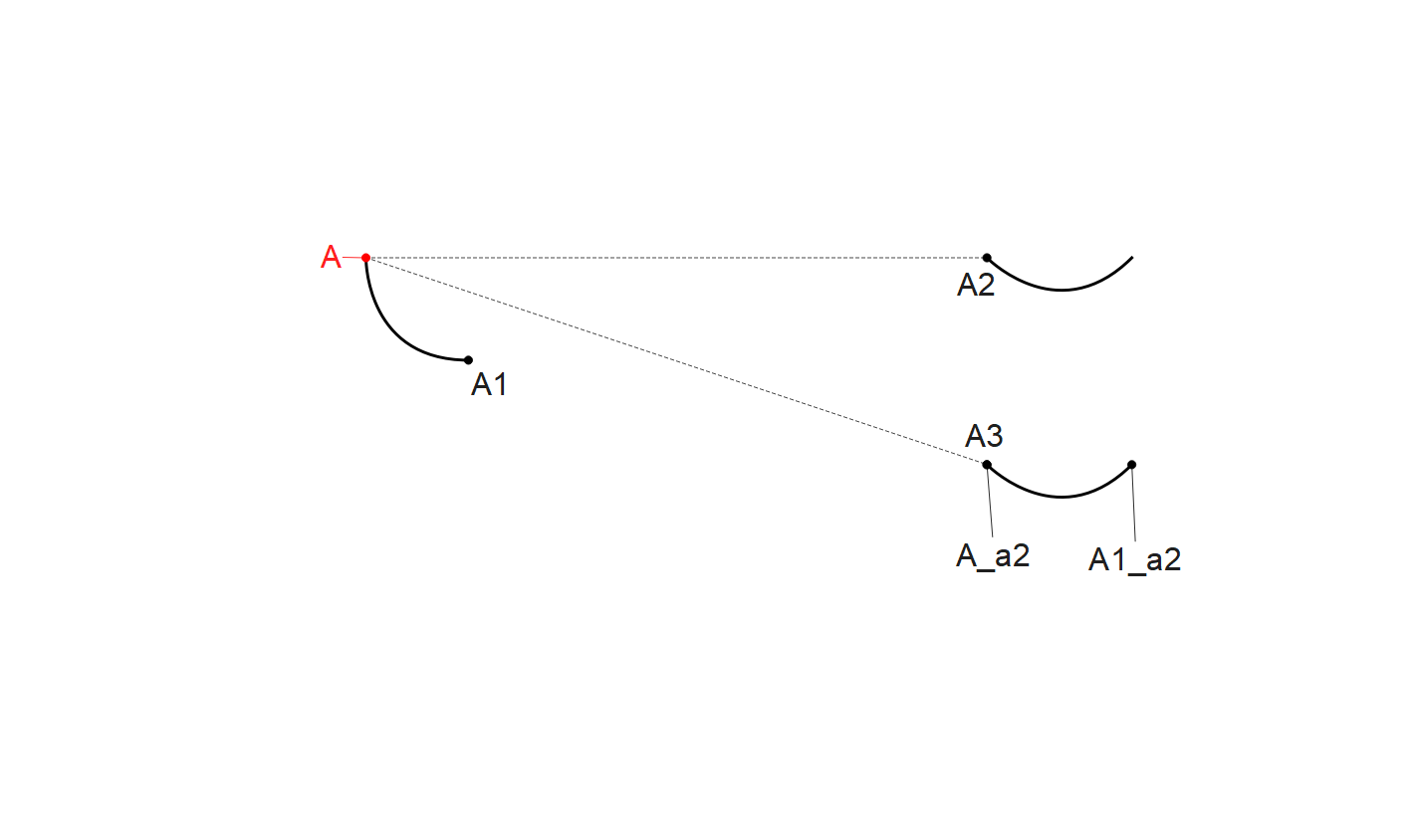
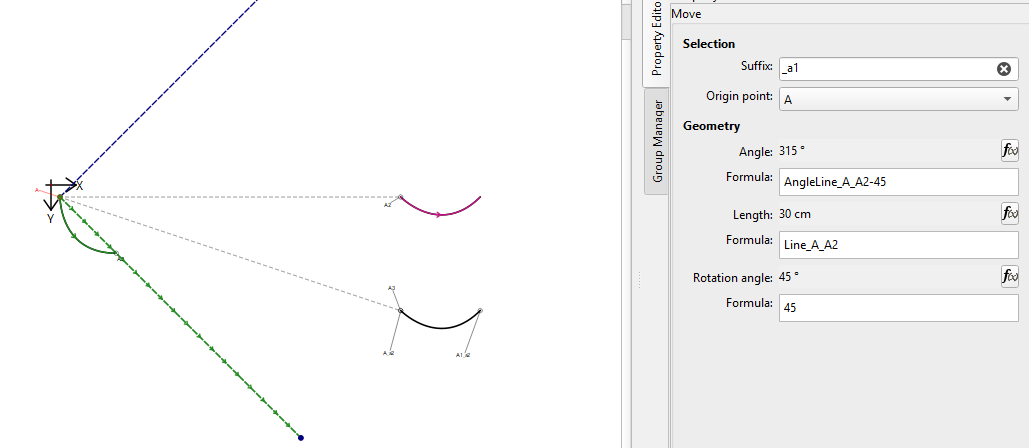
In my pattern constructions, I use the “Move and Rotate” tool frequently,
To avoid creating duplicate points, I often move and rotate curves without their start and end points. This worked without any problems up to version 2025.12.31.2232 (Jan 1, 2026).
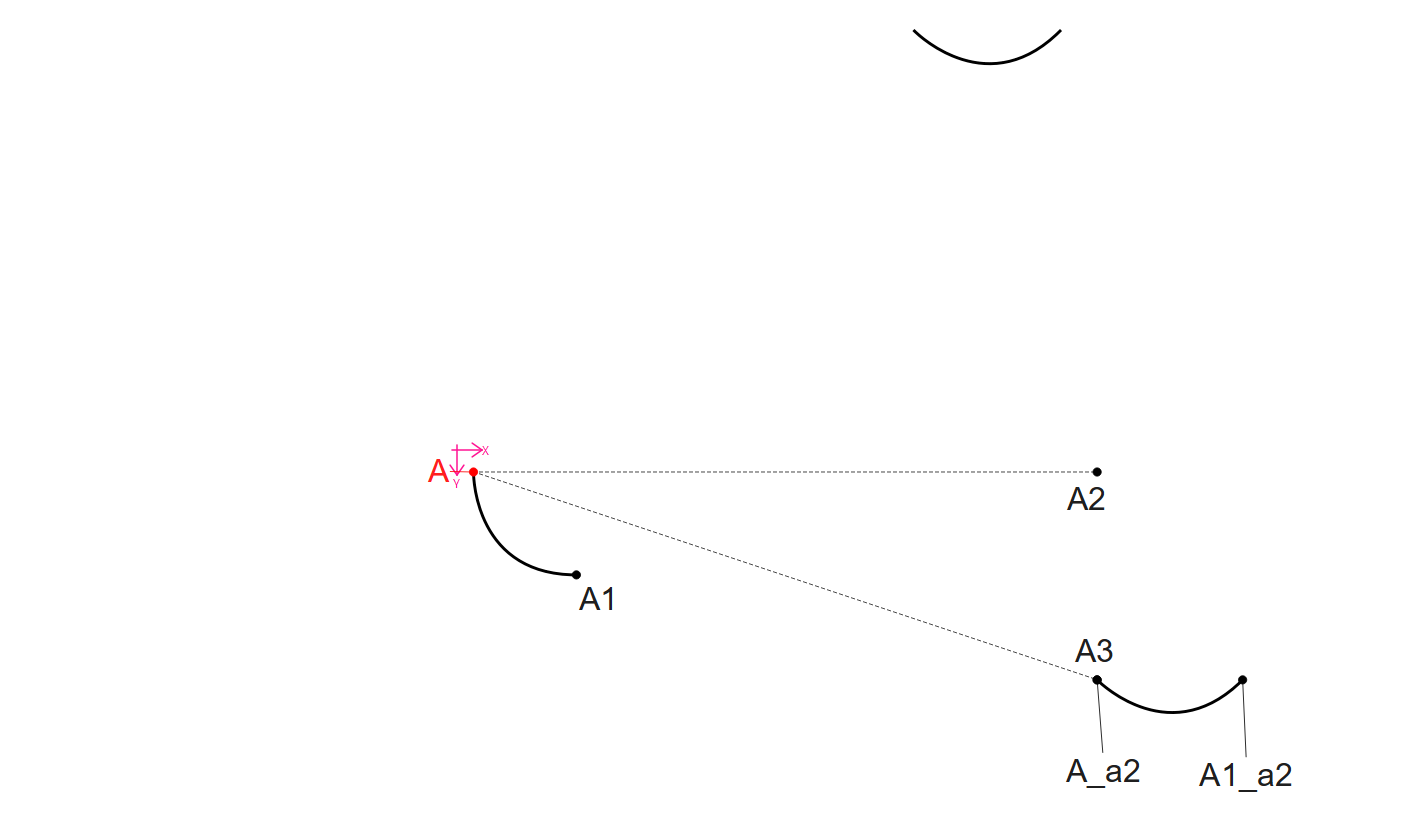
After updating to version 2026.10.26.146, this has become a Major Problem
The curves are still translated correctly. However, since the Origin Point was not moved along with the curve, the rotation is now performed around its original position rather than its translated position. I can correct this manually by changing the Origin Point, but many of my existing construction templates have become so distorted that it is almost impossible to identify where the problem originated..
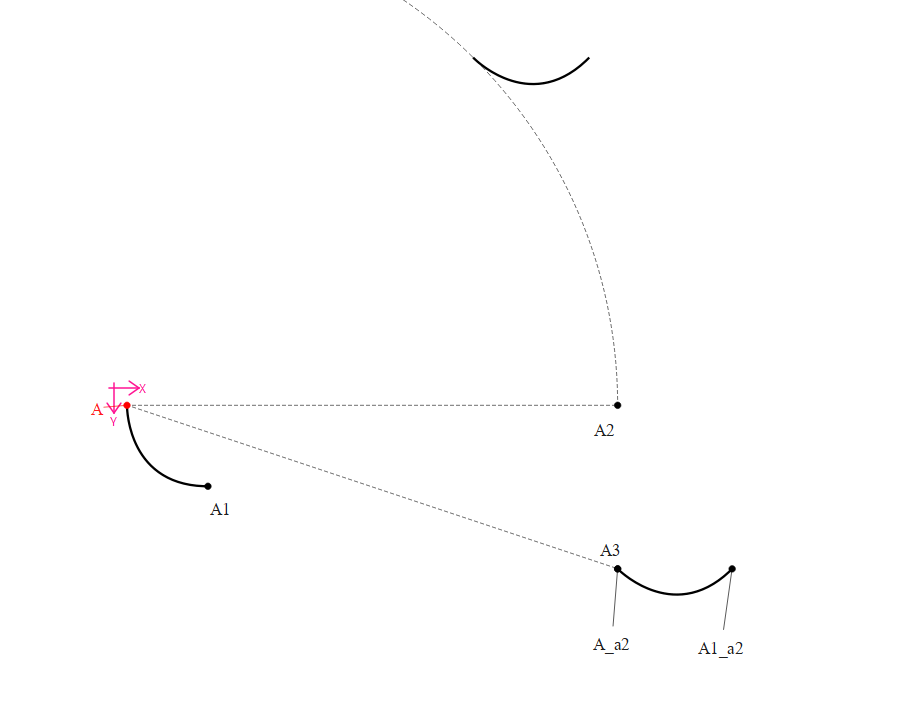
And here is the same file manually fixed in 2026.10.26.146:
manually fixed pattern example.sm2d (174,2 KB)
I have manually adjusted the reference points.
Because there is no destination origin ‘point’ to rotate about. Curves do have a start and end point… and somehow we are going to have to subsitute the curve’s start point with the destination origin point if it does not exist.
I would suggest to not fix all you existing patterns, because when we fix the issue it’s just going to break your patterns again. I would only fix a copy of the pattern.
I’m glad there’s hope for a fix! Of course I make copies for manual interventions. I initially only did them to understand what is going on. Thanks for the heads-up!
objectIds is a list of the selected objects… normaly a pointId, curveId, pointId… since there are no points there is just the curveId. Also passed to to the routine is the originPointId. First thing that is checked for is the originPointId NULL… if so we use the center of the group of selected objects. If not null we get the graphic object of the origin point… the “rotationOrigin”.. Here’s where is falls apart without including the origin point in the selection… we check is the originpointId contained in the list of objectIds? No… because the list only conatins the curveId, so just the rotationOrigin is returned and never moved… which would happen right after:
 // A selected rotation point that is also moved must remain the pivot after the move.
 QLineF move(rotationOrigin, QPointF(rotationOrigin.x() + calcLength, rotationOrigin.y()));
 move.setAngle(calcAngle);
 return move.p2();
I think the solution should be to just move and return the rotationOrigin regardless if it is included in the selected objects. Just like the center point is NOT a selected object.
So it just becomes:
    const QPointF rotationOrigin = static_cast<QPointF>(*data->GeometricObject<VPointF>(originPointId));

    // A selected rotation point that is also moved must remain the pivot after the move.
    QLineF move(rotationOrigin, QPointF(rotationOrigin.x() + calcLength, rotationOrigin.y()));
    move.setAngle(calcAngle);
    return move.p2();