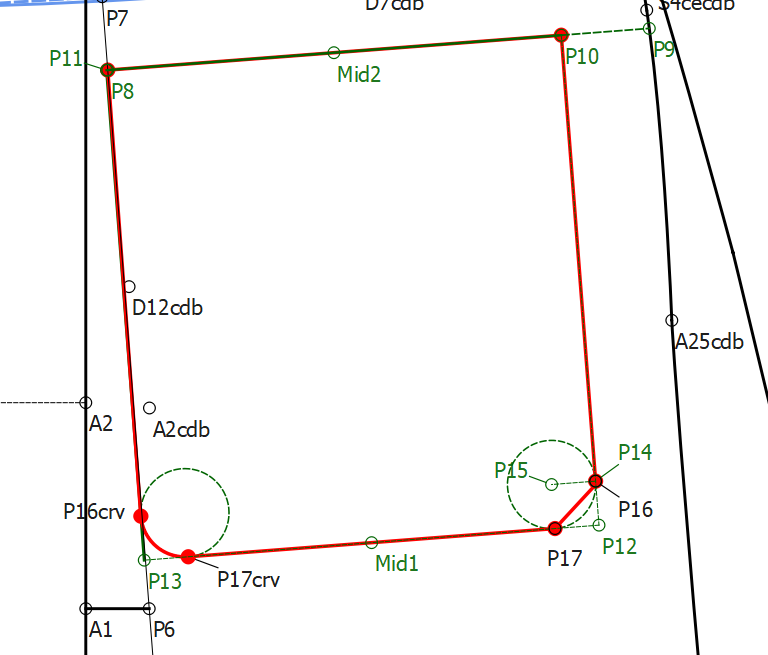
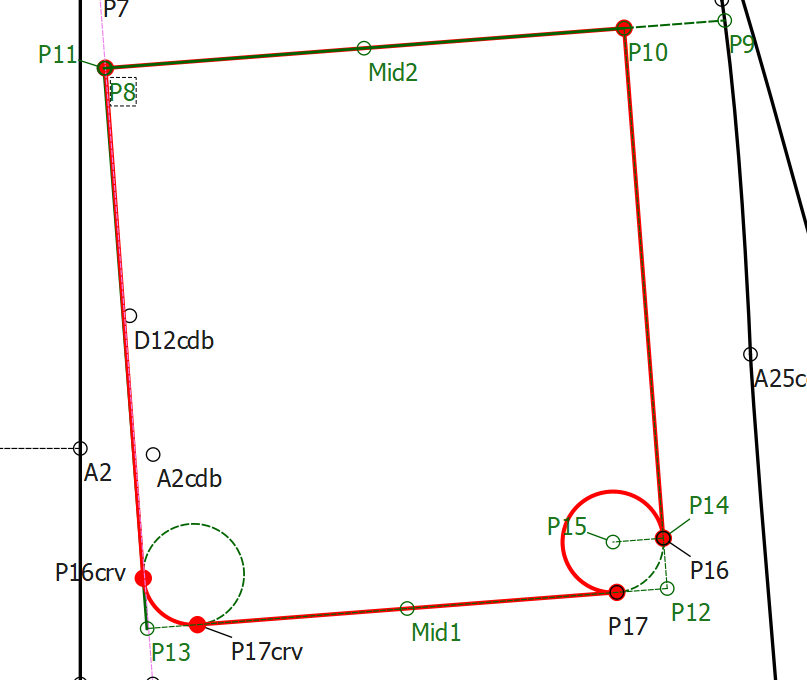
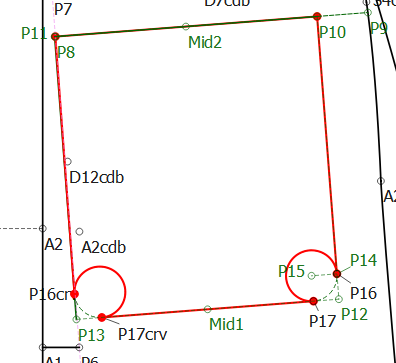
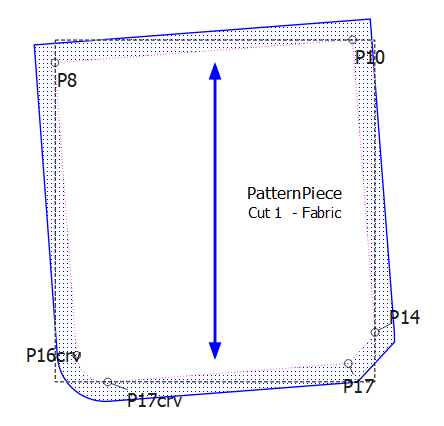
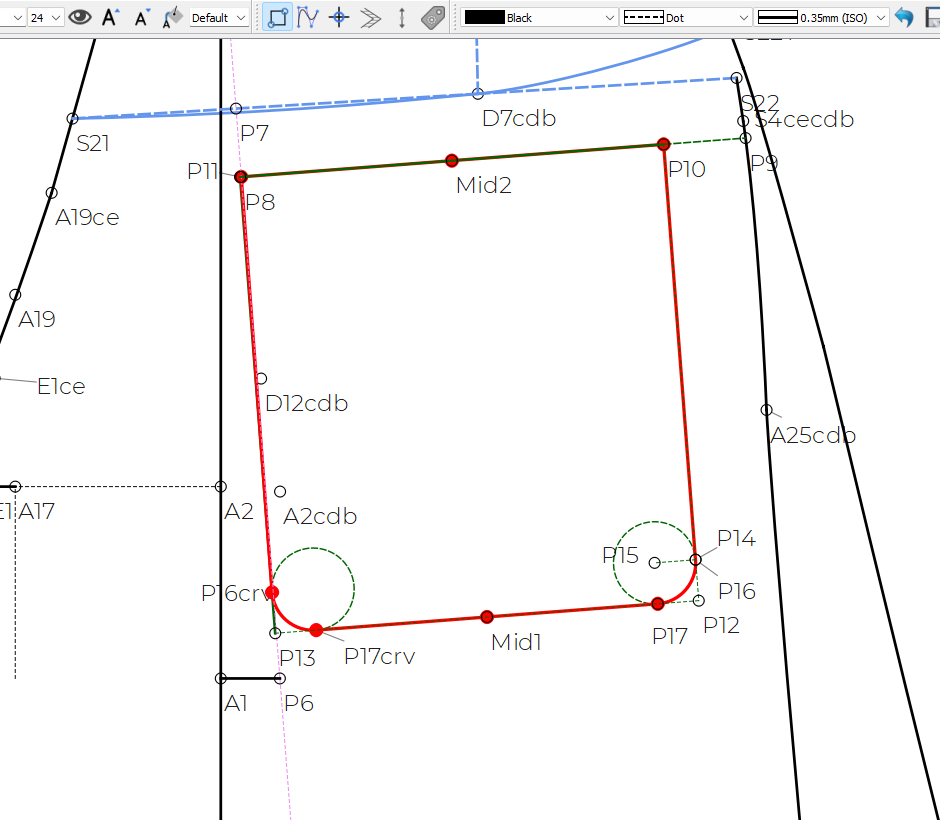
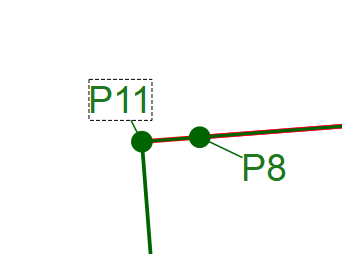
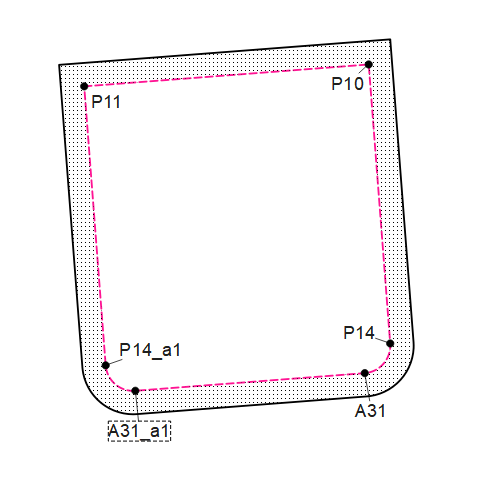
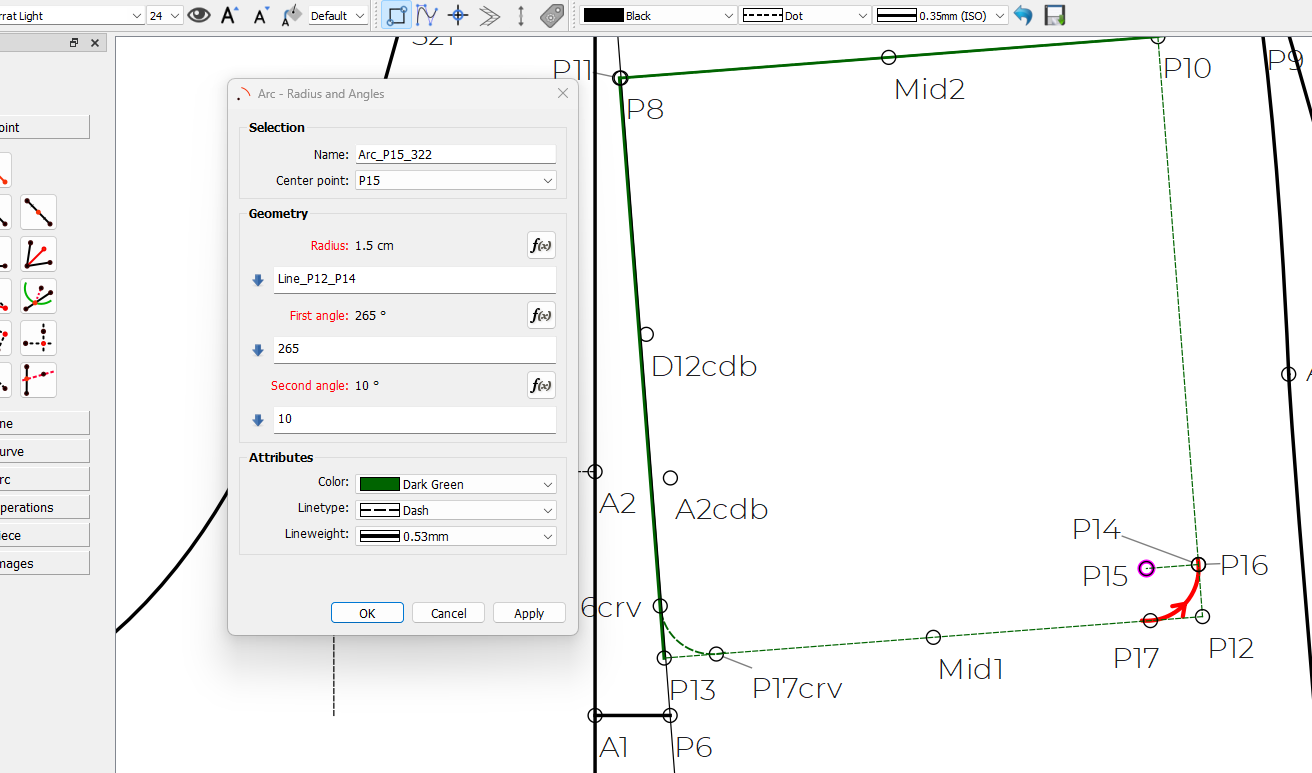
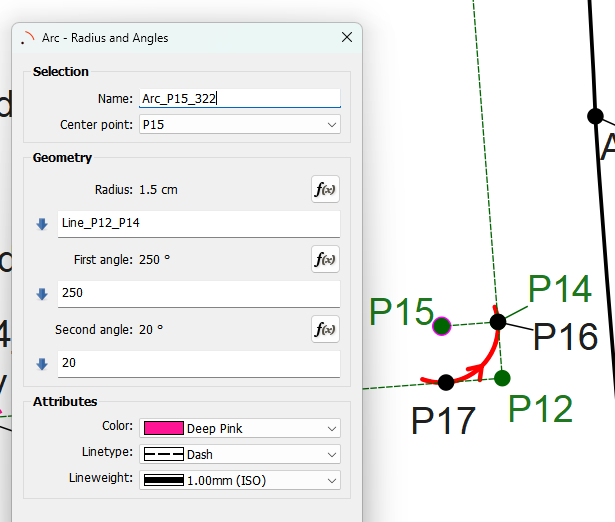
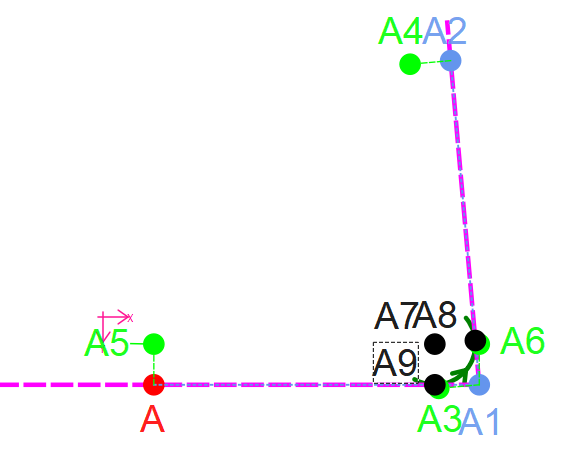
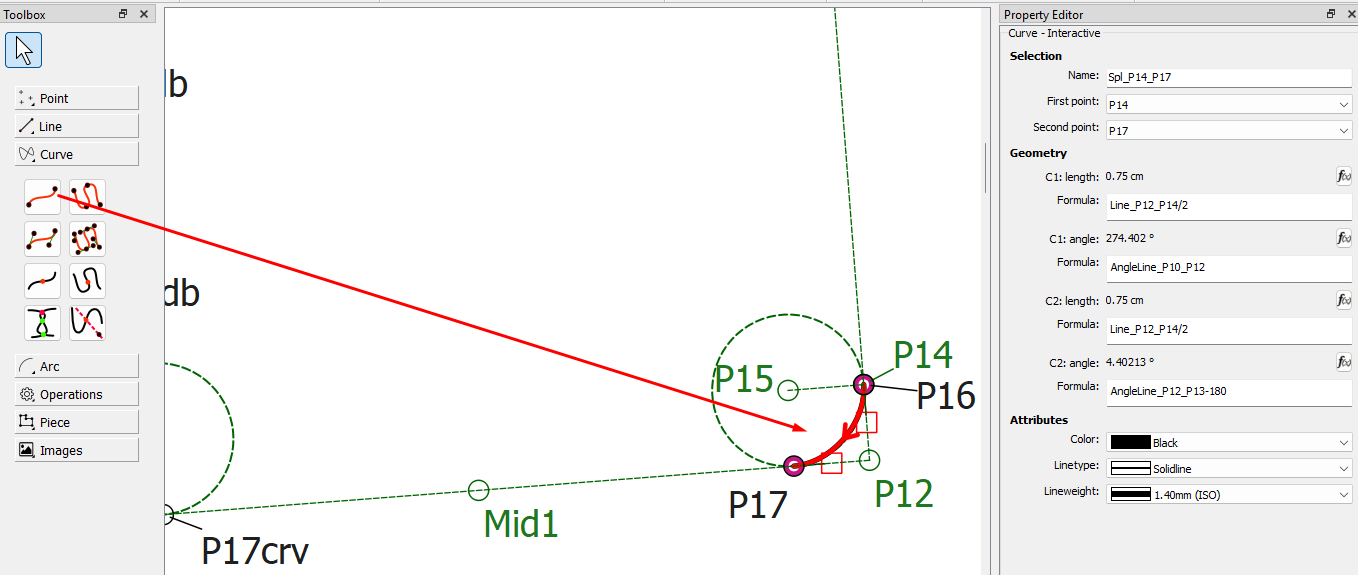
As you can see it picks it up if I don’t press shift to reverse but I can’t get it to work otherwise. I don’t have this problem with the arc on the left, which is a Mirror of the problematic one.
Can you please help?
Please note, if you’re trying it, you have to select P16 as it’s an intersection between the arc and the line rather than P14 which is just a point on the line.
First I don’t get the short distance to create point A11? Could have just made point A10 the distance between A8 and A9 the length of LineA8_A11 longer.
Second. The points A16 is not needed. Plus create A17 as a point on line A12 to A13.
The arc only needs to be from angle 270 to360.
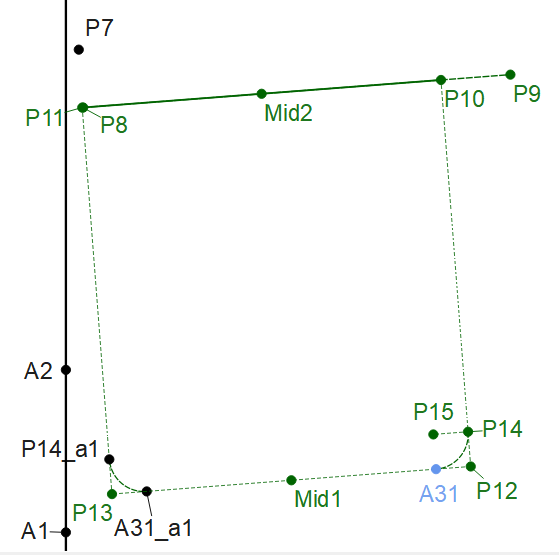
Here I deleted points A16 and A17… had to create point A31 as a point on line… then I just mirrored A14, the Arc and A31. Then created the piece - reversing both arcs.
The Point A16 and A17 created as a tangent were causing the problem.
The other problem I ran into… which addresses an issue in another topic is in reagrds to the measurement file name. Since this pattern has added measurements and the file has the same name, there’s no way to tell it’s newer so if I tried to use StephanieMe.smis it had missing measurements. I had to use the StephanieMe(1).smis. This is why I believe we need to have automatic versioning of filenames where the name is date stamped.
Because point A16 and A17 are being created as tangents which are getting mirrored and doing strange things. The solution is to not create the points as tangents.
Ok… here’s what works if you use the tangent points… don’t close the arc, Just use enough to make sure there’s a tangent. Why this works, and not a full circle I don’t know.
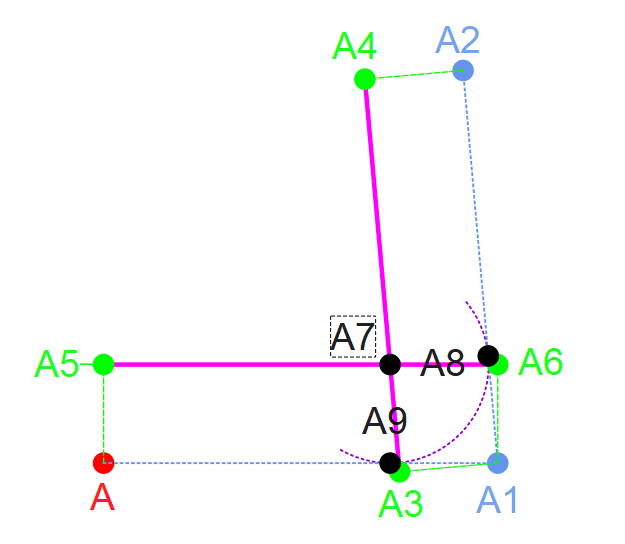
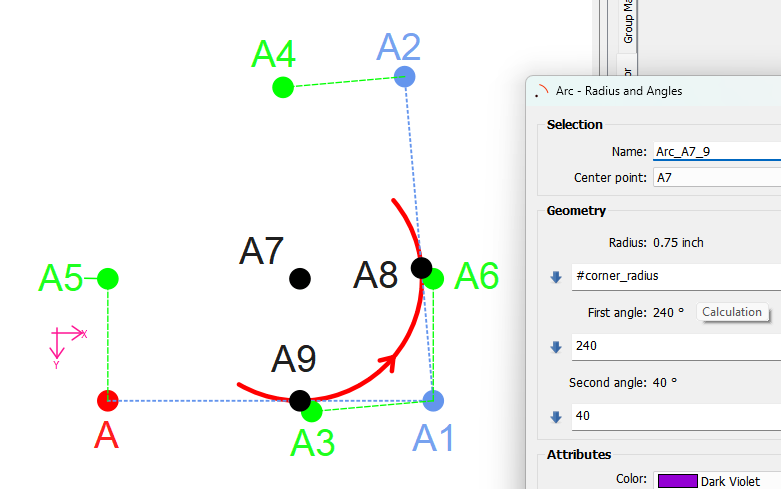
Just as an excercise in making the corners work when the sides of a corner are not at a right angle… I went and figured out how to do that. You have to create parllel lines the width of the radius of the arc, and find the Line intersect point to get the center A7. Then you can find the tangent points A8 and A9.
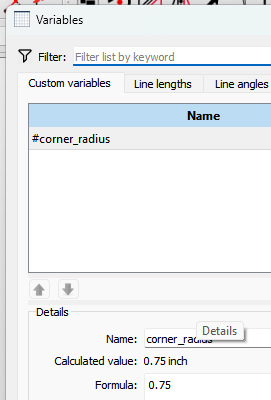
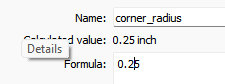
The reason I did this is pockets are not always square… and I now know to make a corner tool where you would select the 2 sides (3 points A2, A1, and A)… and a radius for the curve. The tool would create the curve and 2 endpoints. If you wanted to change the size of the curve just change the radius. As it is right now I’d have to change 5 tools. Unless of course if I created a radius variable.
My personal “Best Practice” rule is to make sure that there is never an arc end within mm of a path. In this case, the intersection of the arc & tangent was sometimes toward the end of the arc, & sometimes toward the beginning, because both of them were in the same place & sometimes the math “arbitrarily” decided that the point was more accurately in one place or the other.
Of course, if it’s following the arc from its beginning back toward its beginning, it doesn’t go anywhere on the arc, & jumps straight across to the next node selected.
I personally love using full circles, it allows for more flexibility, but I do sometimes have to use an arc segment to ensure that I haven’t inadvertently destroyed my flexibility in this way. When I was testing the file just now, I set the (start, end) to (90*, 360*+90*) though as far as being easy & rational, (180*, 90*) would have made more sense.
Anyway, I mostly wanted to explain what was going on with what went wrong so that maybe you could understand the whys of the discussed options better.
We’ve probably discussed the “1 mm” in some other topics, but the 1 mm at each end is hardcoded so that there is always 2 segments when you use the Point on Arc. Don’t know RT’s rationale for that? It does apparently cause issues though.
At some point I would like to take a closer look at some of these fuzzy math and (lack of) intersection issues and fix them so we don’t have to keep using work arounds. What @Stephanie_C did should have worked without having to tweak the arc angles, and / or not using the tangent tool.
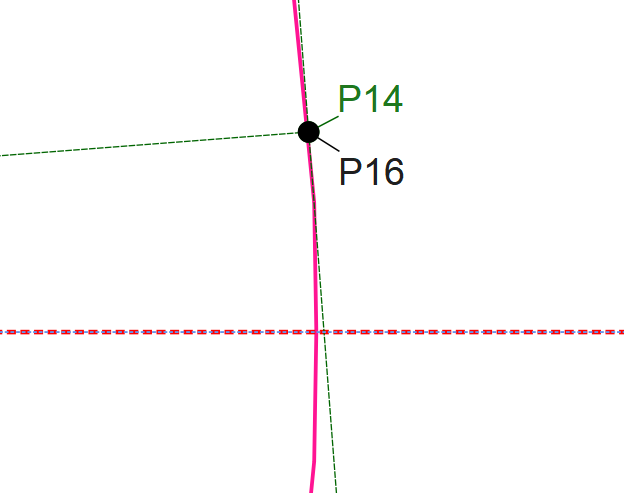
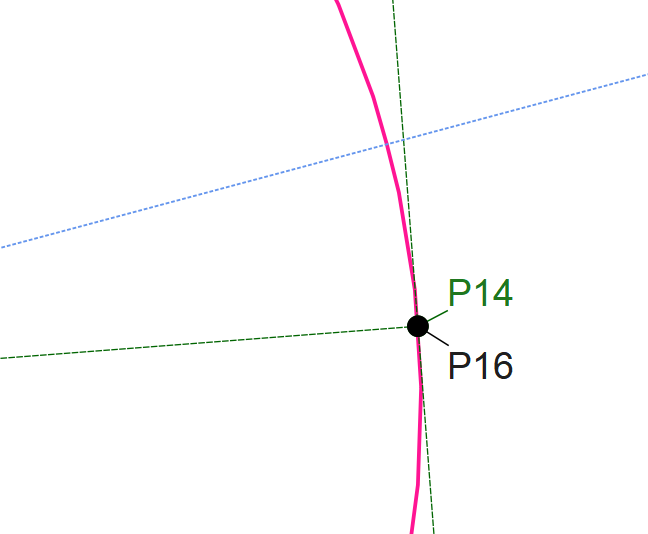
BTW… this is why the pattern was not working as is with the arc angles at 0 & 360. The horizontal dashed pink line is the 0-360 start & end points…as you can see they are no where near point P14 or P16 so there’s a gap between the P14 (or P16) and the start of the Arc. The other side works because Point A17crv and point A16crv are on the Arc between the start end end point.
It’s the fact that the pocket is on angle that is causing the issue. You could actually formulize the arc angles to match the angles of Line_P10_P12 and Line_P12_P13.