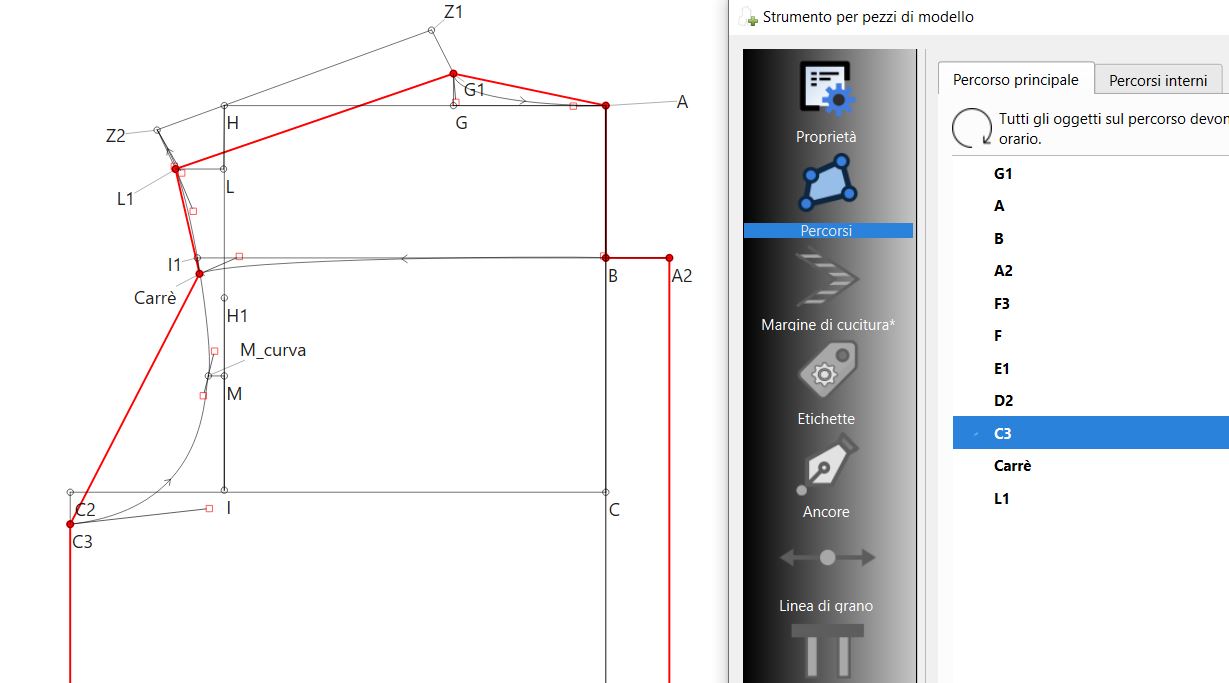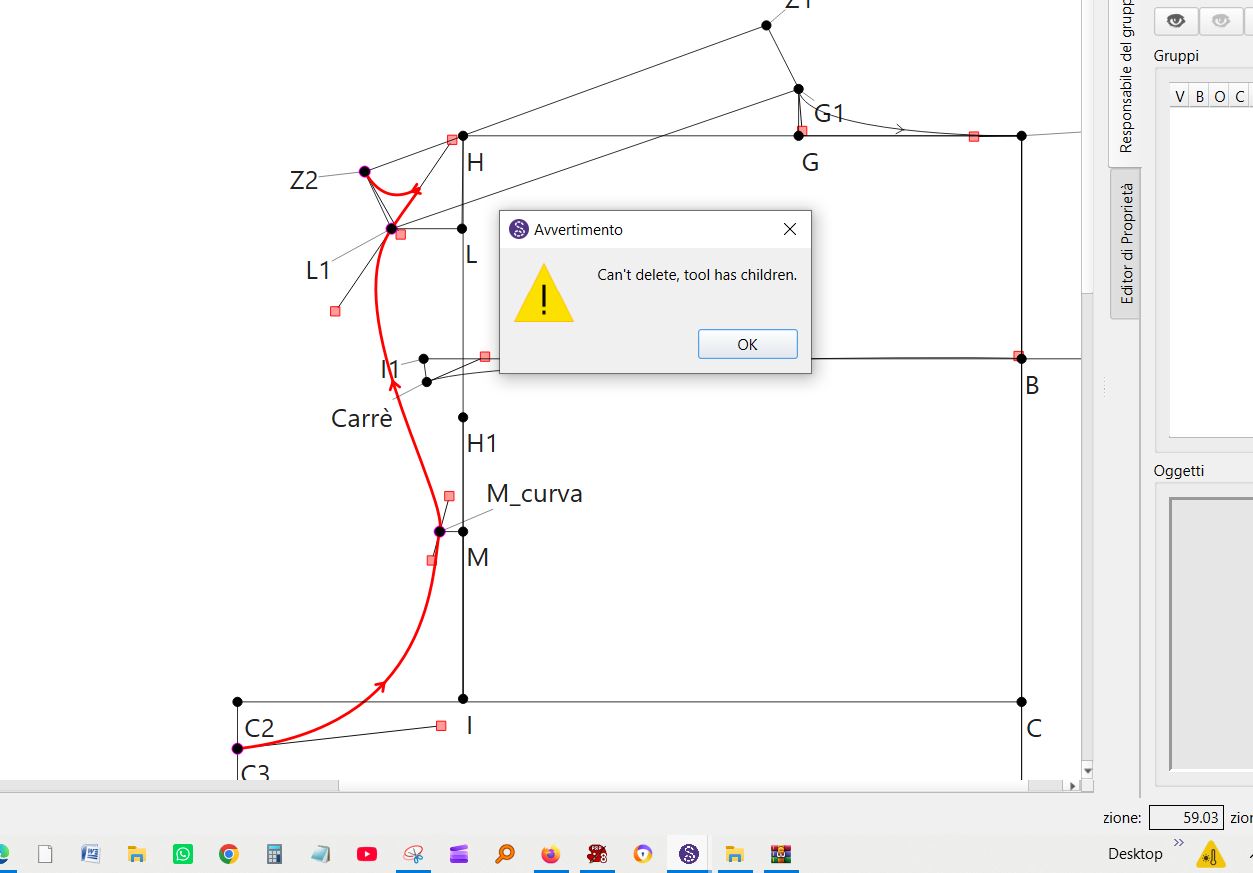
I can't draw the curve so that it follows the path of the drawing. If I try to delete the curve, I'm prevented from doing so.
I can't find the curve in the menu to reverse it. Can you help me?
Hello, @Antonio_Colombini
When I opened the pattern, I saw that the curve was all over the show, so I just dragged the curve handles to make the curve a bit tidier. Then I went into Piece Mode to see why you can’t delete the curve and now you can delete it there.
Here is your pattern file back. I didn’t delete or change anything, just made the curve smoother.
Camicia davanti dietro finita.sm2d (15.9 KB)
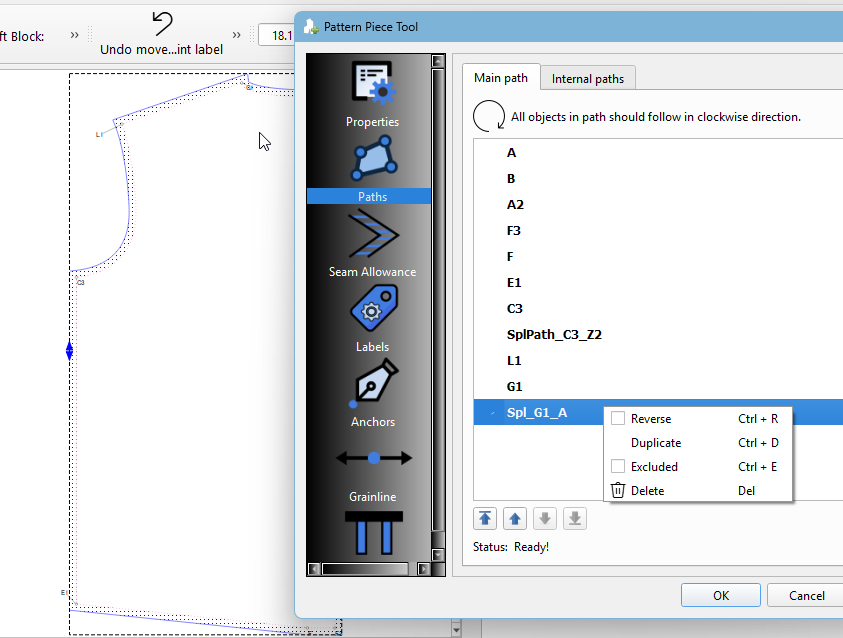
You can’t delete the curve, because it’s being used in the pattern piece. You have to either delete the piece or remove the curve from the path in the Pattern Piece Dialog → Paths → Main Path
Thank you so much—you are truly amazing! I am happy to have made new friends, thanks to this wonderful program. Sending a hug from Italy.
When I saw that you are from Italy I went back and took a look at your screencap as I wanted to see what language you were using for the app. I see that it is Italian. Please feel free to let us know if you find any translations that don’t seem right, and we can fix them. 
That said I noticed several things:
The warning message is NOT set to be translated, and it should be. 
The message itself is rather for odd casual users. The orginal dev used “tool has children” which has a meaning that programmers understand, but not necessarily users. What it means is that the tool has dependents (other tools) which referenece it or basically it is “In Use”. That is why it can not be deleted.
I’m making a note to fix the message so it’s better worded and is translated.