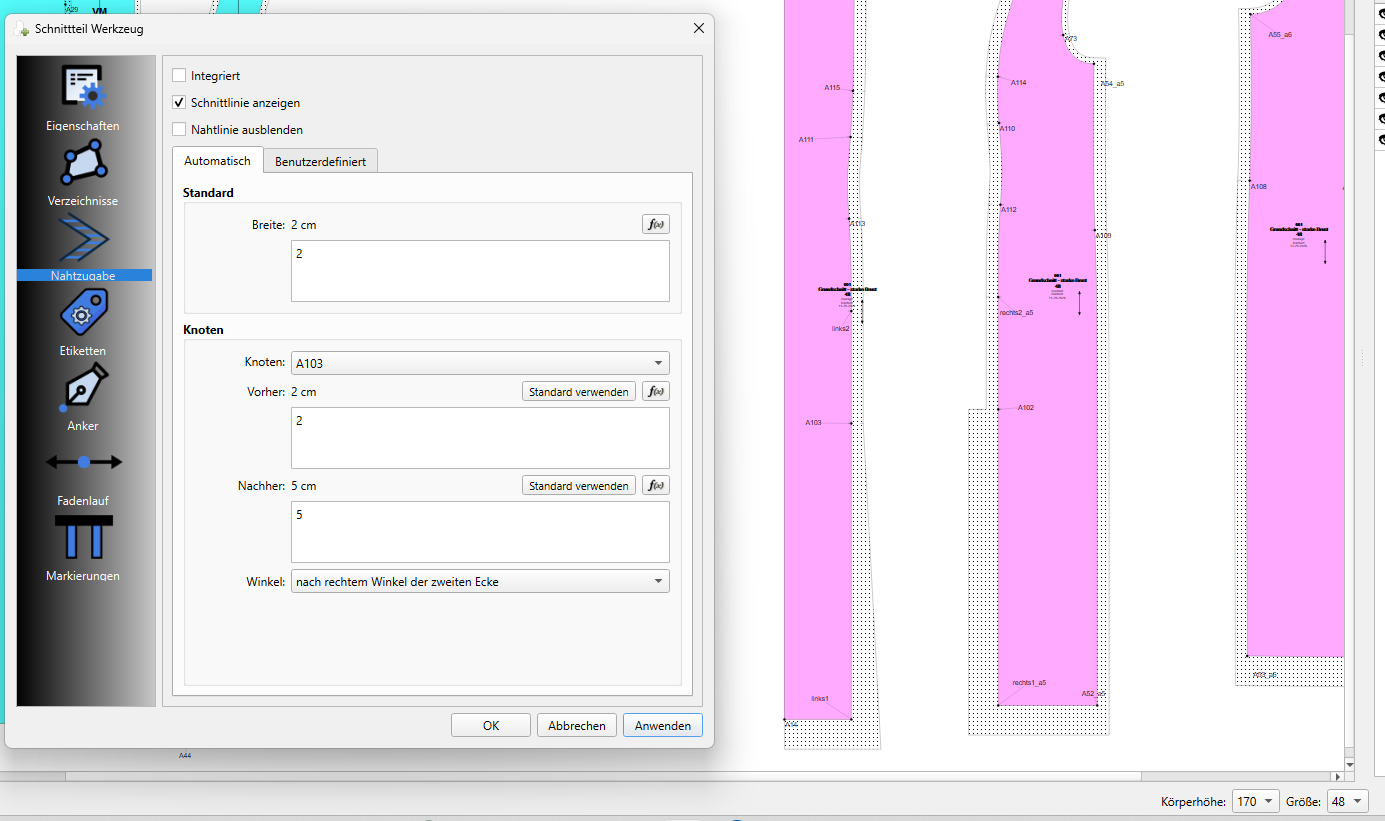
Nahtzugaben springen

was läuft hier jetzt falsch?

Ich habe beide Teile mit den Nahtzugaben gleich behandelt.

Links wir der Schlitz schräg verlaufend angezeigt: Hier die Größe 48

Gehe ich auf Größe 46 und dann Größe 44 habe ich folgende Nahtzugaben:

bei 42 und 40 ist beim rechten Teil die Nahtzugabe richtig. Das linke Teil sind bei allen Größen gleich aus.:angry_face_with_horns:

Beim Rückenteil hat es funktioniert.

Hello, @Scholli

Can you send me your pattern so that I can have a look, please?

2026-Grundschnitt Dächert-2021-Gerüst-Kleid-starke Brust.sm2d (119,5 KB)

Größentabelle Bettina.smms (3,6 KB)

Hi @Scholli

It’s another one of those “fuzzy math” anomolies.

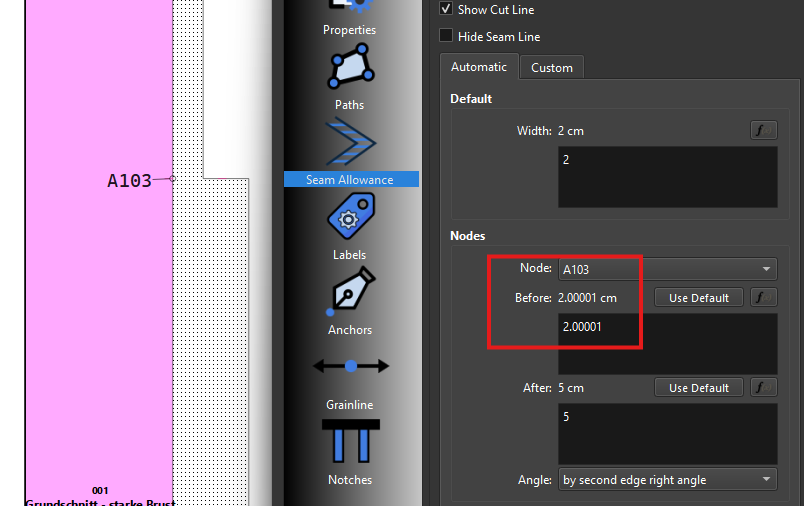
I changed the before SA 2cm to 2.00001cm and it fixes the issue. Whenever we can add .00001 it’s a clear indication of a floating point rounding error and a fuzzy math issue.

There are several overlapping factors with the fuzzy math… one of them being the use of cm. To get to DPI (pixels) we have to convert cm to inches to pixels. That in itself can introduce rounding error. Another is the way the macOS M series handles floating point, and the other is how we compare floating point numbers. These are on my list of things to fix