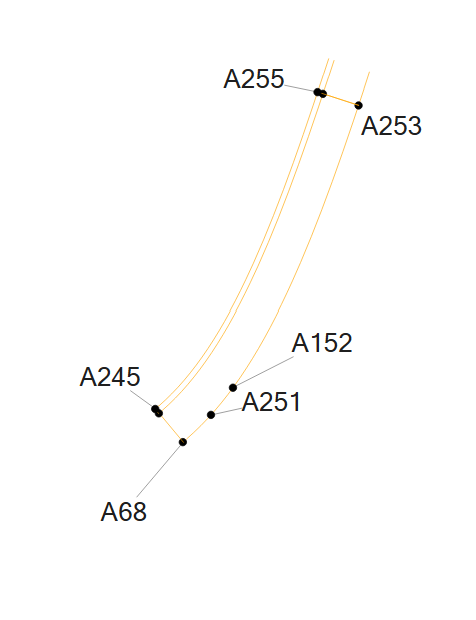
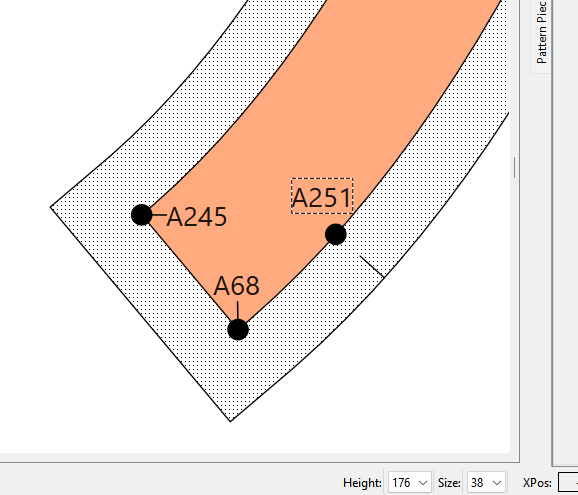
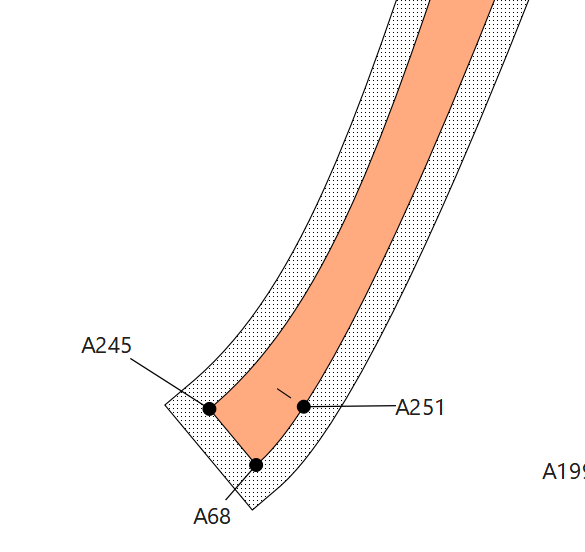
Ich habe eine Datei mit “speichern unten” abgespeichert.
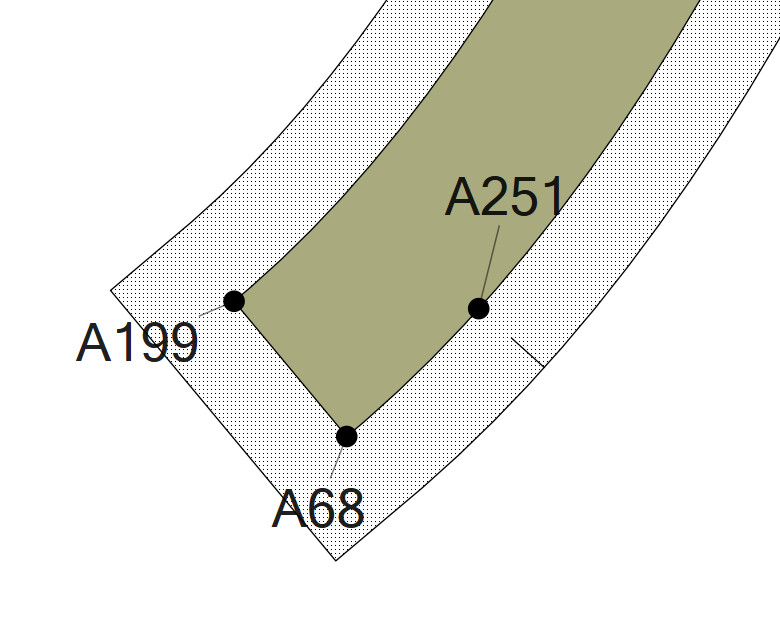
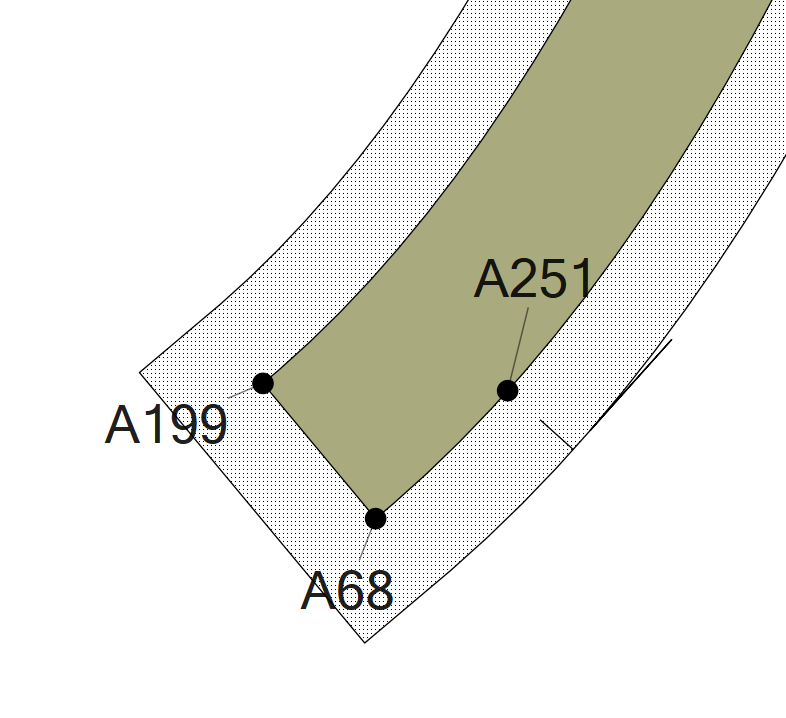
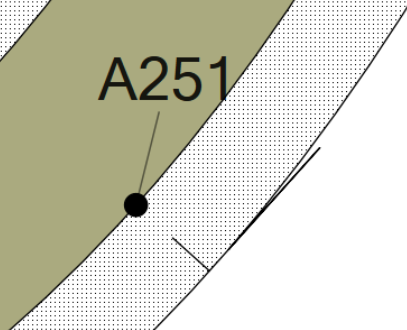
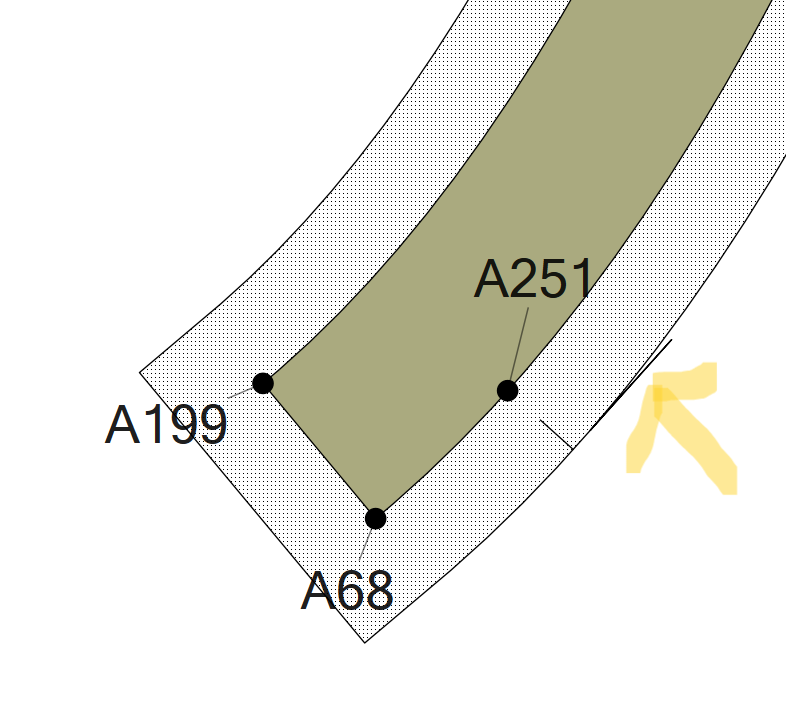
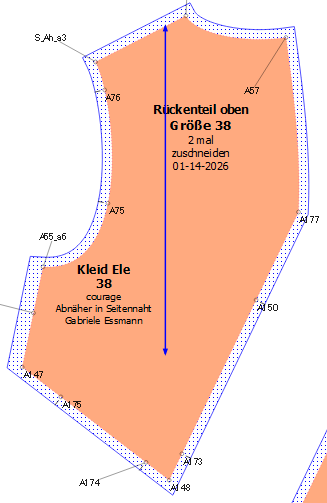
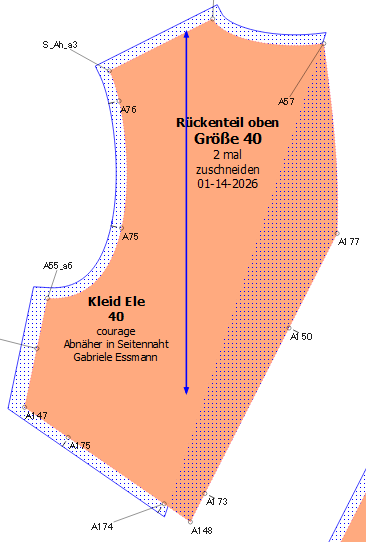
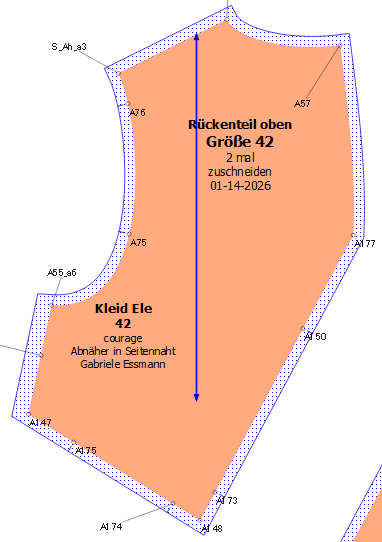
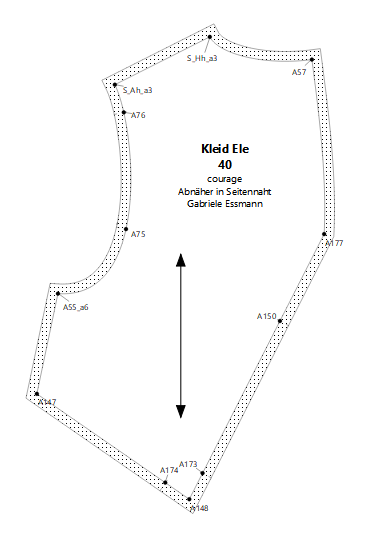
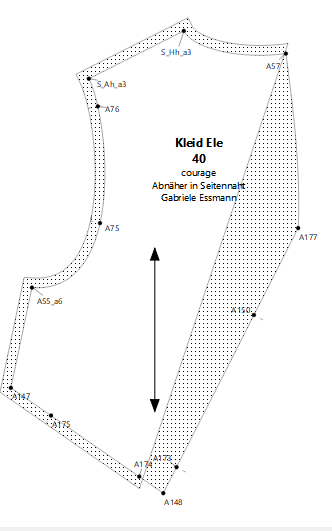
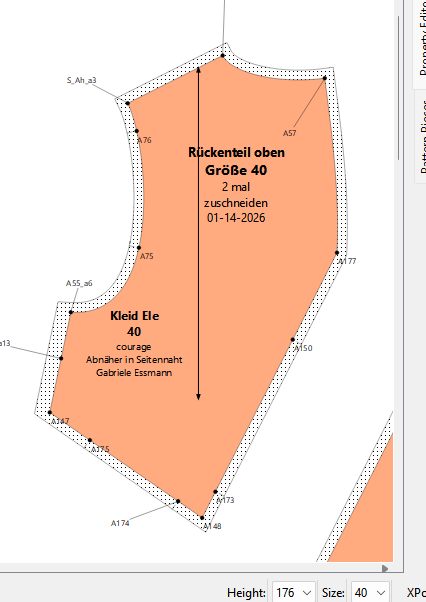
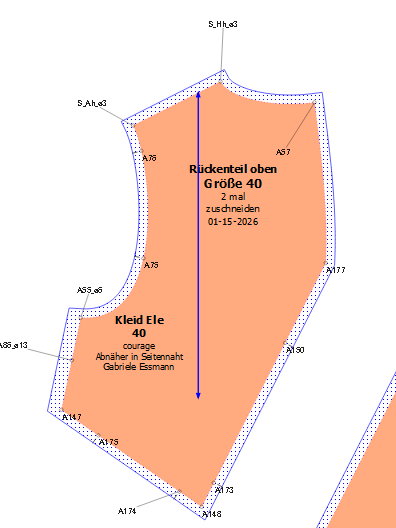
Nach dem Nähen ist mir aufgefallen, dass etwas nicht stimmt und ich wollte diesen Fehler im Schnitt beheben. Das hat alles geklappt. Im Stückmodus wurde danach jedoch ein Schnitt, der überhaupt nicht betroffen war mit einer falschen Nahtzugabe angezeigt. Kann mir jemand sagen, was dabei passiert ist?
Ich muss dazu sagen, dass ich in der Chronik Punkte so eingesetzt habe, um andere Punkte ändern zu können.
Off the top of my head… something is not right in the draft like the length or angle of a control point. If I were to guess it’s the fuzzy math thing where as the size changes it affects whether an intersection is found in creating he SA. It may be something we can adjust by making the comparison between 2 numbers a larger value, but less accurate.
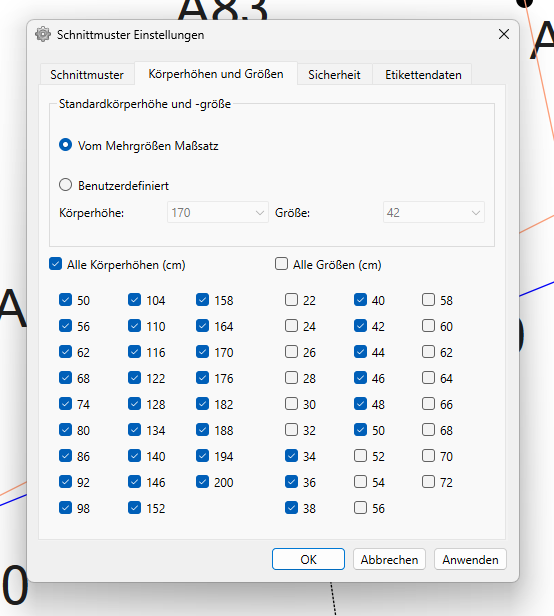
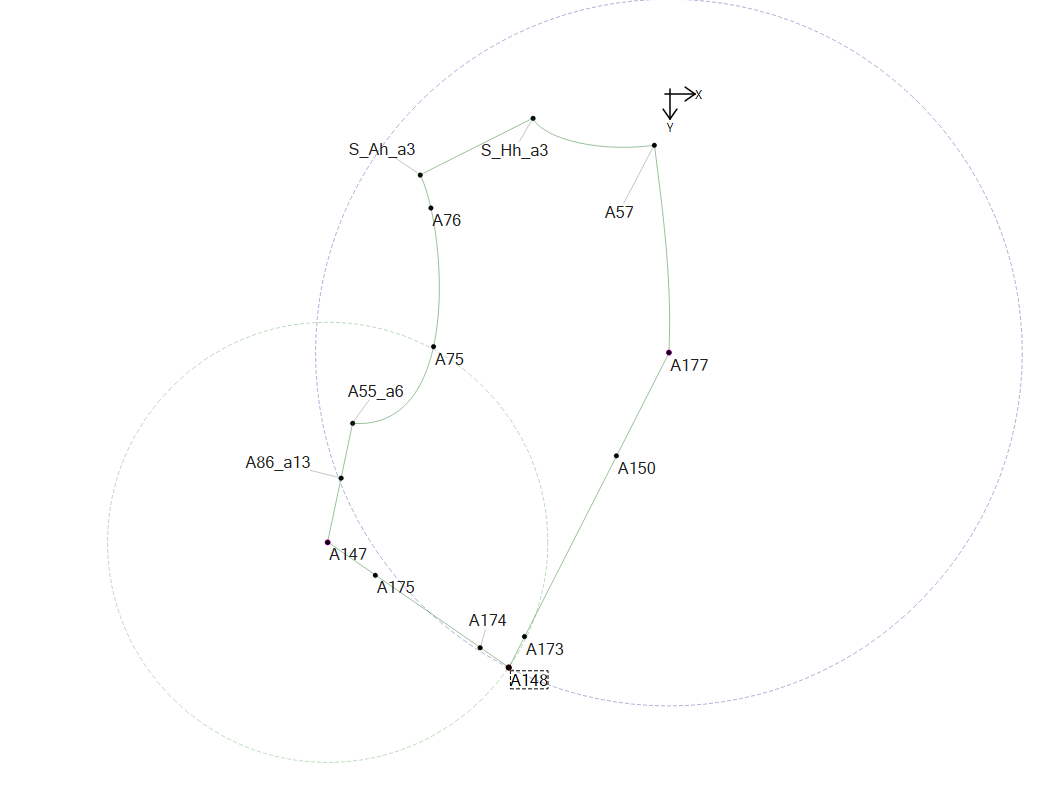
The only thing that I can see is the 2 arcs that intersect to create point A148, but these arcs intersect down to size 38, so this doesn’t explain the problem at size 40 which is the image above.
I concur. The pattern fails below 38 because the intersect point is not found. This should either be fixed, or the sizes below 38 removed.
I too am stumped for now… its only the Size 40. What I don’t get is the SA path is connected from A57 to A174 and everything in between is ignored?
I tried a bunch of things… changing the CP’s, changing SA widths, changing the main path start point, even disabling the curve and notches… to no avail - yet.
I also don’t know why point A173 doesn’t cause the same issue?
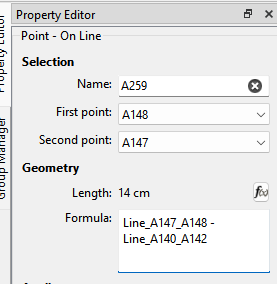
I guess this begs the question - should we add a “Direction” option for the Point on Line (like with the curves) so you don’t have to subtract the length from the length of the line to place the point?
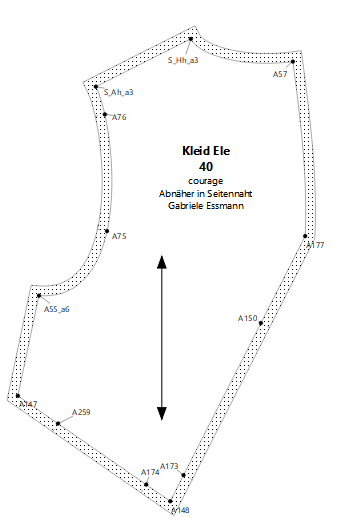
BTW… I tried to reverse the 1st & 2nd points for point A175 but it breaks formulas… thus the reason for a new point.A259.
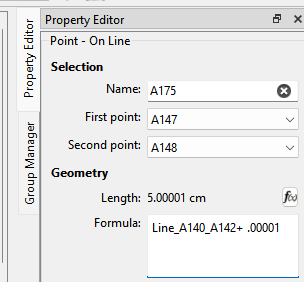
OK… like I said it’s probably a fuzzy math thing… luck have it the size 40 places the notch point A175 at a place where it mucks up the continutity of the path. Simply adding .00001 to the length fixes the issue:
If you go below size 38, some other arcs don’t meet which causes the program to crash after giving a warning (with the measurements file that I have). I suggest that you set the Pattern Preferences to only allow the sizes that do work.
Ich würde es gerne verstehen, warum Ich habe ja viel gelernt in den letzten Jahren, besonders weil ihr beiden mir immer mit Rat und Tat zur Seite gestanden seid. Ich setzte den Punkt aus zwei Kreisen sehr bewusst ein und weiß, dass immer die Gefahr besteht, dass sich bei Veränderung der Größen die Schnittpunkte der Kreise eventuell nicht mehr gegeben sind. Das habe ich eigentlich immer im Blick.
@Grace Definiere ich hier die entsprechenden Größen?
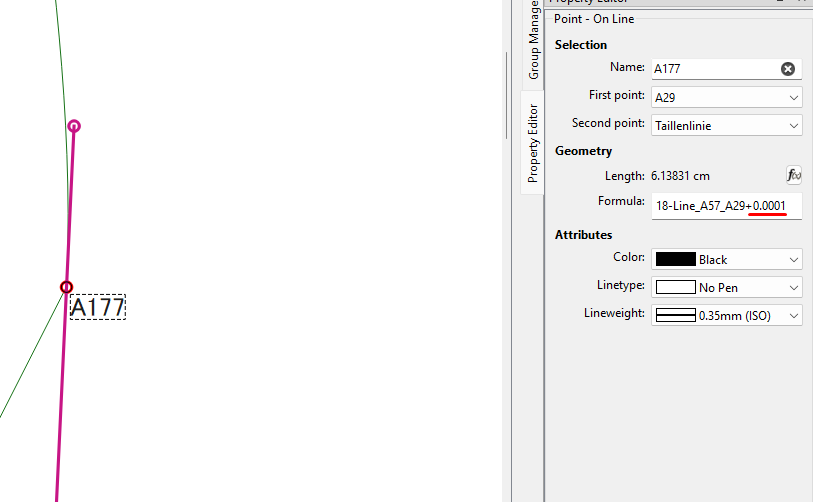
Ich hatte eine Kleid Vorlage als Muster und sollte den Schnitt nachbauen. Am Muster betrag die Länge der Naht von 147 = 19 cm und von 177 = 30,5 cm. Dafür finde das Tool (Punkt schneidet Kreis genial). Ich habe alle Größen mir angeschaut. Grace hat jetzt bei A177 0,00001 addiert, dann passt es. Warum?
It has to do with using real / double / floating point numbers… that is numbers with a decimal point. Due to the fact there can be rounding errors you can’t compare if A = B or if A = 0. Therefore “fuzzy math” is used where numbers are compared… that is we check are they close to being equal. Some of the fuzzy math routines have an accuracy factor, as in how close is it considered equal. Think of it as casting a wider net to catch more fish. I may be able to set the accuracy in the code to a larger value that would eliminate some of these edge cases.
In the case of adding .00001, it’s enough to move or change a point’s postion to satiisfy what ever is being compared, but has no effect on the pattern as you can’t measure 1/10,000th of a cm. The fact that this only affeced the size 40 is an anomaly, but shows why it’s important with multisize patterns to check if all the sizes resize properly.
Gr. 38: hier stimmt der Verlauf der Nahtzugabe nicht. Es ist lediglich eine Kurve. Kreise sind bei der Entstehung dieses Schnittteiles nicht angewendet worden.
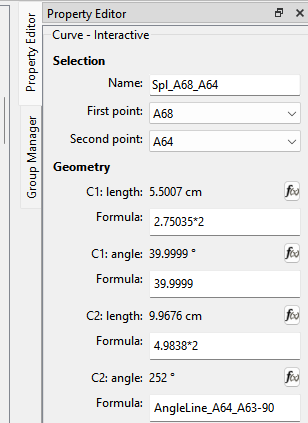
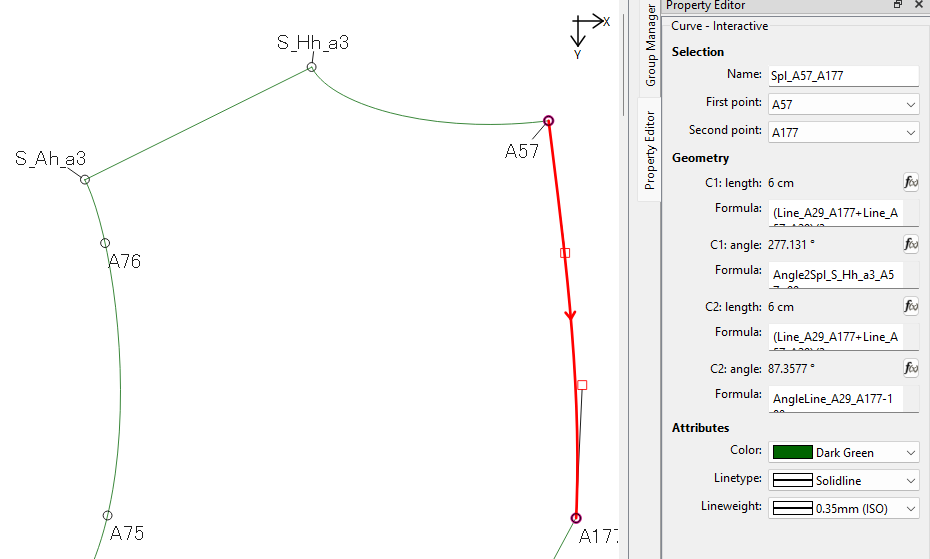
The other thing I found last week is when you have a Point on Curve / Notch - there is less chance for fuzzy error if the curve is going clockwise. I also tried to make the C1 angle 90 degs to Line_A245_A68… but there is no such line so it’s not available. If it did exists it’s angle is 310degs… which would make the C1 angle 40degs… where 39.9999 is close enough.
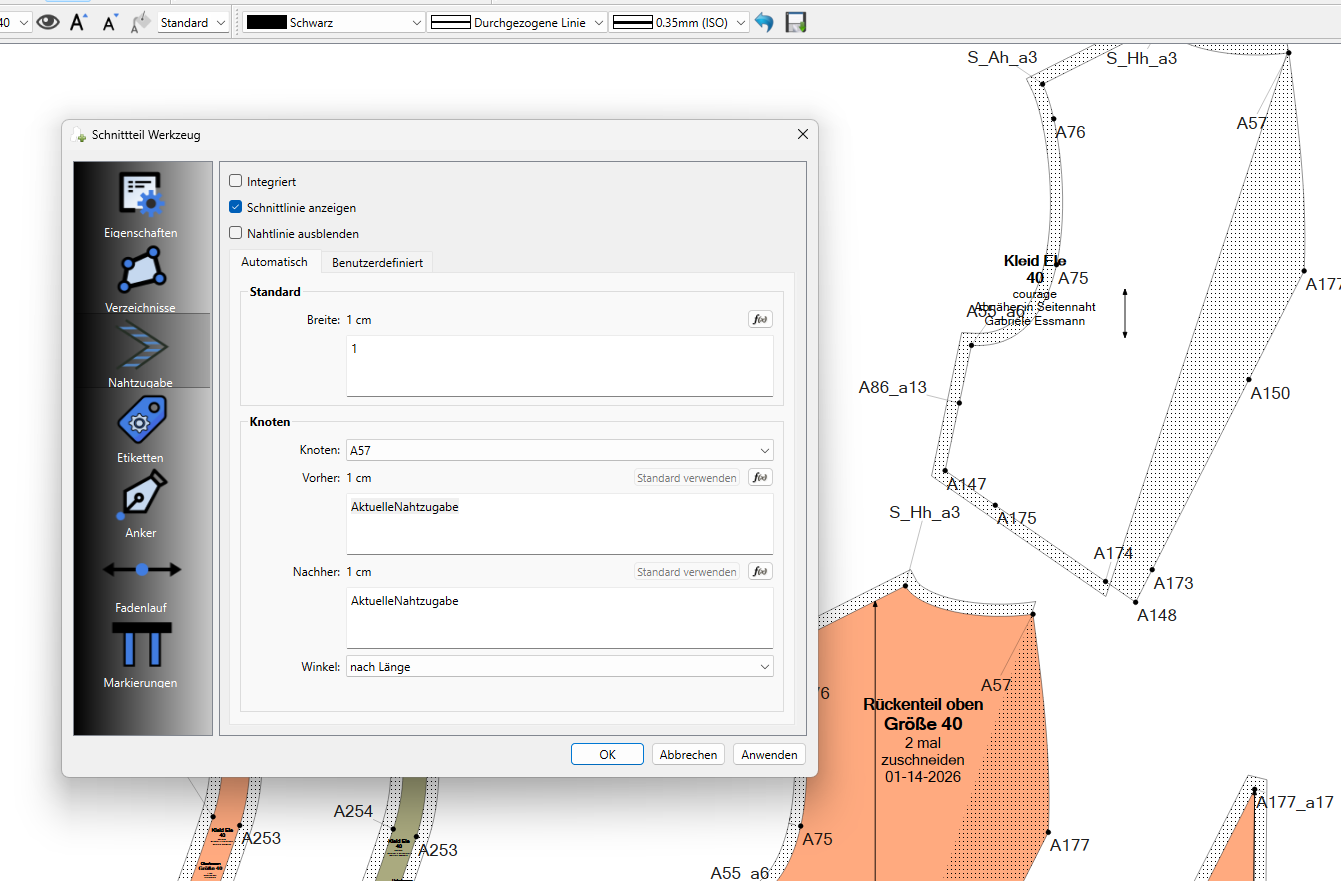
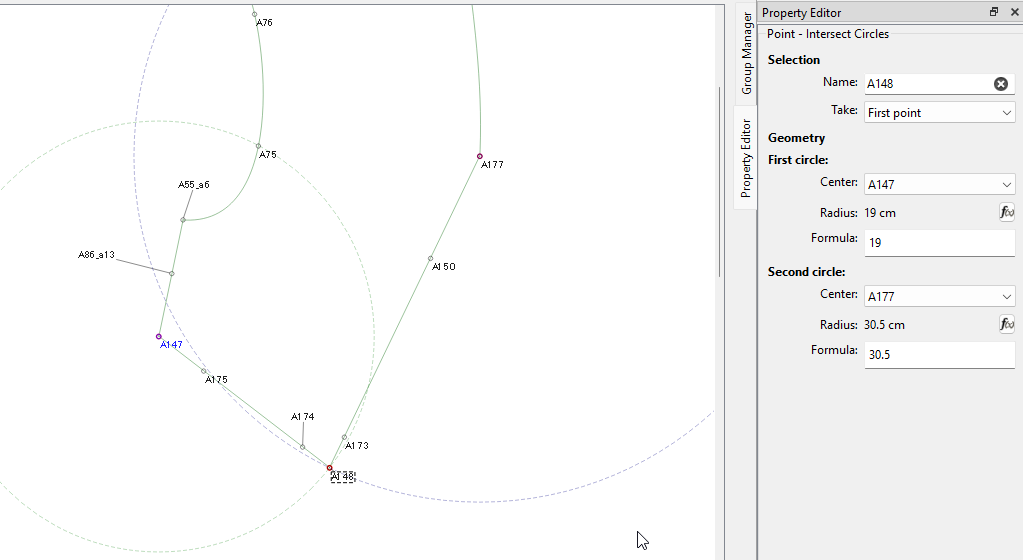
 Ich habe ja viel gelernt in den letzten Jahren, besonders weil ihr beiden mir immer mit Rat und Tat zur Seite gestanden seid. Ich setzte den Punkt aus zwei Kreisen sehr bewusst ein und weiß, dass immer die Gefahr besteht, dass sich bei Veränderung der Größen die Schnittpunkte der Kreise eventuell nicht mehr gegeben sind. Das habe ich eigentlich immer im Blick.