I´ve been working on a new Piece Property Browser for Piece mode, and I’d love your input before it goes further.
What’s new
When you switch to Piece mode, two new panels appear on the right side:
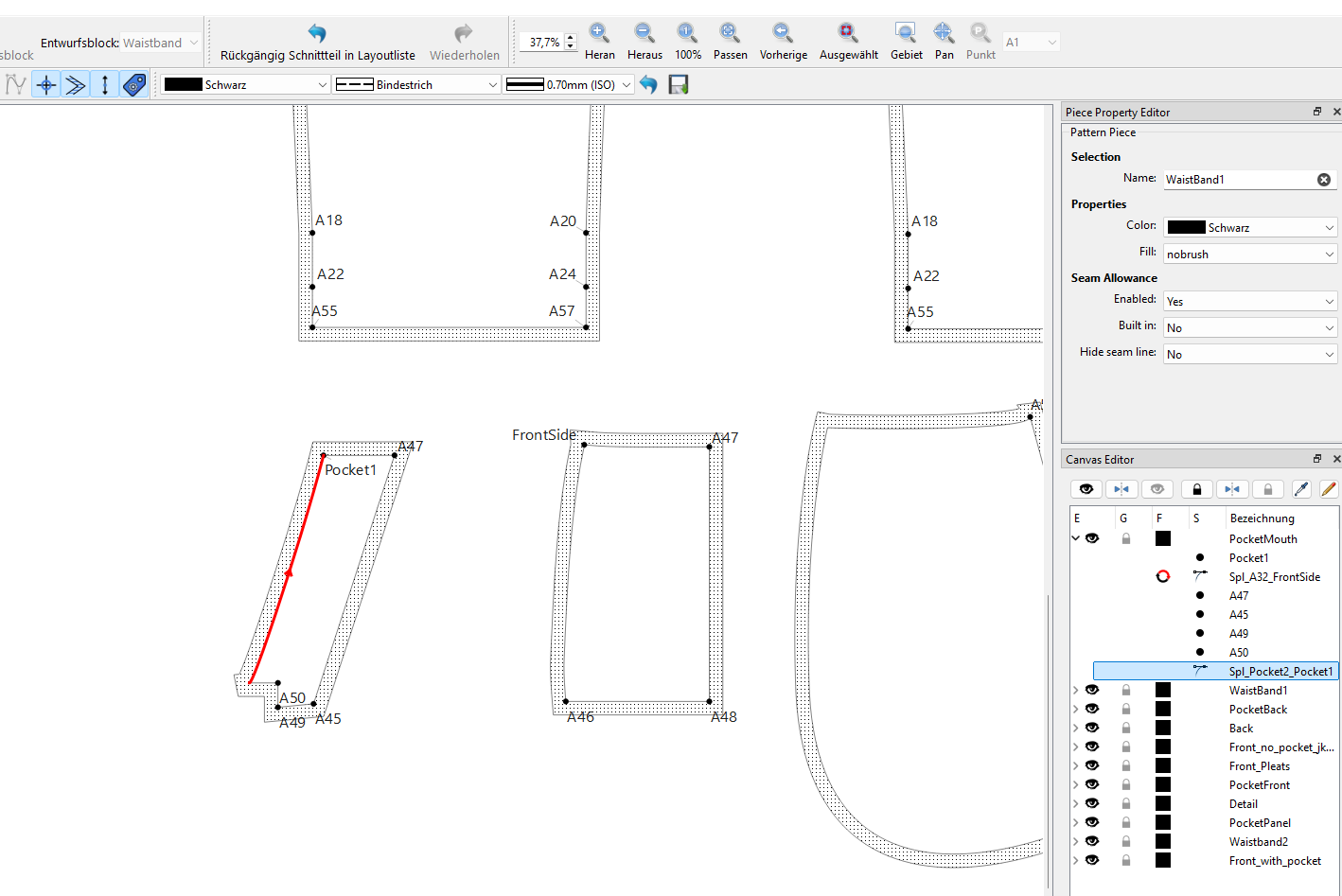
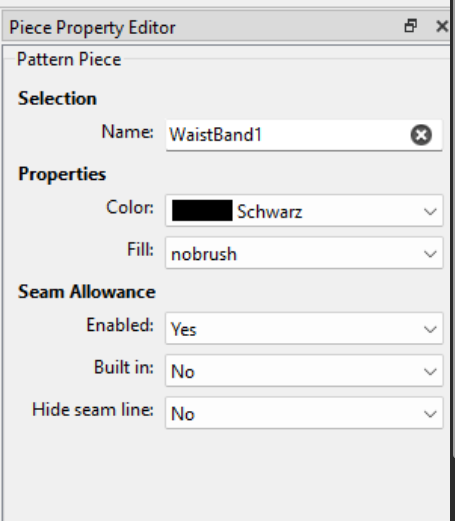
Piece Property Editor
Click any piece on the canvas and its properties appear in the right dock — you can edit the name, color, fill, and seam allowance directly without opening a separate dialog.
Canvas Editor
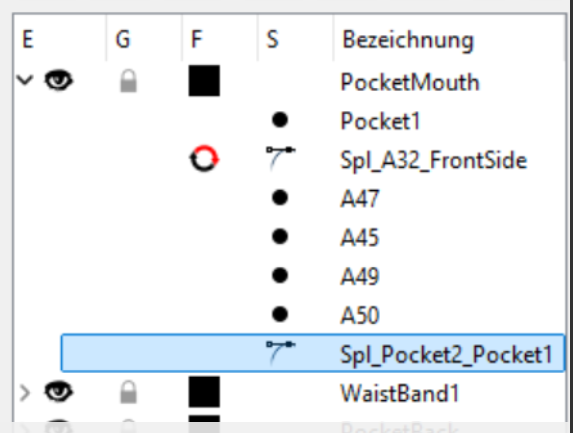
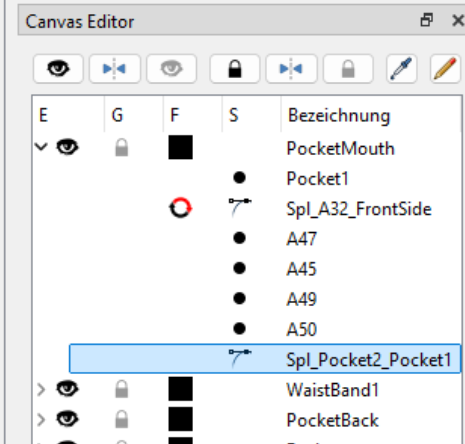
The piece list is now a tree. Each piece expands to show all its construction nodes (points, curves, arcs). Clicking a node in the tree highlights the corresponding element on the canvas. Also you can simply reverse curves, delete or hide points or easily rename pieces.
Another thing that came to my attention: why do we have multiple different ways to disable the seam allowance (Enable/built in)? I assume one of them only hides it but it still shown in the layout while the other also hides it in Layout. It seems a bit counterintuitive to me.
The real solution for the built in is much more complicated than that. The orginal dev just made the “bult in” disables the SA… what it reall needs to do is reverse the SA so it’s inside the main path, but it’s a complex issue to unravel. I would not mess with it for now.
Also the Color and fill are Attributes not Properties.
The “Enabled” combobox should be Show Cutline. There’s a reason that will make sense once we can implement the “built in” SA.
I would not call it a Canvas Editor. It a Piece Editor of sorts… A “canvas” is the workspace or in Qt terms “scene”.
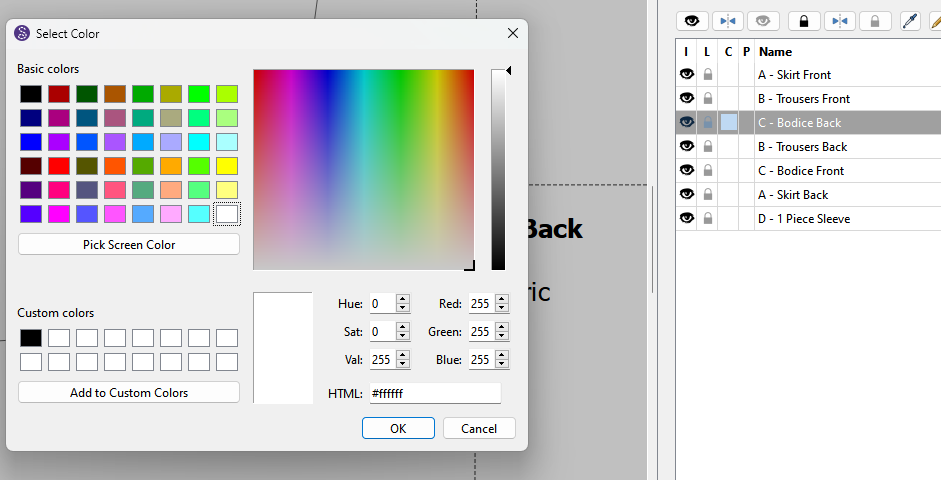
That all said… I’m trying to sort out in my head having the Piece Property Editor as a proerty browser form, and then the tree editor below it, and have them make sense. Currently the “Pattern Piece” dock deals with what pieces are included in a layout and is not meant to be an editor. The color is there mainly to be able to sort by and identify different types of materials. I’m not sure I like the idea of the Tree in this context… like I said most of the “node” properties can be more accessble using the context menu rather than opening and scrolling through a tree to find a node. Making the curve graphicitems selectable would allow adding a context menu to edit the curve nodes.
I think maybe a better thing to do is move the Nodes from the “Canvas Editor” - which I think this should be (re)named “Layout Pieces” - up into a"Piece Property Editor" Path group… leaving the existing dock as is.
If I were to add a tree dock.. it would be a seperate dock of just the Pattern Piece names and nodes. To me this:
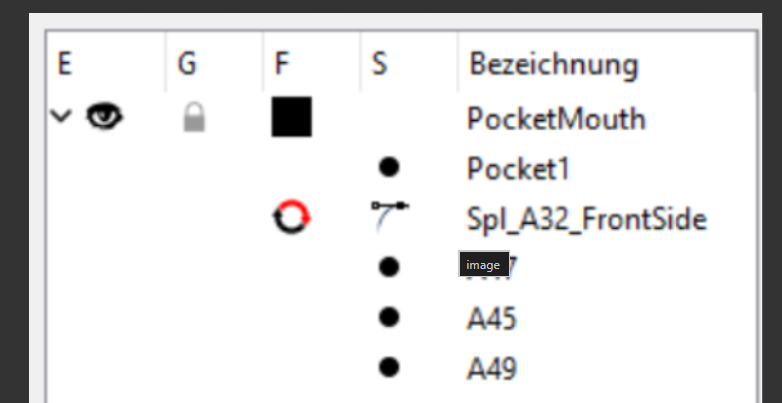
I like that one can see the order of the objects in a dropdown below any pattern piece. I could see that a point is missing between A50 and the curve which is making the seam allowance jag outwards and that could show a multitude of errors that could pop up without actually needing to open the property editor.
I also like that selecting an object in the list highlights it on the pattern piece, but will the list also have a scroll bar if a piece has a few hundred objects in it? or a few hundred pattern pieces? and the list gets really long?
However, I’d like to know what would happen if the pattern piece is outside of the drawing board/canvas? Would the pattern piece and the selected node move into view? or would I need to look for it by panning?
Other than that, I’m one that likes my workspace to be neat and tidy with only the bare necessary items on view to avoid distractions and so that I can zero in on what I need quickly and easily. With this in mind, I tend to agree with @Douglas that that section is perfect the way it is and that one doesn’t want it to be too busy.
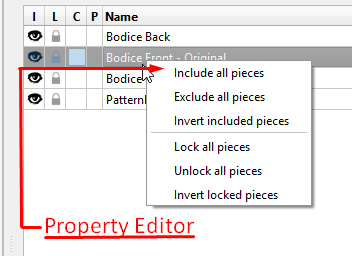
What I would like is… if I right-click on a pattern piece in the list, that an option to open that pattern piece’s Property Editor on the menu and that that pattern piece moves into “centre stage” (this could be by just clicking on the piece in the list).
At the moment, it only has the All Pieces options, so I don’t know if this is possible in QT, but it would solve the problem of trying to open the property editor when the fuzzy-math problem occurs with the seam allowances by giving an alternative method of opening it.
Other than that, I don’t think grouping the pieces will help at this stage - one can add a 1 or a 2 in front of the piece name to have them listed in some order. Labels, pattern makings, grainlines are visible on the pattern piece.
Also as I stated previously the current Pattern Piece Dock is meant to select which pieces to include in a layout or export… not to edit the piece properties.
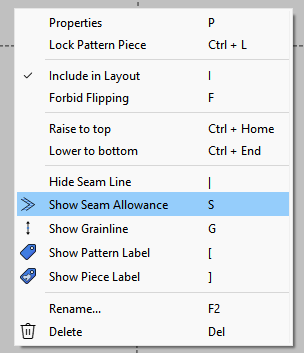
Oh, wow! @Douglas , I didn’t know that. Darn! that’s nifty. I always have to look for that sweet spot that I can right-click & open it Much better than being in a menu anywhere. @odrnorn , please scratch that thought of adding it to a menu.
Yes, I agree with you. If there’s too many edit things there, then it’ll become too busy. But I do like the list of objects. One can see at a glance if anything is missing or out of order without having the property editor covering the pattern piece.
Just to explain why I think a panel makes sense here:
The dialog already does the job, but opening and closing it for every piece gets tedious when you’re tweaking 15–20 pieces in a row. The panel stays open and updates when you click a piece — no open/close cycle. It’s not replacing the dialog, just making the repetitive stuff faster. The question here is: what functionalities are important enough to get implemented out of dialog, while having in mind to not overdo it and copy the dialog 1:1.
The right dock is already there in piece mode, mostly empty. So it’s not adding clutter to the workspace, it’s using space that’s already there.
On the clutter concern — the node tree is collapsed by default. You only see piece name, SA, and visibility until you open it. Grace, your point about scanning for node errors is actually exactly the kind of thing I had in mind — a quick glance without opening a dialog. But yes, the viual language definetly needs improvement here.
I’ll keep tinkering and I’m curious to hear more ideas. Hoping to take another run at this soon — with a proper PR this time!
It’s not a question whether it’s open or not… when it’s open it looks messy and it’s not clear what is what. You’re trying to mix a table with a tree and IMO it’s confusing.
Mixing a QTableWidget and a QTreeWidget into a single view is generally not recommended in UI design. This creates a clunky, confusing user experience. Instead, the standard approach is to display a hierarchy with columns or separate them entirely.
Why Mixing Them Fails
Cognitive Overload: Users struggle to track both hierarchical depth (trees) and flat, multi-attribute comparisons (tables) at the same time.
Interaction Conflicts: Standard sorting, filtering, and column resizing behaviors are vastly different between tables and trees, causing layout bugs and user confusion
For ex: Is the reverse icon part of the Color column? Are the nodes part of the Pattern Piece Number / Letter column? Also the alignment of the 1st 4 colums now is left justified instead of centered?
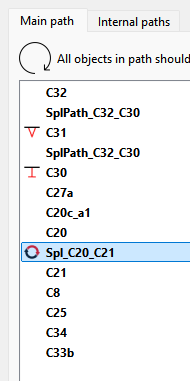
Again… I would put the Piece tree in a separate Dock… with the Piece names that open to show the nodes. The dock should serve one purpose… to edit the nodes, not be a catch all for every purpose. Also you don’t really need an icon to designate whether it’s a point or curve… the node name already tells you that. The tree should be consistent with what is already in the Pattern Piece->Paths list:
As I not8ed in the PR you should clone the main repo and create / work on feature branches locally, then push and make PR’s to the man develop. It’s just easier to deal with. For ex: If Iwant to build one of your features to test I have to clone your fork and deal with another whole repo, rather than just fetching the origin which will include your feature branch that I can simply switch to and build. Also to note… you want to always rebase a feature branch before you push it… it eliminates potential conflicts later - which if there are conflicts it’s usually easier for the author to do so locally.
I like the paths in the list, but like the others have said, I’m not sure how well I’d like it when a Piece has a lot of nodes in its path.
What if when one of the Pieces is selected, a second sidepanel shows the Path? Maybe ditch the “Seam Allowance” section of the Property Editor, & put a scrolling Path list instead?
Thanks for presenting this! But I’ve realised that there are some issues I should have documented months ago, so I’m off to attempt that before I forget everything!
That was my point I made where it makes more sense to use an interactive context menu. In this case though we need to make curves selectable to be able to add a context menu to them.
Also like said I think if there is to be a tree view of the pattern pieces / nodes it should be a separate dock.
Or here’s another option… Keep the Pattern Pieces dock as is, just rename it “Layout Pieces”. Then in a “Piece Property Editor” dock you have a separate “Path” tree widget that displays the Nodes (with a context menu.).. like the Group Manager has the Groups and Objects.
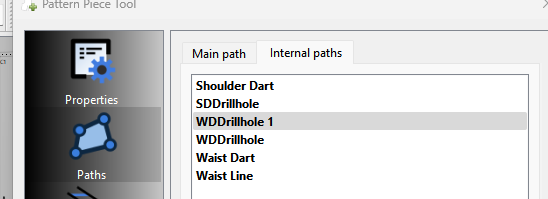
And here’s another thing that was not addressed… there are 2 Path tabs in the Pattern Piece Doalog… Main path and Internal pathsl. This:
does not address that. I would make the Path tree widget with an embedded Tab widget so you can switch between Main and Internal. paths… like in the Pattern Piece Dialog. The Internal Paths are then going to be 2 levels deep to see the node list


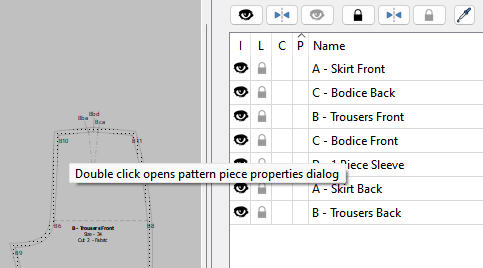
 Much better than being in a menu anywhere.