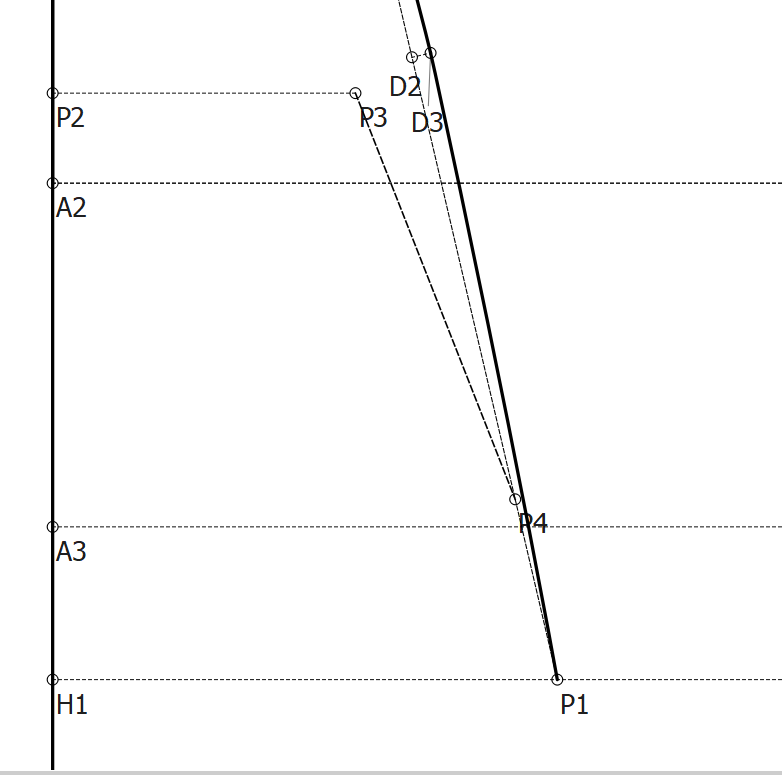
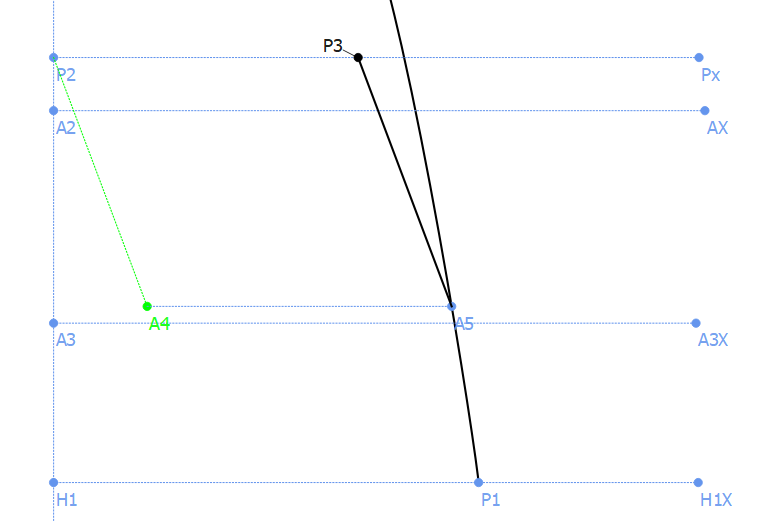
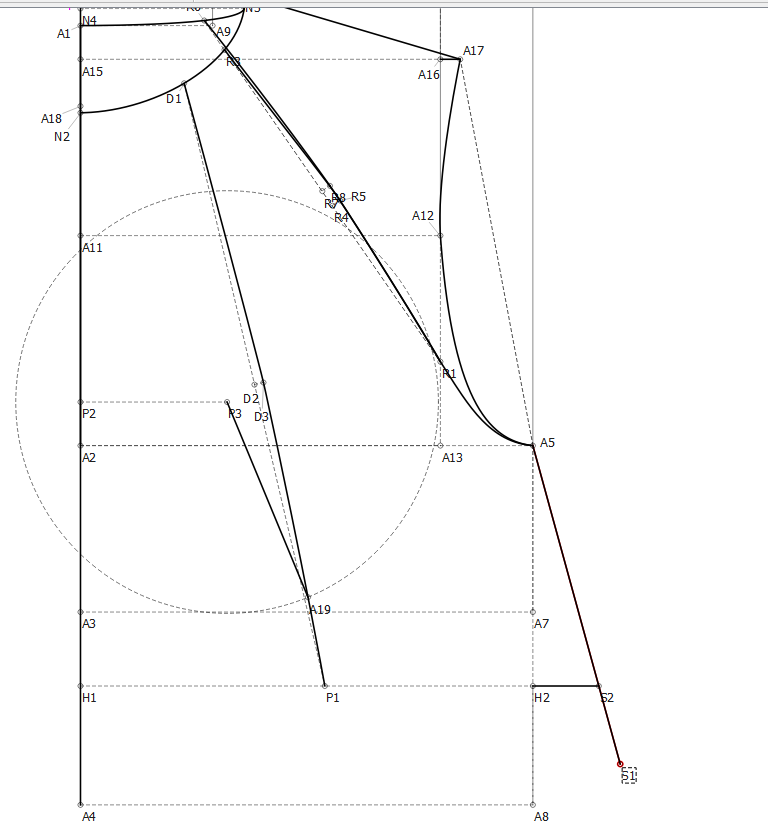
I have plotted P4 using intersect arc and line (A,L) tool, to draw a 16cm line from P3, as this is a hoody pocket opening I really want to specify this measurement.
Although, as you can see, I was only able to go to the line P1_D2 (dashed line), is there a way I can find a point 16cm from the axis point to the curve I’ve drawn (Black solid line)
Which point is the Axis point? If it is P1, then you could use the Point on Curve tool to create a point at the same distance of the section of the curve P1_P4 and then, using the same tool, another point the length of the whole curve P1_P3 - you’ll find the curve lengths in the Formula Wizard at the Curve Length tab.
If this isn’t what you’re looking for, I’m afraid you’ll need to be a bit more specific.
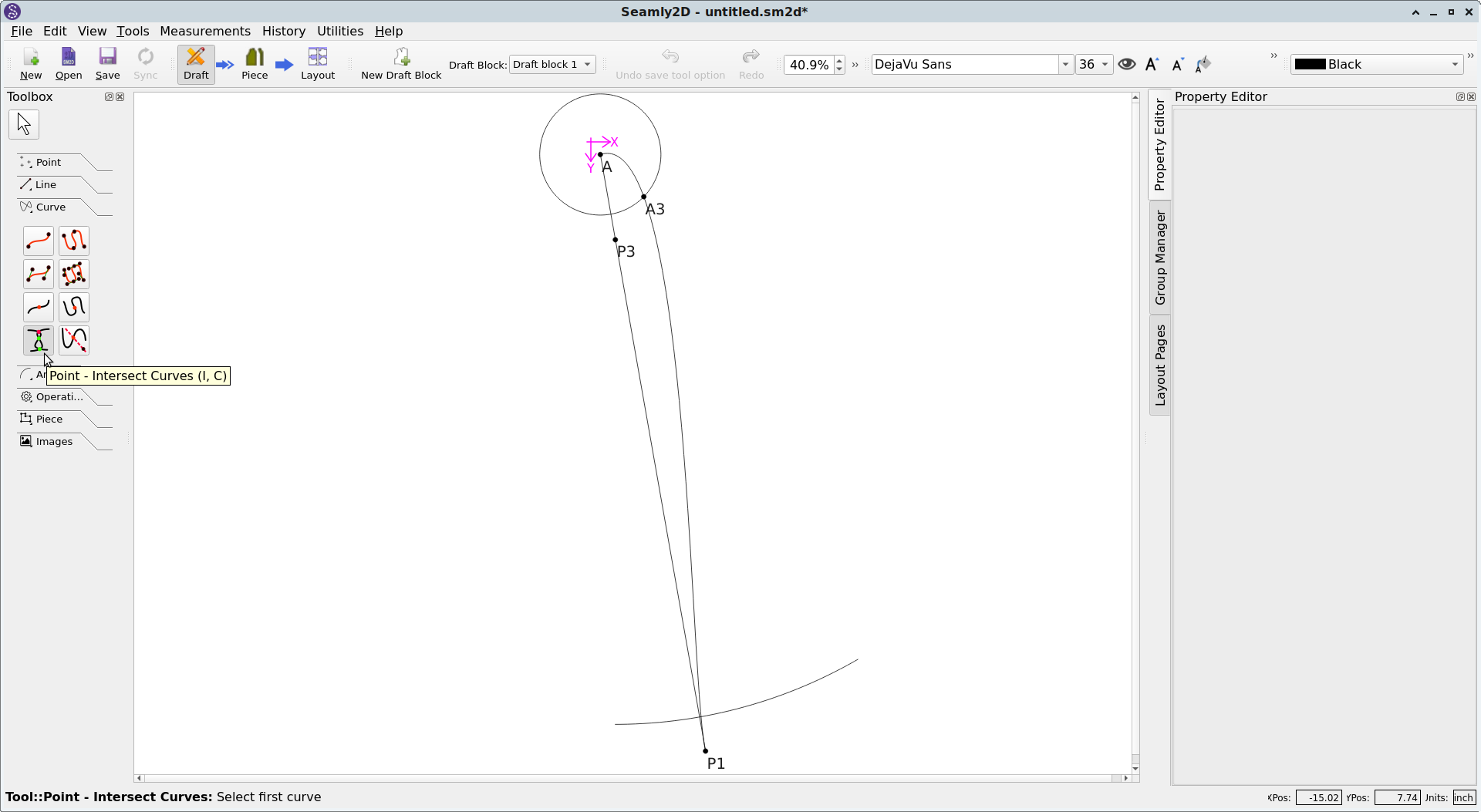
If I understand, you are wanting a point 16cm from P3 & on curve Spl_P1_??, yes? While I don’t think Seamly has a single tool for the job at his time, (@Douglas will correct me if I’m wrong,) this can be easily achieved with the use of two tools.
Use the Arc tool to make a 16cm radius arc using P3 as the axis. A starting angle of 270 degrees, & an ending angle of 300 degrees would probably work.
Use the “Point – Intersect Curves” tool in the Curves toolbox to place a point at the intersection of the arc & curve:
Well you’re correct… in that regard. But if the pocket piece angled edge is to be defined by the Line_P3_P1 (or vice versa) then the point on the curve is going to be an extension of that line… not the same distance from P3 which will change the angle of the line. In which case the Point - Intersect Curve and Axis with the angle of Line_P3_P1 is the what you want.
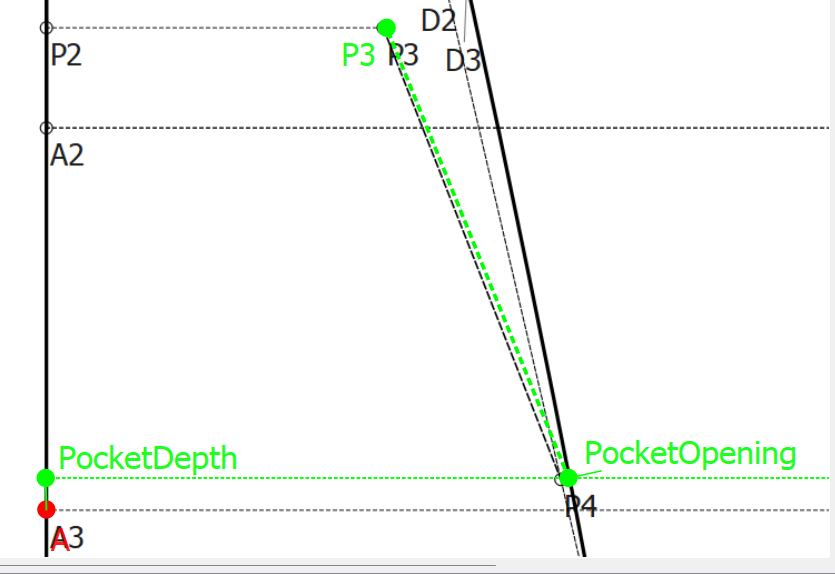
Or if you want the opening at the same height then maybe going with what @Grace said to use the Point - On Curve (Spline) and then the angle of the pocket becomes that point to P3.
It’s a chicken or egg first thing.
Here’s what I would do… and I found a new use for importing images into Seamly2d
Establish the pocket height with a Point on Line… down from point P2? or up from A3? Use the Point Intersect Curve and Axis to create the PocketOpening point. The pocket angle now becomes LIne_P3_PocketOpening. No Arcs required.
But if the pocket piece angled edge is to be defined by the Line_P3_P1
I am not sure how to do the blockquotes properly but I’m trying… no the angle isn’t defined by that line, I was posting the screenshot to demonstrate my shoddy solution and to see if anyone had anything better.
In the end, @Pneumarian 's solution is the best for me still. While I could do it the way you described, @Douglas , it doesn’t really make sense for me because as I mentioned in the OP:
I really want to specify this measurement.
For me, the function of this piece is to have an opening of 16cm. The rest of the measurements, from a design perspective, should revolve around that, but that is the thing that needs to be a certain length for me.
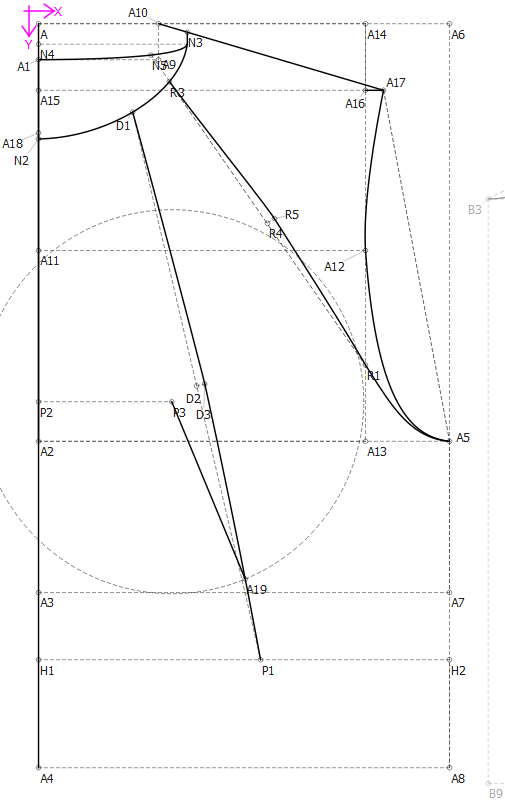
The Spline through D1_D3_P1 is a seam and its there for design not function, the line D1_P1 is only there to get a midpoint so that I can construct the spline to curve around D3.
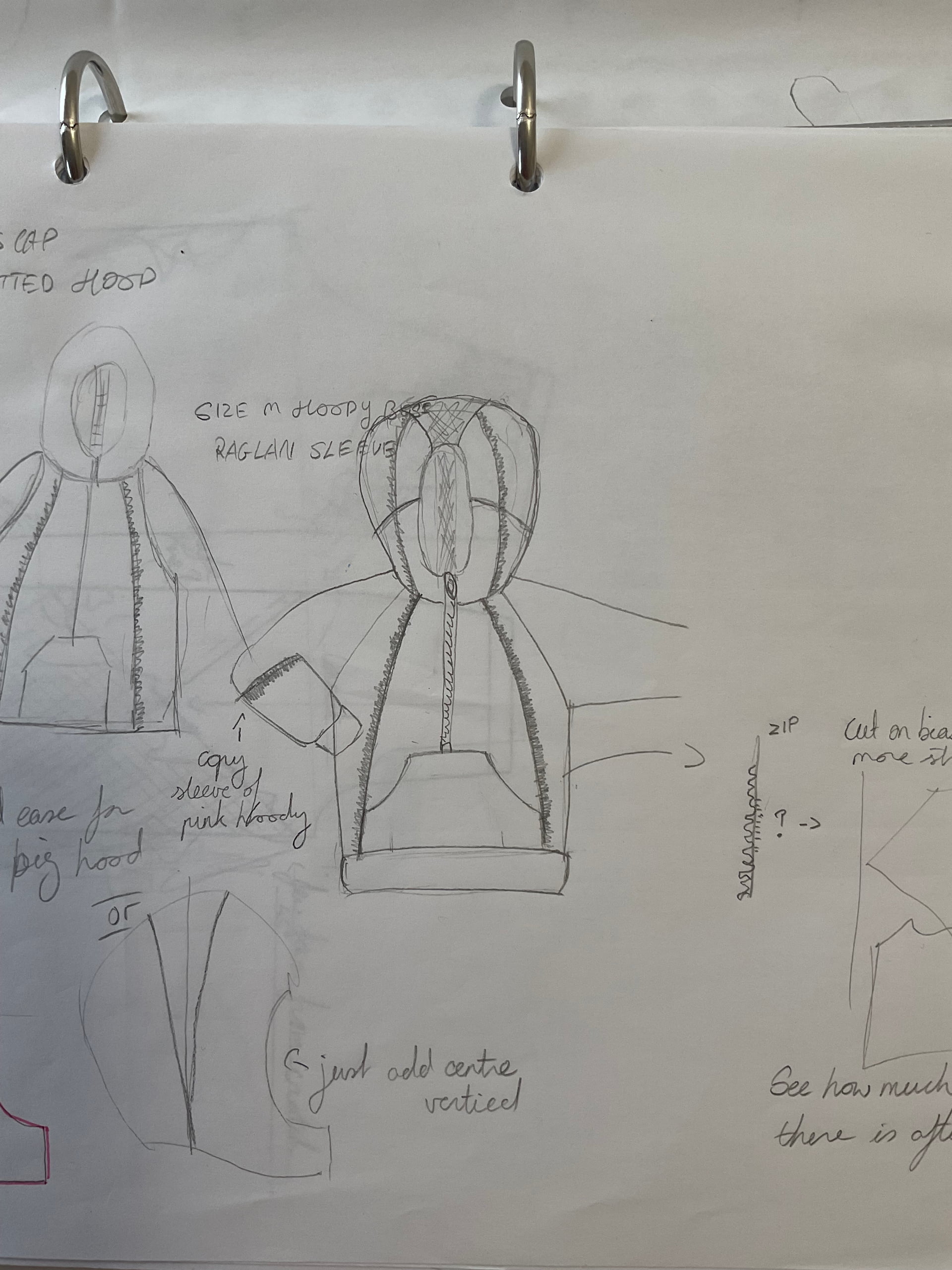
The smaller sketch up in the left is a representation of a hoody I already own, which I was inspired by. It has a normal hoody pocket, and comes straight up vertically on the edge. Believe it or not, I actually tried your way Douglas, to specify a point on the curve, for which I measured the actual hoody I own, but because the curve is at an angle and not vertical, I didn’t end up with an opening of 16cm.
Strike that… we either need the other side length or the angle at P3. OR would need a given P2 to PocketDepth and a hypentuse of 16cm which will then alter the length of P2 to P3.
You could go with what @Pneumarian suggested, but that could create a style inconsistency when you change sizes as the angle might keep changing. IMO you would want the angle of the opening to remain constant, and the length of P2 to P3 should change.
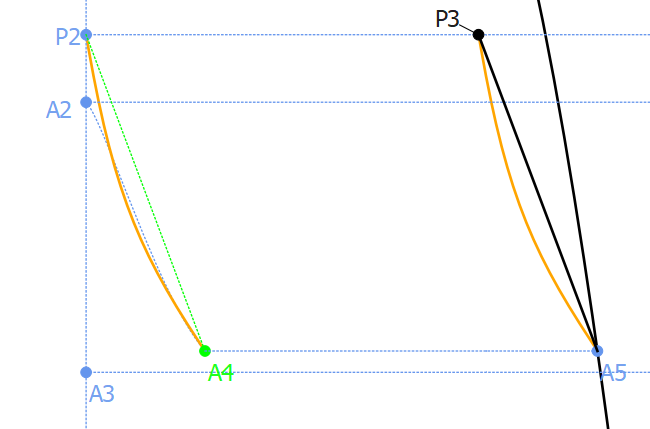
Here’s my solution given a fixed length and angle of Line_P2_A4:
if you want it curved you could do a simlar thing, except you’d have to play with the curve length a bit as there is no tool to create a curve of given length.
that could create a style inconsistency when you change sizes as the angle might keep changing. IMO you would want the angle of the opening to remain constant, and the length of P2 to P3 should change.
Wow good thinking.
Thanks for that… if I sample this pattern and decide I want to keep using it I’ll update it along with redrafting the sleeve on the same block (from a previous question I posted on the forum)
But lots of insight being gained nonetheless, thanks everyone
The depth from P2 to PocketDepth can be dertermined using the trig functions with a hypotenuse of 16cm and the right angle of 90 deg.
Is there anywhere I can learn more about the trig functions?
I have a guess that they will help me in this situation, but you probably have a better suggestion:
A cleaner way to get the point S2? for design purposes, the angle of Line_A5_S1 = Angle1SplPath_D1_P1 and then I just did Intersect line and axis but I’m sure there is a better way.