Because an earlier version of Seamly2D works without errors, I don’t think my Linux upgrade is the problem. I downloaded the current version of Seamly2D yesterday. I got more errors with Version 2026.9.28.151 than Version 2026.9.21.146. So I went back and tried an earlier version and it works fine.
Good to know I can find all previous versions.
Thanks for all your help. It is appreciated. I really enjoy using Seamly2D.
So looking back and downloading some of the previous versions, I can print with 20 July 2026 and I cannot print with the two versions after that date. (I didn’t try any more) I figured something changed with the 27 July 2026 release that Linux doesn’t like.
I’m not surpirised by that at all. I just fixed an issue with the Union tool and it was specifically related to when we switched to Qt 6.11.1 … which was with v2026.7.27.215. Problem I see is that the issue is in the QPrintDialog which all Seamly is doing is calling QPrintDialog() - Seamly is not building the dialog so it may be an internal bug on Qt’s end.
The other issue is I don’t actually have Linux installed… I just run Ubuntu or Kubuntu from a usb stick in “Try” mode, so there are no drivers for anything installed - such as print drivers or even Wifi. Without a print driver I can’t test the Print Privew.
I did some futher research knowing that the issue popped up between Qt 6.5.3 and 6.83…
The reason this issue suddenly appeared when you upgraded from Qt 6.5.3 to Qt 6.8.3 is due to a major rewrite and tightening of the QtSvg parsing subsystem that occurred between those versions.
In Qt 6.5.3, the SVG parser was significantly more permissive, silently skipping or guessing its way through broken paths. In modern Qt 6.8+, the parser is strictly compliant and enforces strict validation checks to prevent rendering errors and security vulnerabilities.
There is a fix I can try to tell the new strict parser to shut up.
That said… @heathermary is there any other instances where the issue pops up that is not printer related that I can test?
This indicates the issue is deeper than just some svg’s in a Linux build. Hopefully I can repeatedly reproduce the warning on my Windows build. It means I can then attempt a fix to ignore the warning, and be able to test it.
Can I ask a favor… can you load your pattern in the newer version of Seamly that was causing this issue. Then either in Piece mode or Layout mode, export the pattern to SVG. Then go to Draft mode and Import the exported SVG and see if it produces the same warning? If it does then I have a good idea what it might be, and it’s unrelated to Linux - and what the stupid AI keeps reporting what it is.
Also if it does produce the error if you don’t mind can you post the SVG, and I can probably verify what I think is the cause of the warning issue.
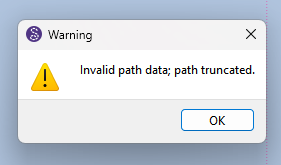
I just tried the AppImage, to see if it was behaving better than my home-build. & got the “Invalid path data; path truncated.” alert. It still imported the svg (albeit the sizing issue is still extant.)
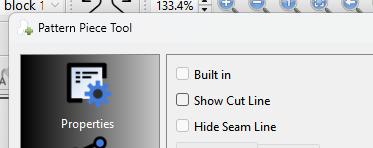
Export and import. Chances are the warning pops up. That’s what happened to me when checking the SVG scaling issue. This means the ‘path truncated’ issue is more wide spread. In the case of the hide cut line it’s because when exporting to SVG the piece will include an (invalid) empty cutline path. The empty path issue I have fixed. But that still leaves the question of what is causing the same warning on your Linux build.
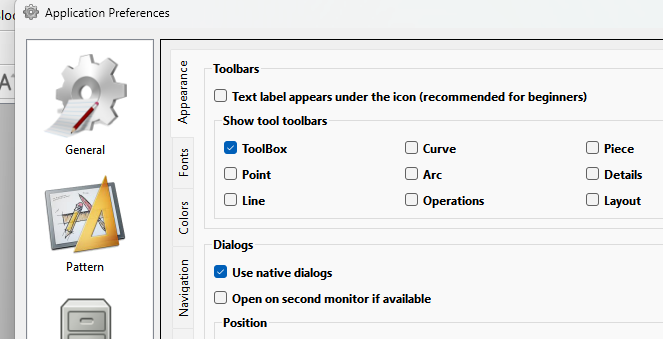
I have another option I can try… which I mentioned before, and that is to ignore the SVG logging warnings. I was hoping to eliminate the warnings at the source, but if we have to I will add a preference to disable those warnings so users can turn them off if neccessary.
TY. That confirms that’s also an issue with the Linux build.
Interesting the image doesn;t load. On the Windows builds it just throws the warning - you can click OK and the image loads anyways. The Linux implentation of SvgRenderer() must be more strict.
Like I said I have the export / import issue fixed… just need to figure out how to fix the Print Preview issue.