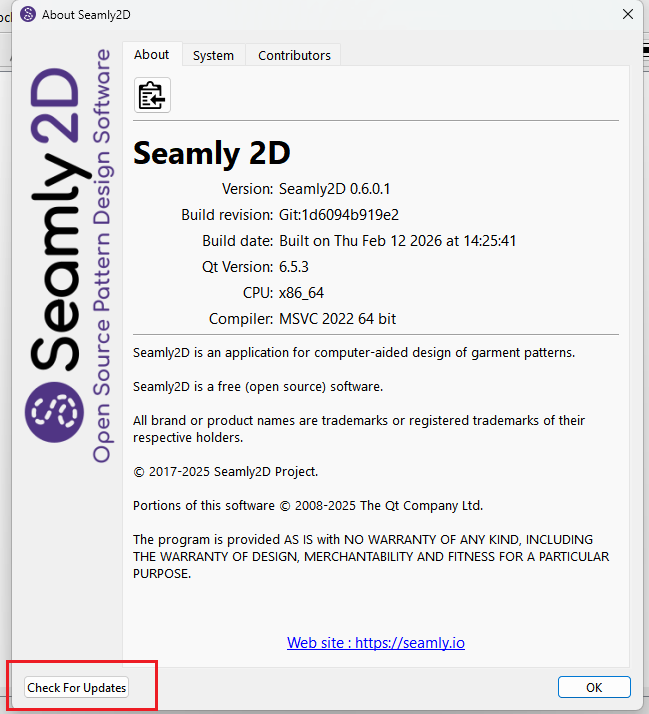
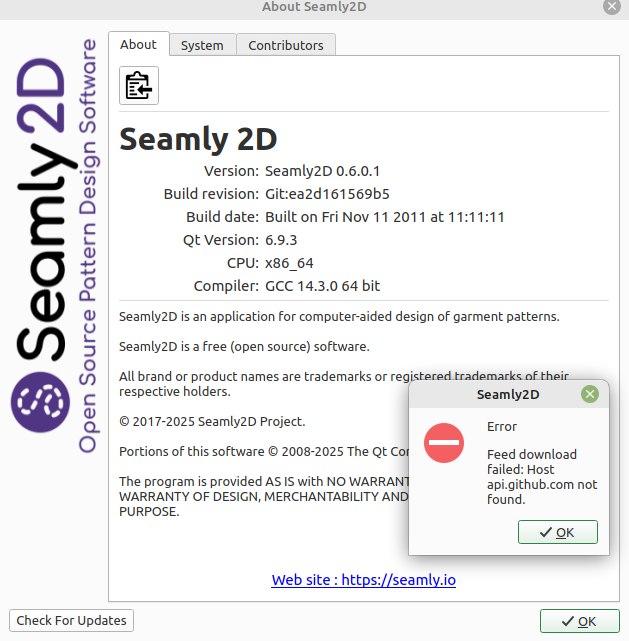
I am also on Linux Mint. I installed Seamly from Flathub and get the same build date. When I click the “Check For Updates” I get an error about github.com not being found.
My install of Seamly2D was within the few weeks. For LM users Seamly2D is not inn the repositories. We compile from source, or run the Flatpak or AppImage versions.
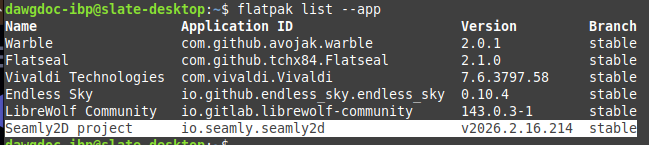
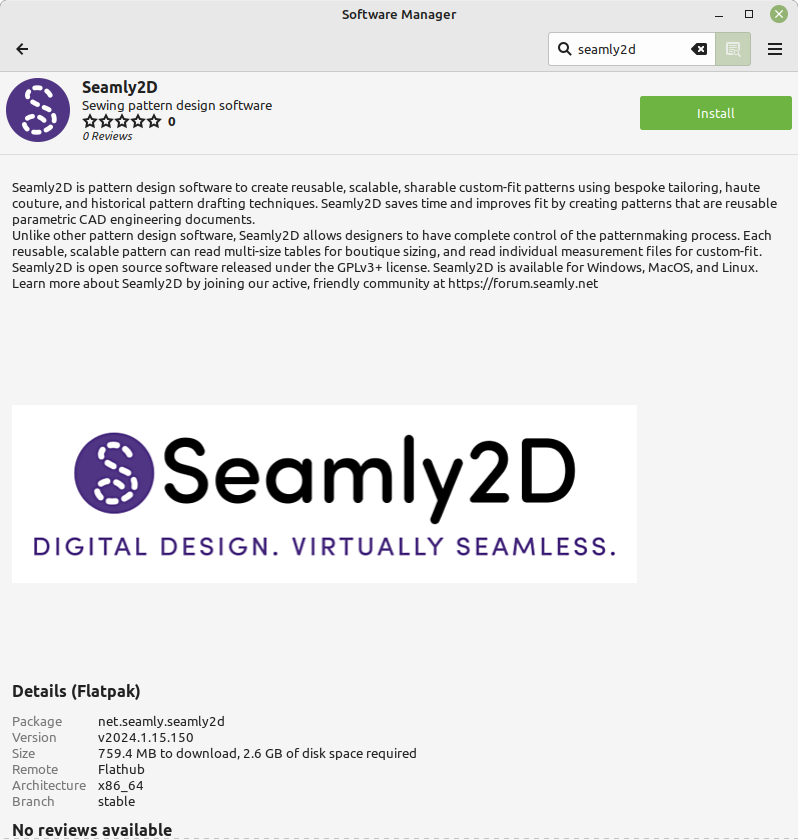
I just learned that Flathub has a new build as of 1 day ago. When I update to the most recent version my build revision in the About window matches that of @Pasque The info on Flathub is:
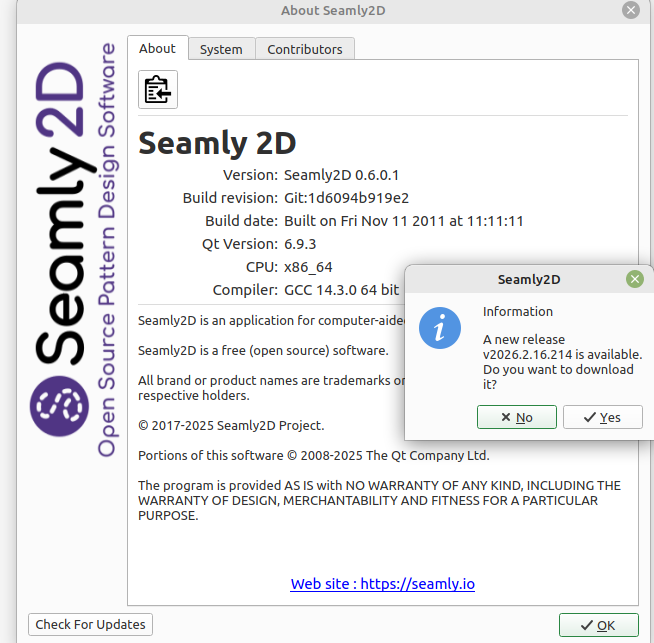
Well that makes sense. The Check for Updates is looking for a revision number that is the Github release build date. If you build from source you’re not going to have a correct revsion number as that is generated by the Github CI. You are going to get this:
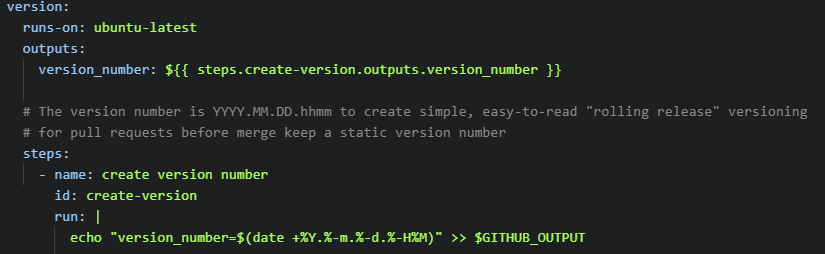
Need to have a revision number like this… which is literally the build date & time:
Last week’s was Feb 9, 2026 @ 2:14 in the morning.
We don’t control the Flatpak so it’s out of our hands.
It must be either a Flatpack thing, or they don’t/didn’t have access to github for some reason. I got an AppImage download when I clicked the button from my local-build copy of Seamly.
Interestingly, they both have “unknown” Build revision… Oh! you typoed Version not revision! nevermind.
I assume that it just counts any 6.0.1 as an older version, but I have neither inclination nor time to test that tonight.
That’s the old versioning from the V days, and it’s coded in the app so that’s what you get if you build locally. The version 0.6.0.1 was the last version when the project was forked, and never changes. The ci.yml script on Github overrides that whenever a CI job is run giving the version the build release number.
The ci.yml runs the version.sh script that actually overwites the (branch) source code with the correct Github version. Then the apps are built.
If you ran the version.sh script first locally, then build as normall it will have a correctly formatted version… just not the same as a release build as on Github. The key is the last digits of the number which represent the time (hr &mins) built. It would be impossible to time a local build to that of a GithubCI build to have those digits match.This is all assuming your local is upto date with the main repo for if you don’t fetch the origin before building locally you don’t know if your build is current. If you run the version.sh script your code would no longer have the 0.6.0.1 though until you fetched the origin again and it would probably be back.
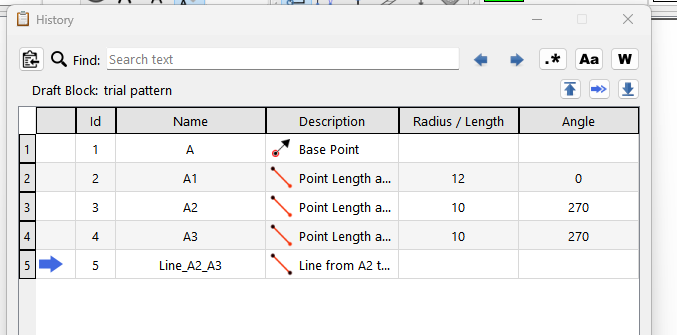
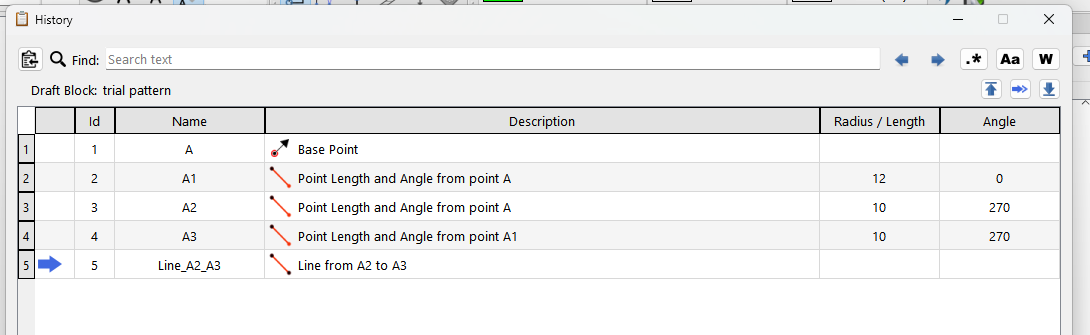
In an attempt to see if the latest changes were present in the Flatpak version Pascal I are using, I glanced through the Full Changelog of v2026.2.16.214. What I came up with, that I thought I had a chance of visually spotting, was where you added the ability to “set the description column to stretch” in the History Dialog file. As it turns out I can change the size of all of the columns. Though not completely as I expected; I had to increase the size of the entire window for some increases and decreases in width.
For all I know this ability was present in past versions. I never checked in the only other version I had. And I am no coder, I could have easily overlooked it in my perusal. After all, the last computer language I learned was Basic back in the 70s.
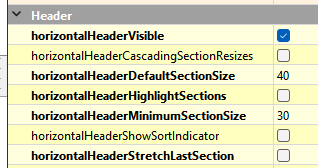
In this case I didn’t want or need the newly added angle formula to expand… it makes more sense to keep the description column to expand so I programmatically set the description column to stretch.
You can set a column to a fixed width:
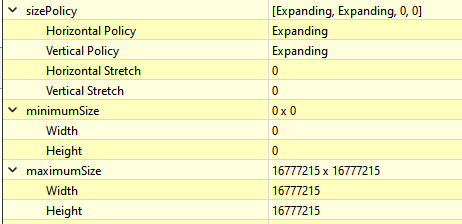
othwrwise the column is going to adjust itself to the default or minimum based on the size hints:
which is determined by the size policy and hints of the widget:
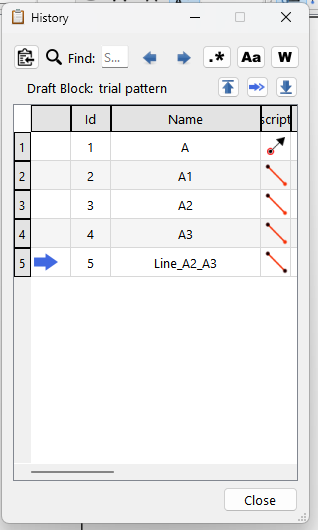
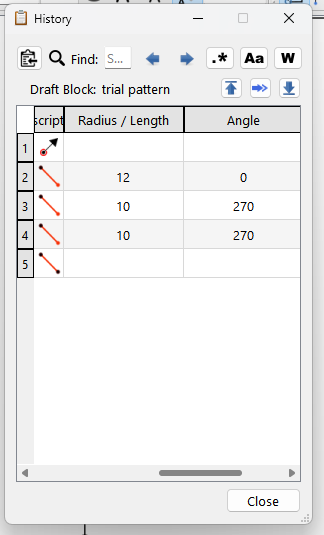
Designing forms to adjust is an art and science unto itself. What I did with the History dialog is try to set colum widths that make sense, and where the description col is the one that stretches when the window resizes:
and if neccessary certain columns like the Name will resize to fit the largest content if need be… and the Description will shrink.
And if you resize the window really small it triggers the scroll bars to appear and the Description gets really shrunk. I should probably bump the minimum width up on the description.
" You cannot check for new versions from within a running sandboxed Flatpak app itself using a built-in mechanism, but you can use your system’s software manager or the command line"
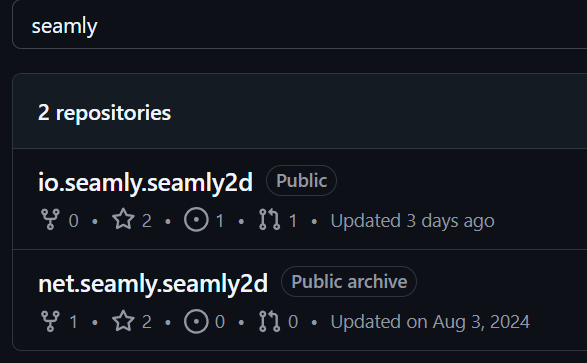
I found out that Flathub is an account on Github that maintains Flatpak repo’s by PR’s from the source repos.
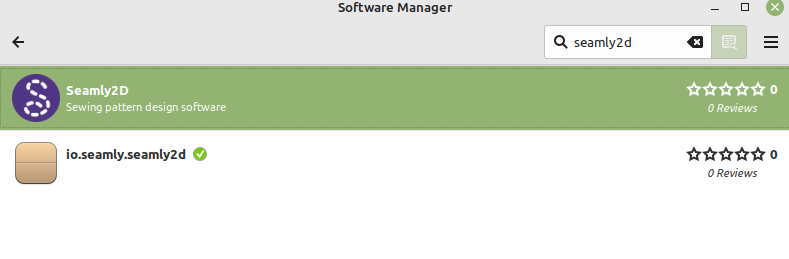
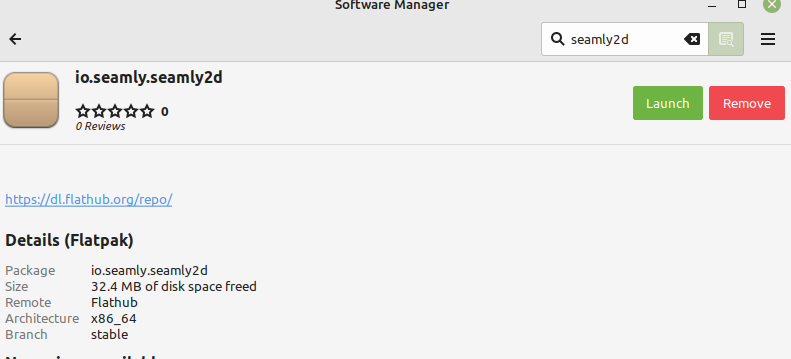
The lower of the two in my first screen capture is the io.seamly.seamly2d that you show. This is the version that I have installed. It is the origin of the Seamly2d About shot I posted the other day. In a reply to @Pneumarian I posted the small capture that shows a build of 2 days prior to my capture, that now shows as 4 days on Flathub. Here is it’s detail as shown in LinuxMint’s software manager.
That make sense. What I’m referring to though does the “Check For Updates”
not work in the Flatpak due to the fact it’s sandboxed and can’t access Girhub?
ote=“dawgdoc, post:13, topic:16870”]
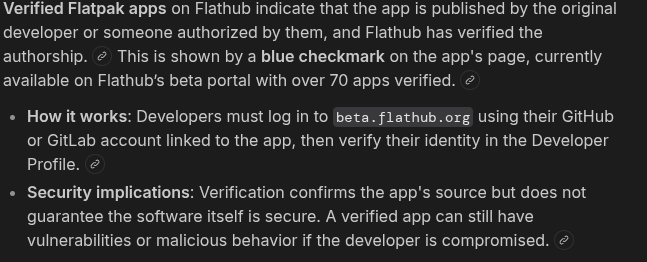
I’m not sure about what makes a Flatpak build valid or not. Flathub does have a verification process to determine the package origin:
[/quote]
Valid might not be the word in this case… outdated for sure. Also I don’t get why all the 4.3k repos om the Flathub accounts are named by the URL?
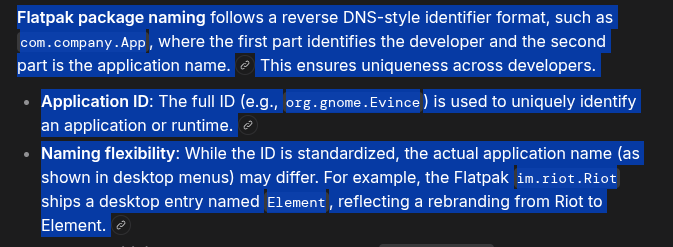
I still don’t get the use of the io, net, com, etc. A website URL has no bearing on an application. A company could have 50 websites, and yet 1 application. So basically net.seamly.seamly2d is still there because we changed to .io. If was just seamly.seamly2d nothing would have had to change on Flathub.
I just put that put there as a reason why the “Check For Updates” may simply not work with the Flatpak build. I’d like to know, and if that’s the case apparently we can check for the environment variable .flatpak-info in the root dir, and handle the “Check For Updates” appropriately instead of throwing an error github.com not found.
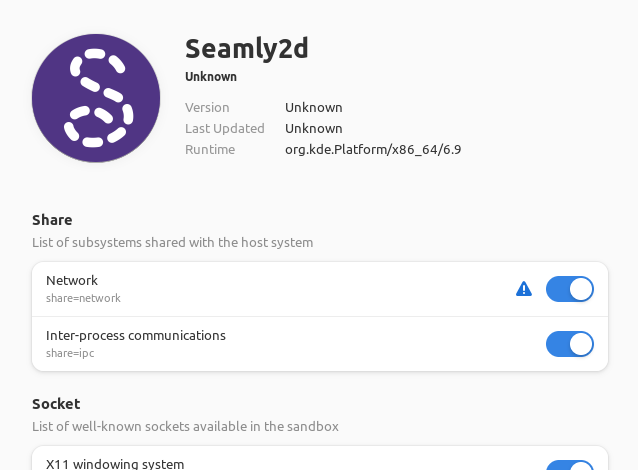
Flatpaks have two types of permissions: static and dynamic. Static refers to the permissions set by the developers when applications are built. Static permissions are holes in the sandbox, e.g. an application built with --filesystem=home can access all user personal files. The benefit of this model is that developers can support Flatpak without any change in their applications code.
Dynamic refers to the permissions granted by the users when applications run. Dynamic permissions rely on resource providers called Portals and can require user confirmation
I have a separate app, Flatseal, to control these permissions and went exploring. By default , developer choice (?), Seamly2D does not come with the option to share network resources enabled. I enabled share=network
and then opened Seamly2D, went to the About window and clicked the update button and did not get an Error dialog but a notice that an update was available. (It is the same version as installed, v2026.2.16.214
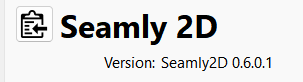
But the Version numbers are not. 0.6.0.1 reads as Jun 0, year 0, 1 minute after midnight… so yes 2026.2.16.214 is “newer”. The 0.6.0.1 is from the old versioning system from before Seamly forked, and is not the same as the Github version. And it’s startimgto make sense to me… thr Flatpak build will never have the Github build version because it’s not running the version.sh script to overwite the code. Which itself is kind of a problem as in the OP I have no idea what build the flatpak version is. Since I know what the version acrip tis doing I can put that into the code so it at least builds with the correct Year, Month and Day… the time is going to vary but that not important.
So then it would probably be a good idea to check if the app is runnning as a flatpak if the Check for Updates is clicked… and then present some sort of message saying Flatpak updates not available through Seamly… do this blah blah blah. If indeed Seamly is officially supporting Flatpak.
Agreed. Within Seamly2D it shows the Old version number. Internally Flatpak shows Seamly2D to have the current version number. Wish Flatpak usage was simple.
Hmmm… but it’s not build the app with the version embedded… whcih is used to display in the About menu. Again as edited the previous post, I can fix the code to create the correct build version. It also means we can get rid of he version.sh script in the build CI. The Flatpak may just have a different last digit for the hour / min it was built. Generally not an issue unless you’re looking at multiple builds on the same day from PR’s and not the weekly release which is where the Flatpak is coming from.










 The 0.6.0.1 is from the old versioning system from before Seamly forked, and is not the same as the Github version. And it’s startimgto make sense to me… thr Flatpak build will never have the Github build version because it’s not running the version.sh script to overwite the code. Which itself is kind of a problem as in the OP I have no idea what build the flatpak version is. Since I know what the version acrip tis doing I can put that into the code so it at least builds with the correct Year, Month and Day… the time is going to vary but that not important.