I was working on a pattern that has an image inserted. The pattern had no problem before. I just needed some tiny tweaks done..
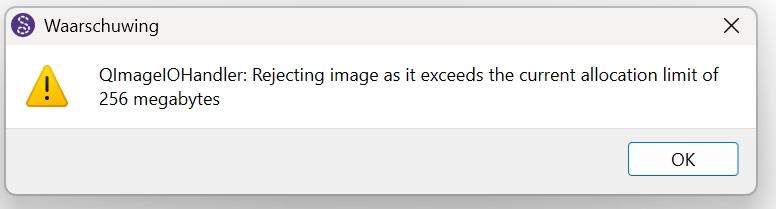
After update to version 2025.12.1.213 the image doesn’t load, with an error (see attachment) saying the image is over 256 megabytes. Which it isn’t and it did load before. (the pattern itself is does display however)
2 Likes
I just installed the 213 Windows build and it checked out fine? I can’t imagine any 256mb image file.  I shoot with a high end 50mp Canon camera, and at most the RAW image files are 25-30mb. Also I checked - and @Evans can probabaly confirm, that the app limits the image scaling to x number of pixels. So I can’t see that it’s trying to scale beyond it’s limits.
Have you tried to load the same image in a blank new pattern?
1 Like
Yep, same result, the jpg is 9mb and (as said) presented no problem before. I have scaled it down and then it is alright. I suspect it is rather the dimensions then filesize. I know it is huge (but again I had no problem using it before). FROM 14822x30751 [9.41mb] scaled to 3705x7688 [1.41mb]
I can’t get the scaled one to fit properly under the existing work I did several weeks ago. So scaling it also warped it a bit. But in my mind it shouldn’t need that to be done.
1 Like
Does the application crash after clicking Ok to the Warning? If no - then this is not a bug, but rather the issue is with the image size. @96dpi it is approx 154x320 inches.
The maximum pixel size for a QImage in the Qt framework is generally limited to 32,768 x 32,768 pixels per dimension, as they often use a signed 16-bit integer for height and width.
However, the effective maximum size you can create or load depends heavily on several factors:
- Available System Memory: The total memory required for a
QImage is width * height * bytes_per_pixel. An image with a large resolution (e.g., 40,000 x 40,000 pixels) might require several gigabytes of RAM, which can cause allocation to fail even on 64-bit systems.
If you really need the image THAT big, may I suggest you try cutting it into 2 images?
1 Like
Thank you Douglas,
It didn’t need to be that big. It just was that big when I got it, and I never looked at its size before the error message today. It must however have been loaded previously, because the pattern was nearly finished.
Print size was aprox 50x100 inches, which I also must have missed somehow.
1 Like