Hi!
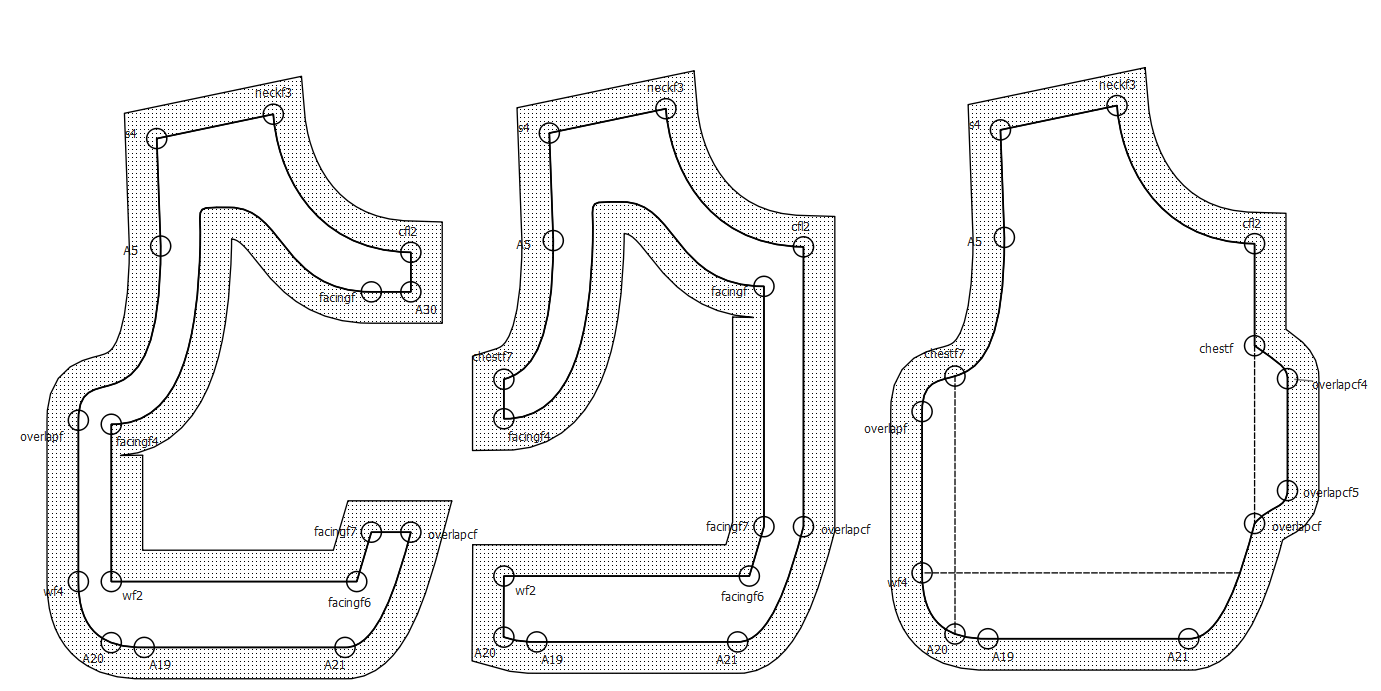
I have a question again. So I have this facing pattern which needs to have seam allowance on outside and inside of the pattern. But because the pattern doesn’t have fold line, I cannot go to the inside the facing line to set the inside seam allowance.
Here is what I meant, the facing is the violet line
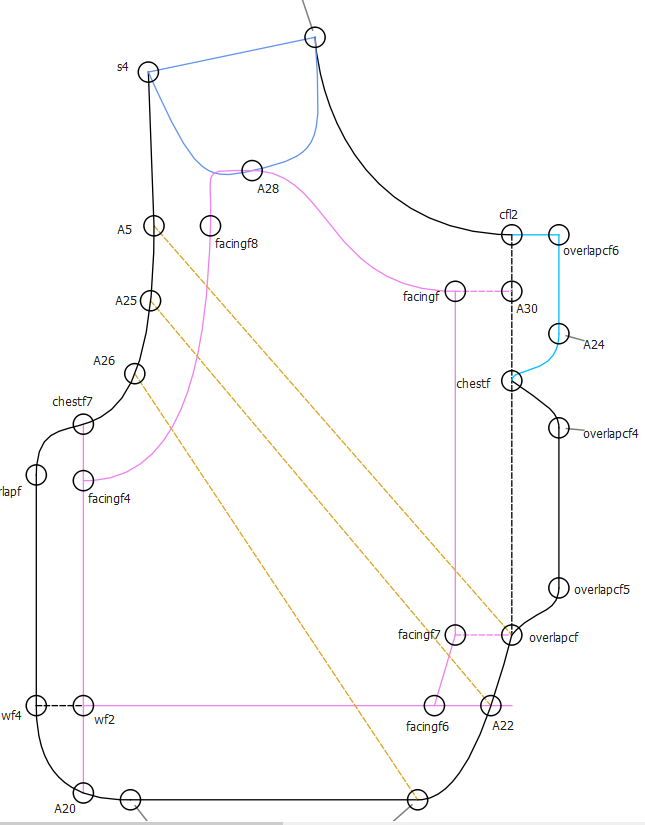
When I trace it, it become like a regular bodice pattern, not facing pattern. So I added additional “cut line” for me to be able to go inside the facing line.
It should go like this
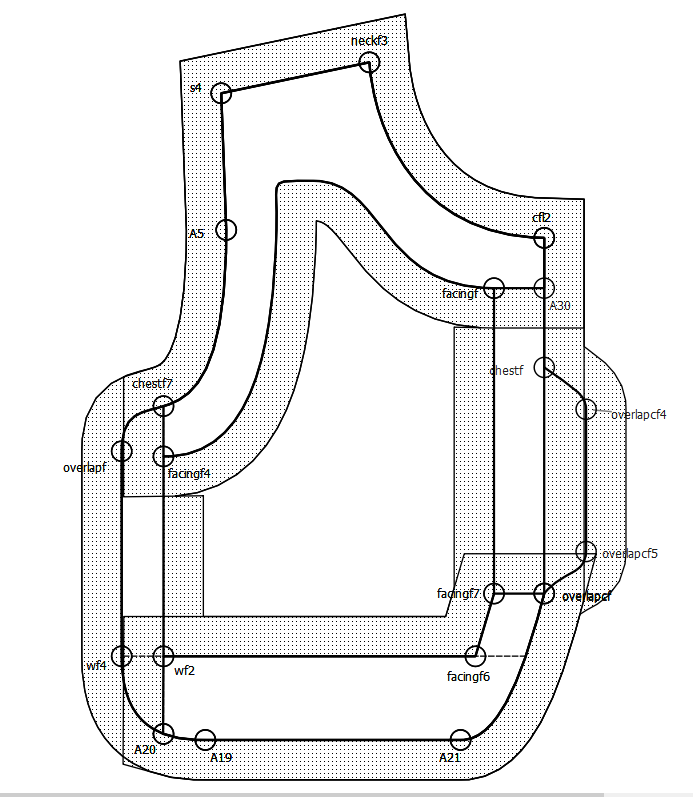
My plan is to trace it manually on Illustrator, but I wonder if there’s a way to insert the inside seam allowance?
Thank you so much!
Someone who knows what they’re doing will hopefully be by later today, but as I’m here now, hopefully my answer suffices.
I think you’re wanting a donuted pattern piece? If you were to create a wf4a & a wf2a at 0 units away from their parent points, & then traced around, entering the loop via wf4 & wf2, & exiting the loop via wf2a & wf4a, & then setting the seam allowance between wf4 & wf2 to 0, & between wf2a & wf4a to 0, then than should closely approximate what it looks like you’re trying to achieve. At the very least, it will eliminate most of the Illustrator work.
I hope that makes sense & is helpful!

Wow, you’re a lifesaver! Why do I not think of that. Thank you so so much! This community is the best! 
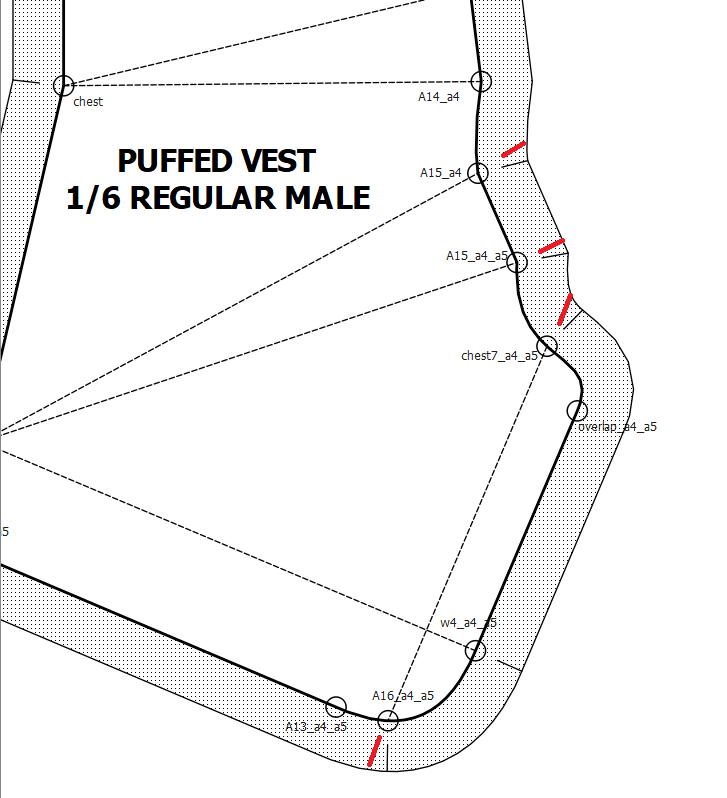
May I ask one more thing? Is it anyway to make the notch like the continuation of the pattern line? For example this pattern, I want the notch position to be like the red line
Thank you so much!
So glad that was helpful!
As to this new question, yes & no. Unfortunately, it is not possible to set the notch angle with a formula (@Douglas would this be reasonable?) But there are a couple options. I’ll use A14_a4 as my example (since I can see the name of the dart point.)
- Not the best, just the first I thought of, I recommend skipping straight to option 2.
- In the pattern piece tool dialog, go to the Notches tab & select A14_a4
- In the Geometry section:
- uncheck “Show notch on Cut Line”
- check “Show notch on Seam Line” (You may need to activate it in the universal preferences)
- Rotate the angle around to where it’s in line with the internal path, (probably 180 deg. You can drag-select the numeral & change it, but smaller changes are easier to click through with the adjustment arrows.
- you’ll need to hit “Apply” repeatedly if you don’t have epic angle senses.
- This method should be better. In drafting mode.
- Use the midpoint on line tool from
chest to A14_a4
- change the formula to CurrentLength+1 (assuming that your seam allowance is equal to 1 unit.)
- I’ll call this point A14_a4a
- have the internal path for the dart end at A14_a4a instead of A14_a4.
Hopefully that will work for you with only minor adjustments!
You can set the angle of a notch. Currently though the app doesnt support a formula for the angle, so it will probably be a trial and error thing.
Thank you so so much for all your help! I’ll try on all of the suggestions!