SeamlyMe Editor - A web-based editor with live body figure visualization

Hi all,

Happy to share SeamlyMe Editor with everyone:

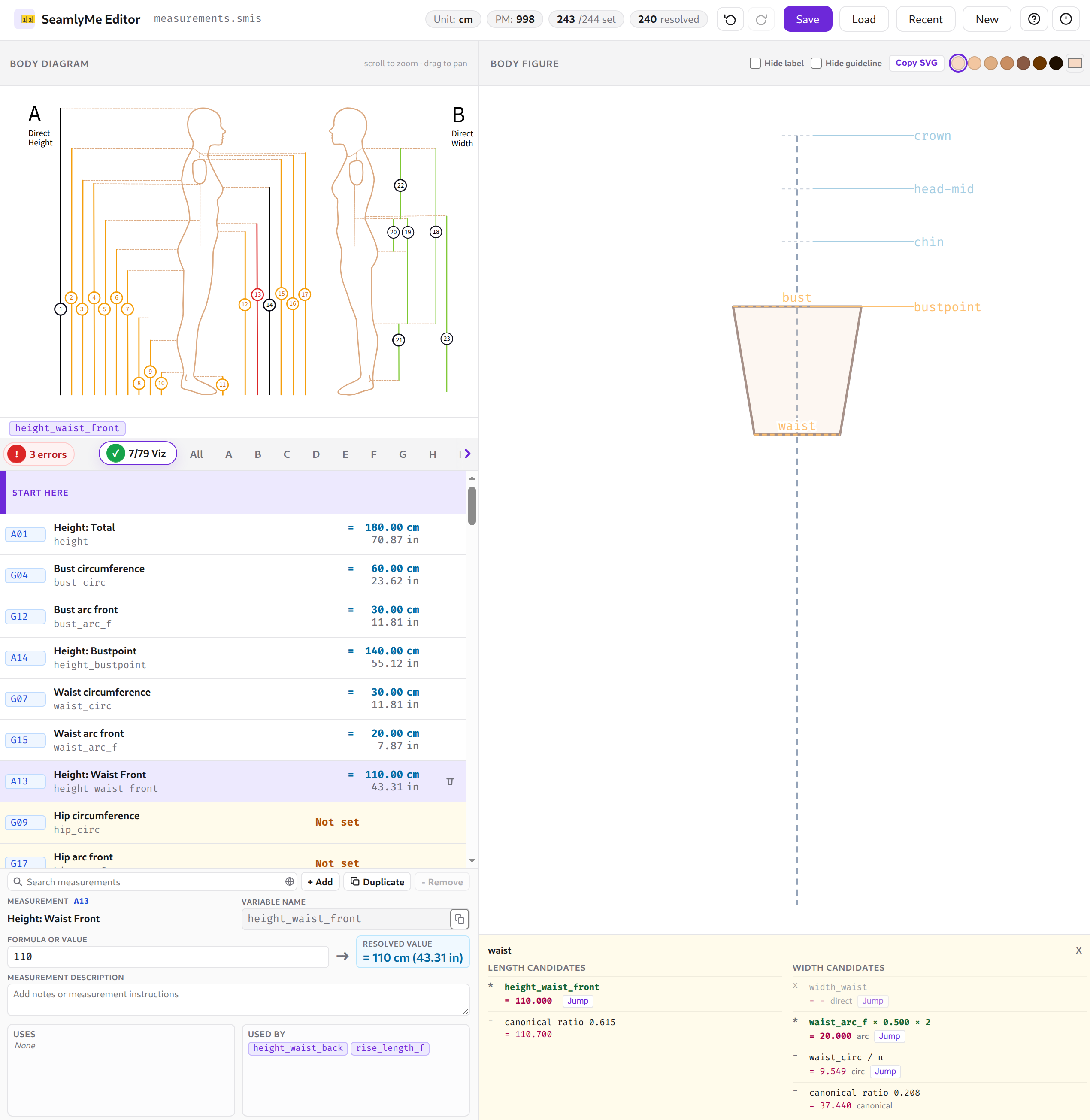
SeamlyMe Editor is a web-based body measurement editor for Seamly2D. Load a .smis file, enter measurements and formulas, and preview them on a live body figure.

Fetures of SeamlyMe Editor including:

  • Load & save .smis files — drag and drop, browse, or start from a blank sheet; saves back as a valid Seamly2D measurement file
  • Formula support — enter plain numbers or expressions that reference other measurements (e.g. bust / 2 + 5), resolved & evaluated automatically (you don’t need to care about the order!)
  • Live body figure — measurements map onto a body silhouette in real time as you type
  • Interactive diagram — click any region on the Seamly2D measurement diagram to jump straight to that measurement
  • Dual units — primary value shown in the file’s unit (cm, mm, or inch) with the converted secondary unit alongside
  • Category filtering — browse measurements by body region, or use the Recommended view for the most commonly needed set
  • Undo / redo — full history with Ctrl+Z / Ctrl+Shift+Z
  • Autosave — sessions are saved automatically in browser local storage; resume recent files without re-uploading
  • Skin tone customisation — adjust the figure colour to match your model
  • Copy the body figure SVG — a click to copy body figure SVG that can overlay with your pattern!
  • Privacy first — everything runs in the browser; no files are uploaded to any server
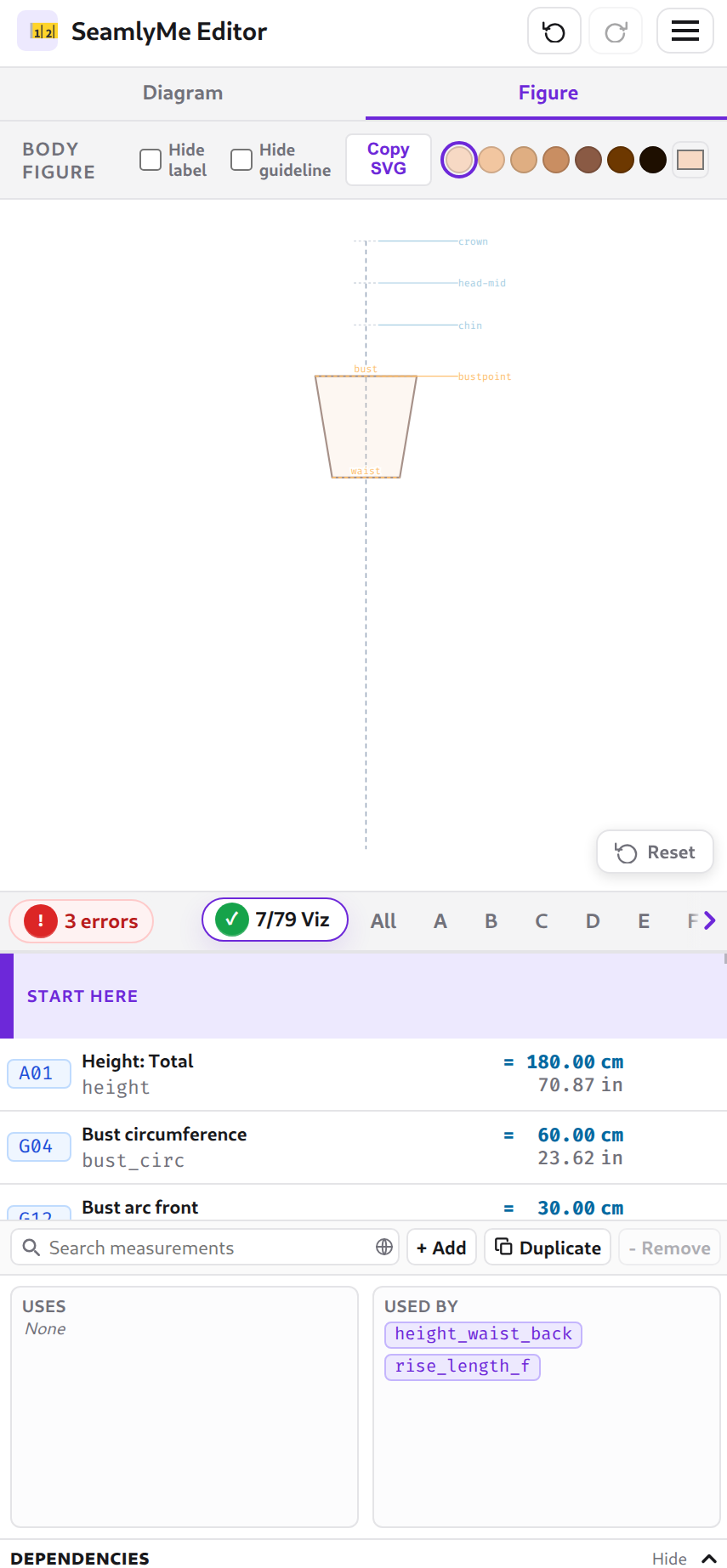
  • Mobile friendly — responsive layout with tab switching between diagram and figure views

I included a curated a body measurements list that will guide new user to step-by-step taking body measurement to finish the body figure visualization:

It’s also mobile friendly:

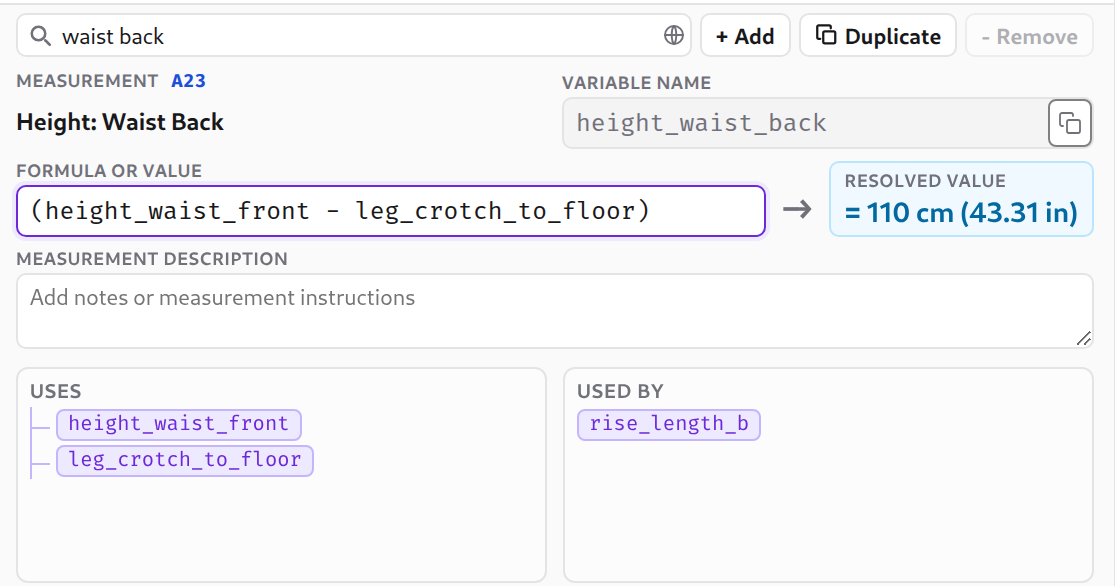
It also let you know the dependencies of each variable:

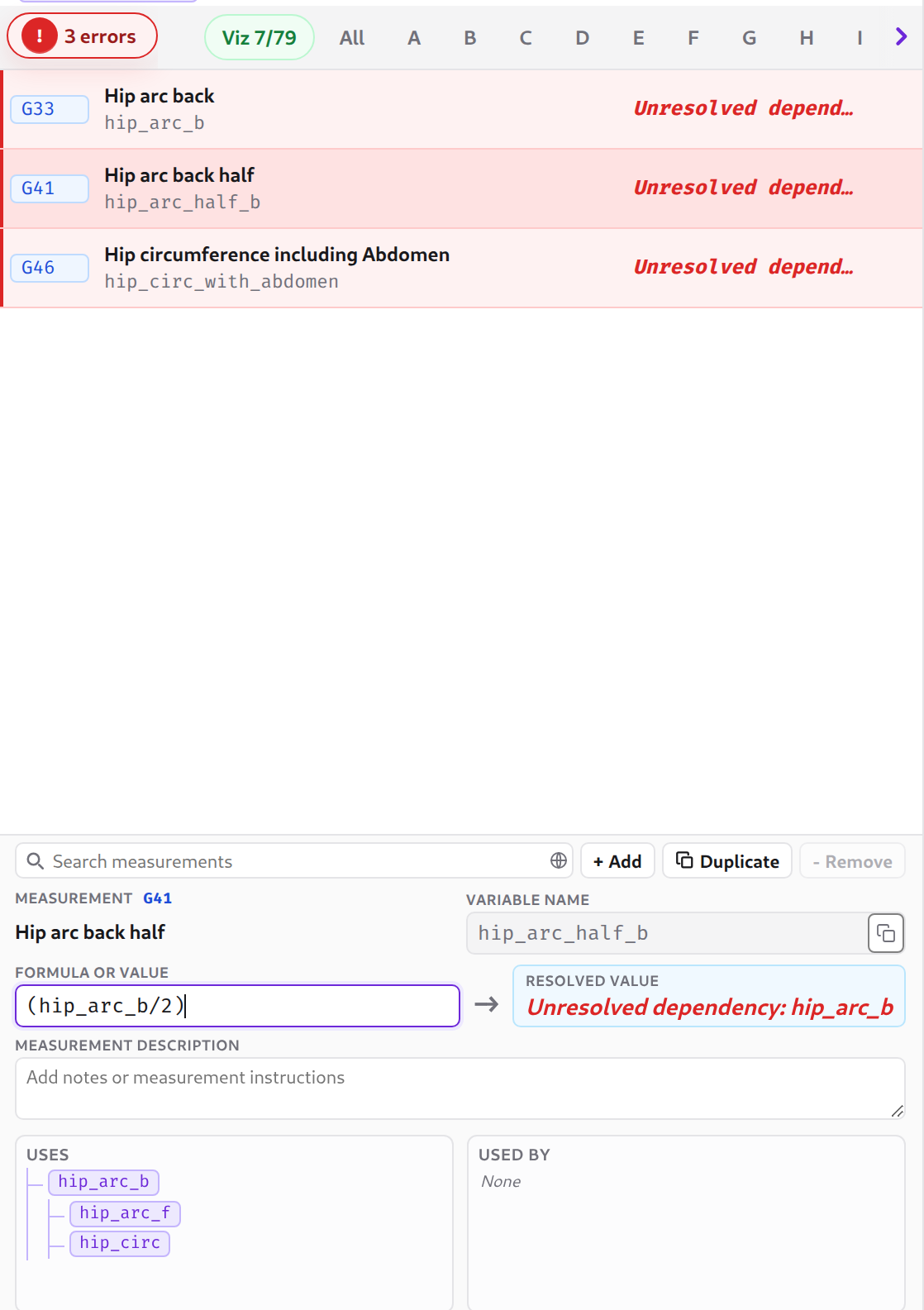
You can also track unresolved measurements easily:

All the files are autosave locally, and support/autosave undo/redo for any operations.

Please feel free to play around it! And the feedback are welcome!

3 Líbí se

Hello @mlouielu

I’m just quickly checking this out… So I’ll make a list of things as and if I find anything. I just grabbed an SMIS file at random:

  1. The diagram doesn’t draw if there is not Height measurement or value. Perhaps this can have an option to draw upwards from the ground?

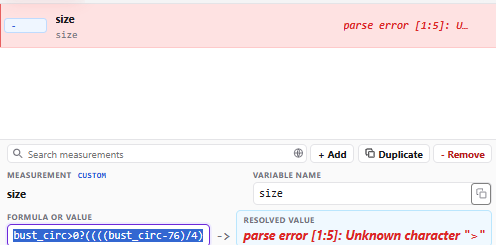
  2. Conditional formulas return an error - bust_circ>0?((((bust_circ-76)/4)*2)+6):waist_circ>0?(((waist_circ-56)/4)*2)+6:hip_circ>0?((((hip_circ-82)/4)*2)+6):6

  3. In the event that there are only circumference measurements, perhaps use the half circ in the diagram?

  4. The line weights need to be heavier so that they can be seen when zoomed out to view the overall diagram -

  5. Perhap add a line that represents the floor.

  6. At the Load option, it would be nice to be able to drag & drop a file there, as well.

Here is the measurements file used in this test:
Aldrich Measurements.smis (2.1 KB)

2 Líbí se

Fixed.

Add the floor!

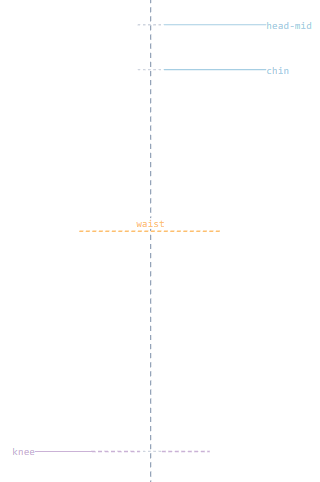
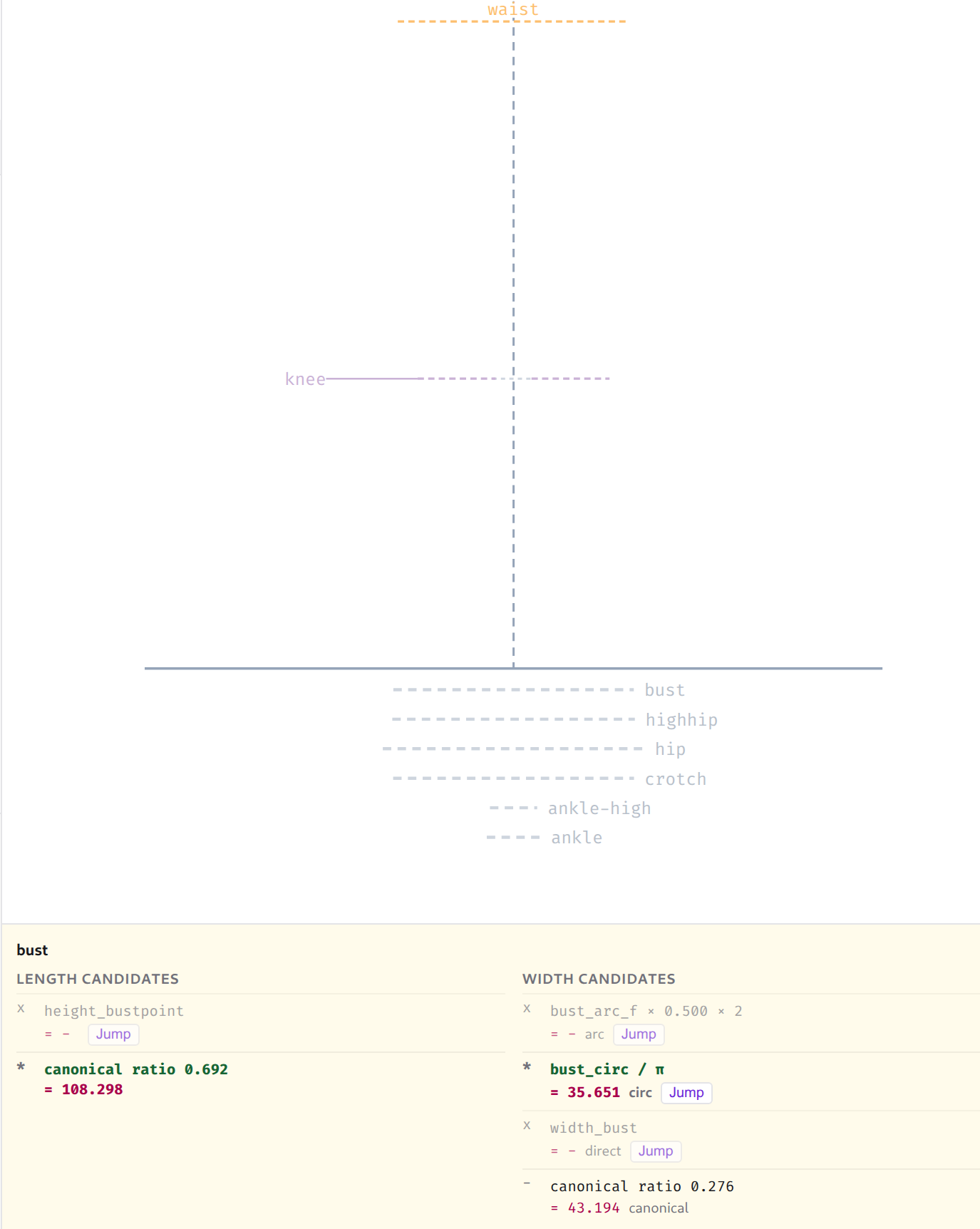
Yes, each visualized variable has their own candidates for which value to use, for example waist:

Length candidates

select variable value type
* height_waist_side 96.000 direct

Width candidates

select variable value type
x width_waist - direct
x waist_arc_f × 0.500 × 2 - arc
* waist_circ / π 34.377 circ
- canonical ratio 0.208 32.552 canonical

In this case, we use waist_circ / _pi for the waist width.

Now it will show a ghost guideline at the bottom, if the user provides the width candidate but not the length/height candidates. User can click on the guideline to open up the candidates dialog, and click jump button to add the value for that height.

Fixed this, you can just drag & drop to the web page at any point, don’t need to click load button!
Thanks for the feedback @Grace, appreciate!

3 Líbí se

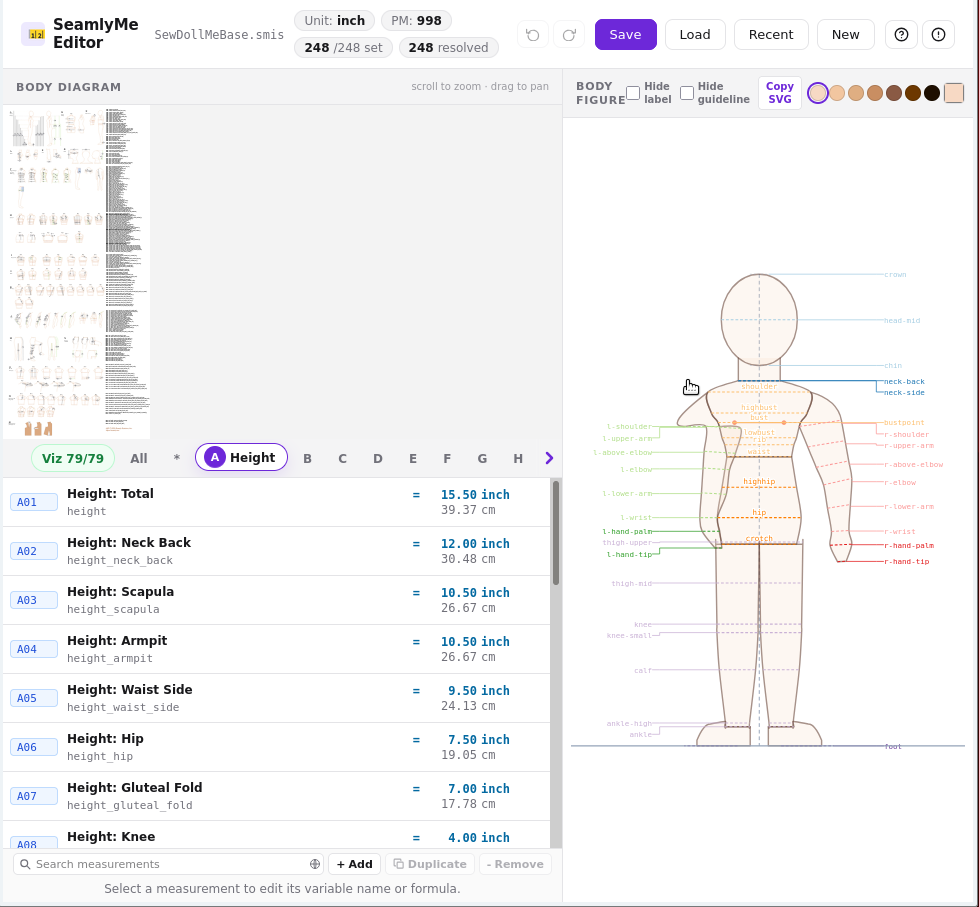
Pushing the limits a bit with a 15inch doll’s measurements:

Overall, very cool, but does still feel Beta :heart_exclamation:

:unicorn:

1 Líbí se