banenrok_glad_tot_eerste_heupwijdte_bug.sm2d (6.0 KB)
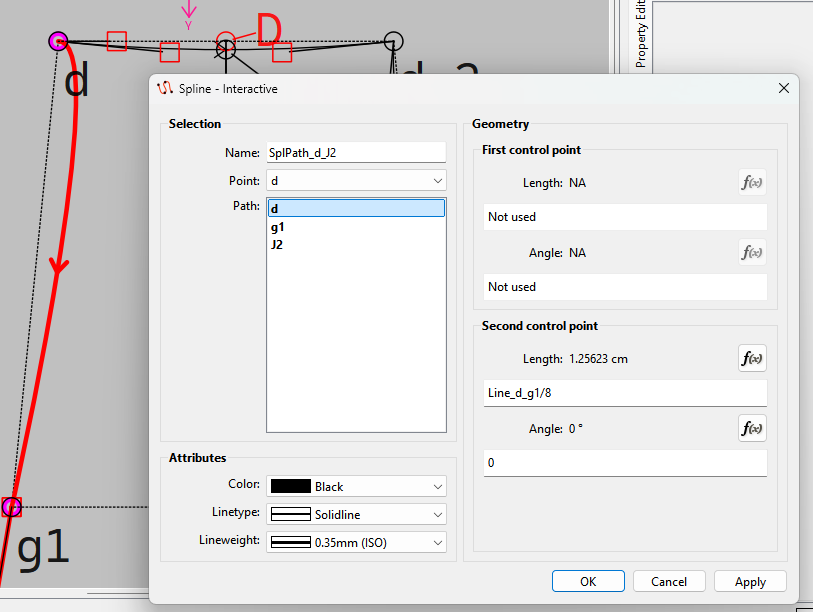
I have a segmentation fault that happens consistently with this file. I’m trying to edit the spline that runs from SplPath_d_J2, wanting to mirror it to SplPath_d_2_J2_2.
Here’s the steps that lead to the crash:
Open the properties of SplPath_d_J2
Select path d
Enter “Line_d_g1/8” in the Length field of the Second control point.
This crashes Seamly2d every time.
Here’s my Seamly2d version info again:
Seamly2D version: Seamly2D 0.6.0.1
Build revision: unknown
Build date: Built on Wed Sep 2 2026 at 20:17:56
Qt Version: 6.11.2
CPU: x86_64
Compiler: GCC 16.2.1 20260810 64 bit
CPU: x86_64
OS: Linux
OS Version: unknown
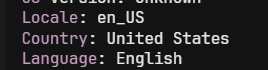
Locale: en_US
Country: United States
Language: English
Script Name: Latin
Decimal Point: ,
Negative Sign: -
Positive Sign: +
Direction: Automatic
System Codec: UTF-8
Arguments: seamly2d
That said though… I’m not sure why your decimal point appears to be a comma?
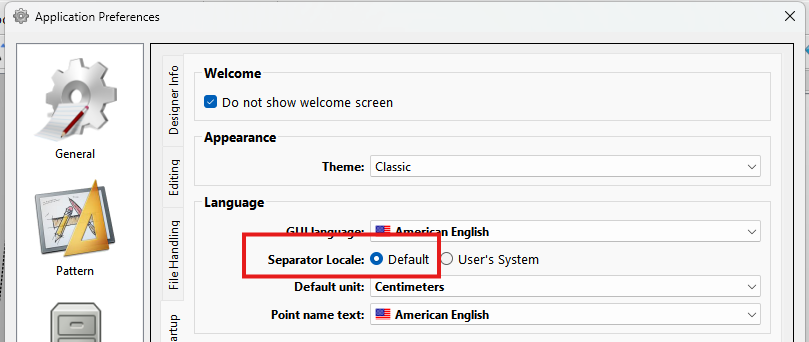
Check your prefs and see what the separator is set at… for en_US it should be a period… setting the separtor to default forces the app to use the “c” locale using the period.
Yeah, I noticed that too… But the behaviour is how I want it so I haven’t really looked into it.
I’ve had the occasional crash, but none as recurring as this one. I’ll see if I can get some logs for you. Does Seamly2d have a debug command line option?
I checked… the qDebug() statements will appear in a 'releae" build. Most of the qDebug() statements are used to track program flow rather than reporting specific errors. For ex: