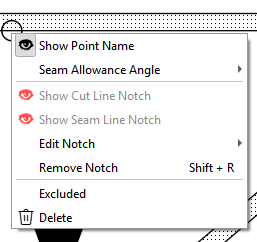
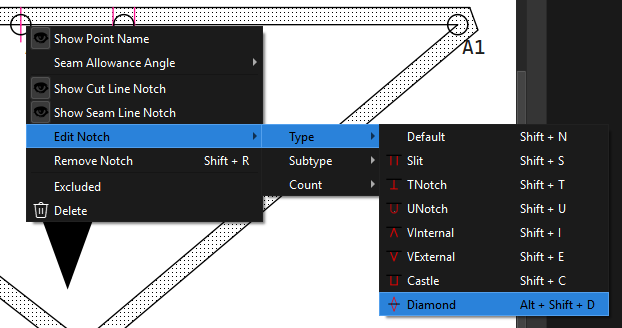
I’m struggling with trying to implement the key shortcuts for the node context menu. This is directly selecting a point on a pattern piece and using key shortcuts to trigger the notch menu items:
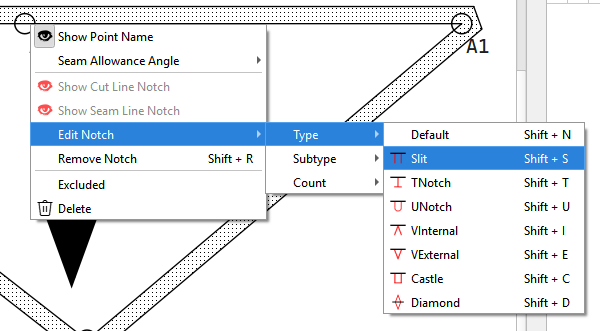
For reasons I’m not yet sure why… the node tool is not getting the key events, but the parent pattern piece is. So for ex: Instead of Shift + S setting the node to a slit notch it toggles the Seam Allowance visibilty.
Question is should I leave as it currently is with no shortcuts, or keep trying to get the shortcuts to work?
I’m personally most interested in setting/unsetting notches without menu-diving. While notch customization without menu-diving would be nice, I don’t see myself using it often enough to remember shortcuts anyway.
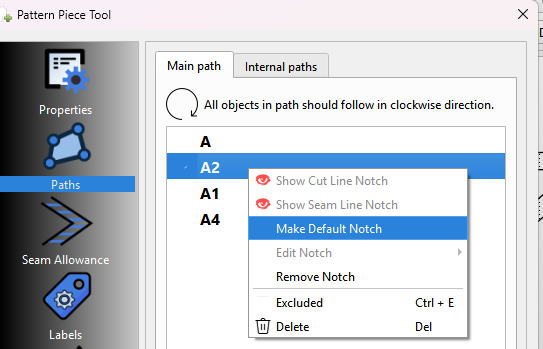
But doesn’t answer my question… given you can aready set notches in the Main Path list when creating or editing a piece or the Insert Nodes tool list via the context menus - for consistency should I keep pursuing the shortcuts in the Node point context menu?
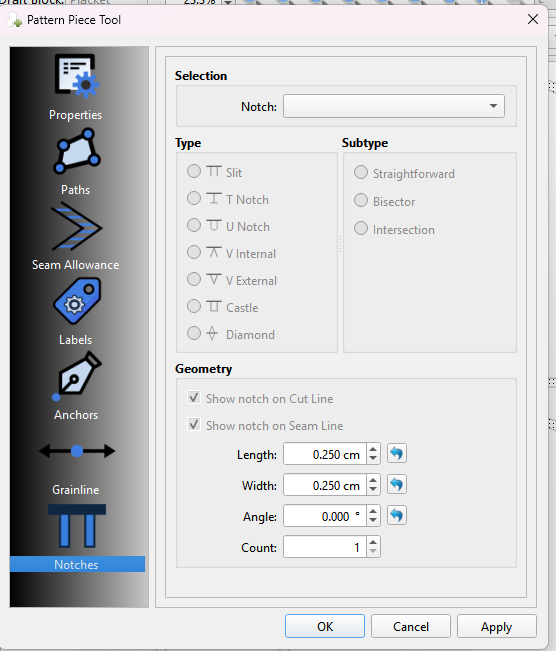
The menu option would be perfect if it didn’t keep closing after clicking on an option but allow one to select everything one wants to in that menu before closing, since one doesn’t always want to use the default notch specified in the preferences.
So… What if there is only 1 short-cut for notches that brings up a small menu that allows one to choose the type of notch and the quantity (even the length, if you wish) and then… a Default notch that will cancel everything previously selected and revert the settings back to the original Default and an Apply button that will close the menu?
Thing is all these ideas are beyond what I’m doing… and doesn’t answer my question. I’m not resdesigning the notch selection… I’m just fixing the shortcut behavior in the context menus - and want to know if I should apply the same shortcuts to the Node context menu. It’s a Yes or No answer.
I’m inclined to not add the shortcits and leave it at the consolidation like the other 2 context menus.
I’m eliminiating that menu item and just adding “Default” as an item in Edit Notch… where then you can use Shift + N to get the default notch type or Shift + S to get the slit type.
You can still do that through the context menu, and I have consolidated it like the main Path list context menu.
I’m having a hard time getting the key shortcuts to work. The nodes are children of the pattern piece and the piece is stealing the keyboard input. If you feel it useful to be able to select a point and then use a shortcut then it’s worth it to keep working to get the shortcuts to work. If for any other resson to be consistemt across the context menus.
BTW…the Main Path context menu does have the advantage of multi-selection. Currently we have no mechanism to select multiple modes and apply a menu item.
Hey folks… as I often do my mind starts wondering and I get these ideas…
What if we make it EVEN simpler to add notches? What if when creating a pattern piece you simply hold the “1” key down when selecting a notch point and the node is marked as a single default notch? Hold down “2” you get a double default notch… hold down “3” and you get a triple default notch. No context menu required.
Simple things, one clicks etc are great. At the moment adding notches takes few clicks. The right click option for when you want more options would be great. I would be happy even with: select point > switch notch with “anykey” on/off .
Not sure what you mean work for adding objects? The objects are points or curves. I’m only thinking of using the 123 keys to modify the point nodes just like the Shift key modifies and reverses a curve.
Well that’s the idea. You would just hold 1 2 or 3 while you click a point you want as a notch. And you just saved all that time editing the nodes in the Main Path in Piece mode.
ah, yes, I meant the Insert Nodes tool. Would it work just for the Add New Pattern Piece tool, or also for the Insert Nodes tool?
On the one hand including that functionality in the Insert Nodes tool would decrease the messing with the menus in the Piece mode, on the other hand it would be a small gain, since the inserted nodes need fiddled with anyway.