Some possible improvements/features

Hi all, new to here.

After using this amazing tool, I found myself having several frustration about the UI/UX and potential features missing, sharing it here with you all:

Layout

  • Layout toolbox should have preview tile button
  • Fix tile PDF wasting space (some width box issue)
  • Put the layout print settings to the right tabs (like draft property editor). I am trying it 10 times per piece and the dialog is annoying and not fast enough to iterate

Draft

  • Add defined style set
    • So I don’t need to always manually change the guideline color & line style
    • It can be a button or so
  • Property manager tab should show calculated value
    • e.g. line (Alt+L) will not show the value, but it can be view in the variable table
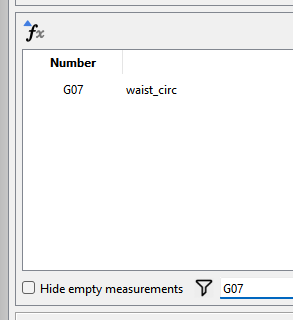
  • Edit formula, the measurement filter should be able to search by ID/number
    • e.g. I10, A03
  • Dependency reference counts & who depend on it
    • Otherwise it’s difficult to see what else nodes should I delete in order to delete the desire node/line whatsoever
  • Zoom Fit should add Fit to current draft block, not just fit to all the drafts
  • Zoom fit should add more margin (or at least a parameter I can control it

History

  • History should have the ability to rollback to specific ID
    • i.e. click on a ID, revert the operation to that step, remove all the operations after it
    • I do aware that I can insert operation after clicking on a specific ID

Features

  • Programmable steps? Like OpenSCAD, it should be possible since we have the history (I didn’t take a closer look on how it implemented)
    • This add the benefit of implementing the pattern from book, potentially adding a interface for LLMs to operate Seamly2D to copy pattern from HJA or so
  • Assertion
    • Sometimes I want to ensure some lines are equal length or so
  • The reference block (in GitHub?) should have the ability to put in other piece’s inner white space, so when layouting them won’t make more space requirement.

SeamlyME

  • When showing the measurement diagram, possible to highlight the line currently hover or select
    • It could be done by SVG interaction (I guess?), but needs to ID the path first.

I think these can save people a lot of time if they are implemented.
1 polubienie

Add SeamlyME:

* It should be possible to sort by Number, otherwise sometimes if I add the measurement in different batch/order, some calculated value won’t work due to the order.

1 polubienie

Welcome @mlouielu

We’re already working on a new layout feature.

You can set the current pen… and save it - which will be the default next start of app or when you reset the open. Future addition will be to add saving current as a preset and loading presets to a drop down.

Property manager is for editing attributes only. If you want to see the calculated value of a line just hover over the tool with the mouse:

It does:

This issue is beyond the scope of this topic… but you can read many other topics discussing the issues and problems of implenting such a feature.

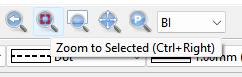
Try Zoom to Selected:

image

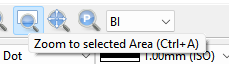
Try Zoom to selected area you can select what you want.

image

Again… beyond the scope of this topic. I think you need to undersand the workings of the way the app uses formulas and how the DOM doc is always in a state of flux, and why this is hard to implement.

Not sure what you mean… that’s pretty much how you use Seamly…you take the instructions and draft them. You want try and use AI to generate a pattern from a book - knock yourself out.

Use a formula. The parser can use C++ style ternary If / then statements

Seamly is not a paint program. Time is better spent implenting features we need, not developing methods to highlight an object in an SVG that’s already identified with the ID number.

1 polubienie

No. How do you then account for Custom measurements?

1 polubienie

At least it is possible to show the reference counter…? I can figure out the dependency myself, but it will be helpful to know how many left.

1 polubienie

It’s not just the dependency counter each tool keeps… it’s the formulas. If you delete a tool that is used in formulas you break the pattern.

1 polubienie

Thanks for pointing out something I missed in the software!

Property manager is for editing attributes only. If you want to see the calculated value of a line just hover over the tool with the mouse:

It requires clicking on the node, and then hover the mouse onto it, still annoying to use it. Showing it directly in the property editor make’s it straightforward to inspect it.


Not sure what you mean… that’s pretty much how you use Seamly…you take the instructions and draft them. You want try and use AI to generate a pattern from a book - knock yourself out.

I could missed how it actually works internally, but is it possible to have something like this:

# length_and_angle(name, base_point, length, angle, attribute=None)
# on_line(name, first_point, second_point, length, attribute=None)

la(b, a, neck_side_to_waist_f, 270)
la(c, a, neck_front_to_shoulder_f, 180)
la(C_guide, c, 3, 180)

ol(d, b, a, 10)
la(D_guide, d, 4, 180)

Can be done by a Python wrapper using Pybind11?


Seamly is not a paint program. Time is better spent implenting features we need, not developing methods to highlight an object in an SVG that’s already identified with the ID number.

For veteran it could be a non-issue, but you will be surprise how many times I missed in the direct height diagram and circumference diagram.


It’s not just the dependency counter each tool keeps… it’s the formulas. If you delete a tool that is used in formulas you break the pattern.

This shouldn’t be an issue? show the counter that is currently traceable (i.e. the one that used for disabling right click→delete), and the formula remain what it is right now (i.e. show the warning box for either undo or fix the formula).


Do we have any documentation of how the internal DOM works? Or can you point me out where should I looking it for?

1 polubienie

It’s the pattern schema. Then it’s a matter of all the tool sand routines that read & write the DOM doc.

How are you going to produce all the formulas needed? IMO by the time you write out a Python script - if even possible - one could just draft it in Seamly. If you were able to OCR the English instructions for a given pattern in a given pattern system from a book, and have that generate a pattern… then you have something useful. But like I said… knock yourself out… prove me wrong. :slightly_smiling_face:

2 polubienia

I have come across a website which gives directions for how to draft a pattern using I think it was either Pascal or Oberon. It looked about like that. It’s one of the things which led me to finding Valentina, back before the fork. So, if you would rather code out your pattern instead of using a mostly-friendly GUI, it’s certainly possible. But at that point why not output as an SVG, which Inkscape & Inkcut can already read?

:unicorn:

1 polubienie

I was actually looking at using the scripting in Corel Draw to create a plugin to draft patterns, and then I came across Valentina. :slightly_smiling_face:

Might as well just write the XML pattern by hand. :thinking:

Whether it’s Python, Pascal, Oberon, or whatever… unless it’s the English text from a book, you’re just substituting one scripting language for another (XML) and in the end just outputting an XML file. So now that original script is meaningless. I just don’t see the point of writing a pattern out in another script language to input ito Seamly. Besides I can’t see writing a script by hand that will incorporate all the formulas and dependencies. Again… by the time you figure all that out you could have just drafted the pattern and saved the XML. I challenge anyone to write the XML for the DraftBlocks for a simple bodice. Not to mention Seamly2D only parses XML pattern files so one would have to write a whole new parser to take a Python, Pascal, Oberon script to read it into the Dom Doc.

2 polubienia

For the programming & history revert, I figure out I can do that by editing the .sm2d file directly:

        <calculation>
            <point id="1" mx="0.0744993" my="0.249871" name="A" showPointName="true" type="single" x="0.3125" y="0.416667"/>
            <point angle="270" basePoint="1" id="2" length="neck_side_to_waist_f+1/8" lineColor="deeppink" lineType="dashLine" lineWeight="0.35" mx="0.0520833" my="0.118425" name=>
            <point angle="180" basePoint="1" id="3" length="neck_front_to_shoulder_tip_f-1/8" lineColor="deeppink" lineType="dashLine" lineWeight="0.35" mx="0.0520833" my="0.10416>
            <point angle="270" basePoint="3" id="4" length="3" lineColor="deeppink" lineType="dashLine" lineWeight="0.35" mx="-1.79072" my="-0.463742" name="C_g" showPointName="tr>
            <point firstPoint="2" id="5" length="neck_front_to_waist_flat_f" lineColor="black" lineType="solidLine" lineWeight="0.35" mx="0.2268" my="0.0602572" name="D" secondPoi>
            <point angle="180" basePoint="5" id="6" length="4" lineColor="deeppink" lineType="dashLine" lineWeight="0.35" mx="0.0520833" my="0.104167" name="D_g" showPointName="tr>
...

For the history revert, just remove the line don’t needed. Sure will encounter modeling & pieces missing reference ID, but either remove line by line or just rip off modeling & pieces first.

For the programming, it’s not going to replace GUI, but an additional way manipulate the software. So basically without touching the code base, you can just manipulate the XML file, one just need to figure out all the operations’ XML definition.

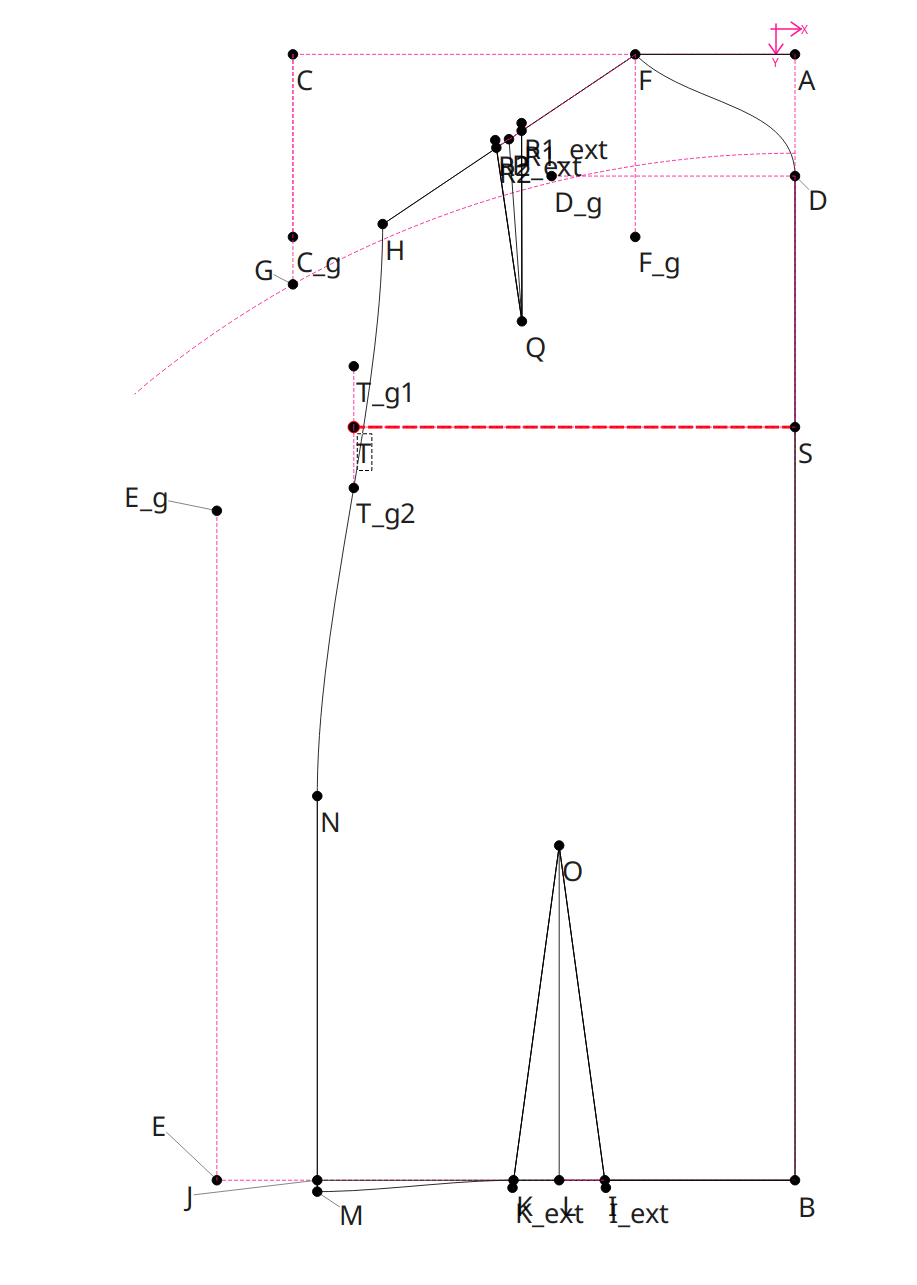
Having this, then there is a possibility that LLMs can automatically copy the pattern from patternmaking book, which sorta having a well defined steps for you to copy, for example:

Inputs:

  • HJA basic back bodice PDF pages
  • All SeamlyME measurements IDs, and a convert table for HJA→SeamlyME
  • Definition of the operation (for the PoC, I feed the <calculation> block of the front bodice I drew)

Prompt:

  • Based on the instruction for this back bodices draft, give me the block for Seamly2D

Result:

Although I did some manual tweak for dart legs (which I think is because I didn’t provide well defined docs), but the result looks…OK.


There is also a benefit for having this handy, you can feed your manual drawing XML into LLMs, upload the pattern PDF, and prompt to let it validate the drawing:

Prompt: verify if this calculation fits what says from HJA front bodices, the XML is from Seamly2D

Output:

What matches the PDF correctly

A→C (3): neck_front_to_shoulder_tip_f - 1/8 ✓
B→D (5): neck_front_to_waist_flat_f along B–A, then D_g squared out 4 ✓
...

Real errors
1. A→B is missing the + 1/8

XML (point 2): length="neck_side_to_waist_f"
PDF: "A to B = Full length (6), plus 1/8"
Should be neck_side_to_waist_f + 1/8. As written, the whole bodice is 1/8" too short vertically.
...

Again, this doesn’t require any code base change.

2 polubienia

Where does the XML you’re manipulating come from? Can we assume from a person drafting the pattern with the GUI? If I understand correctly then you’re just converting or changing a Seamly XML file were it would have nothing to do with developing the Seamly apps themselves? :thinking:

BTW… can I please ask in the future you limit a topic to one or 2 related features? Otherwise the threads can get messy to follow. Thanks in advance.

2 polubienia