Hi, I have a probleme with seam allowamce corners.
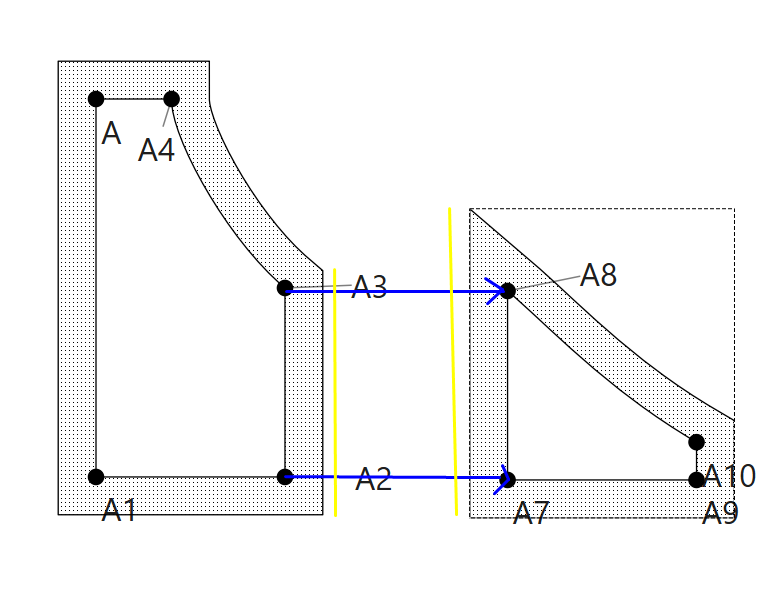
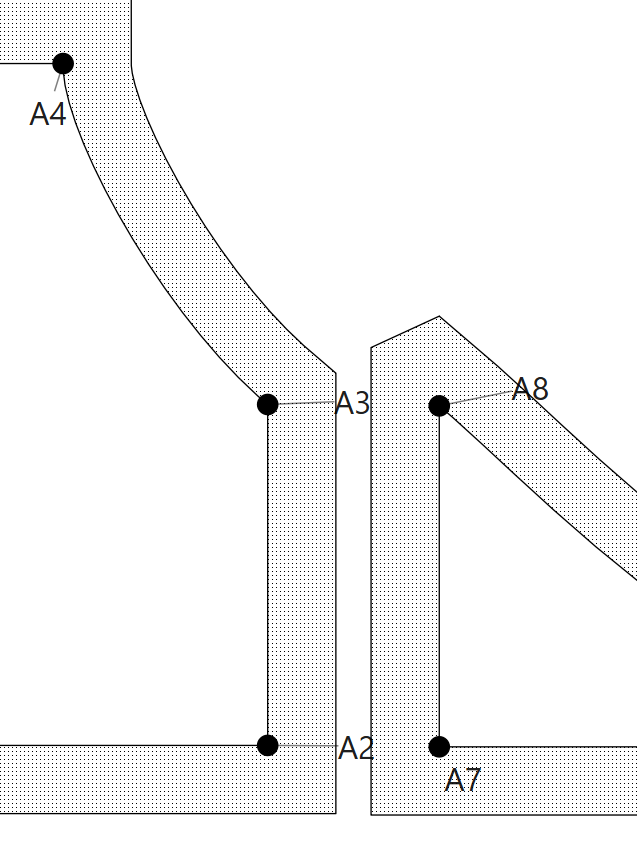
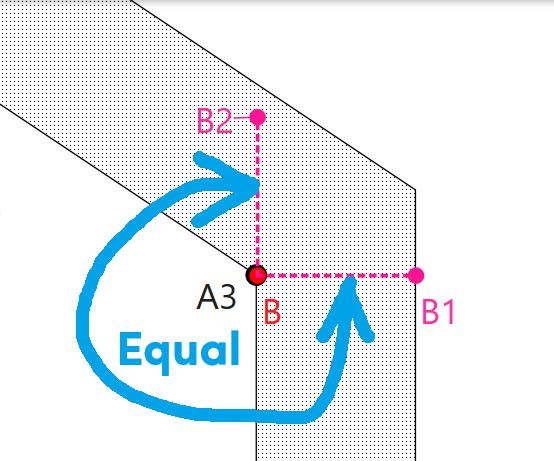
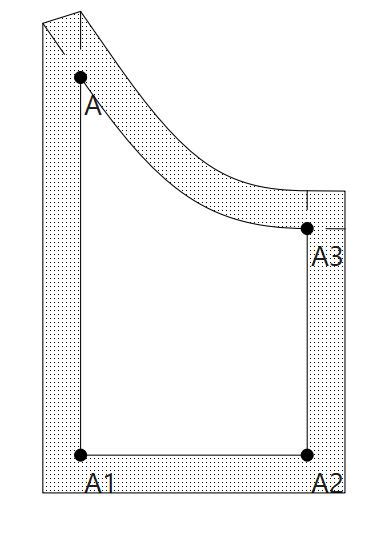
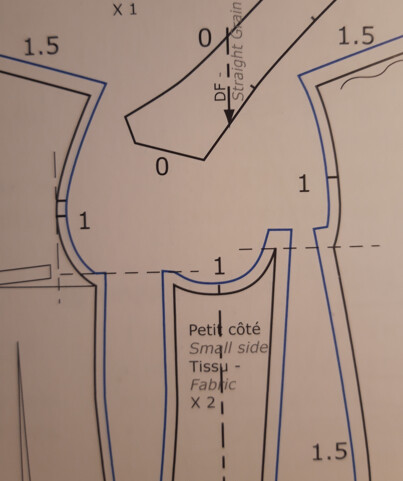
I have that, and I want the seam allowance to be the same length for easy alignement when sewing :
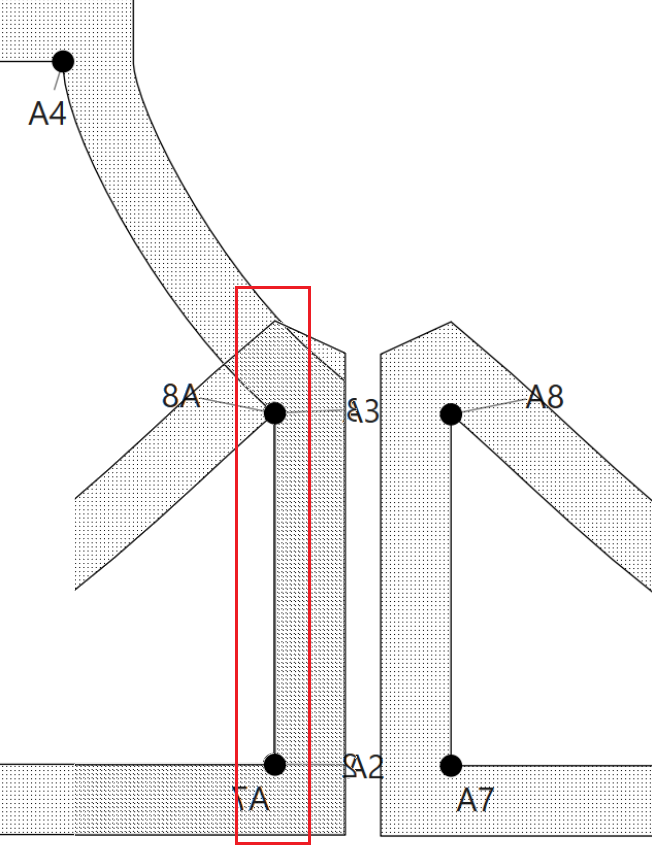
So as I do on paper or other CAD patternmaking, I squared the angle :
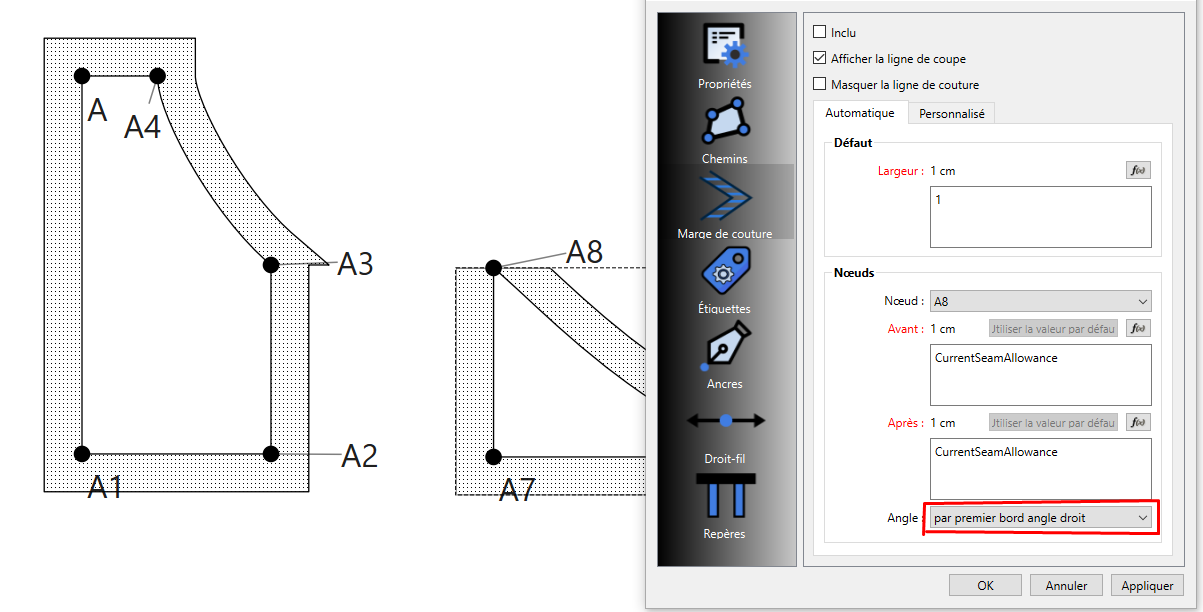
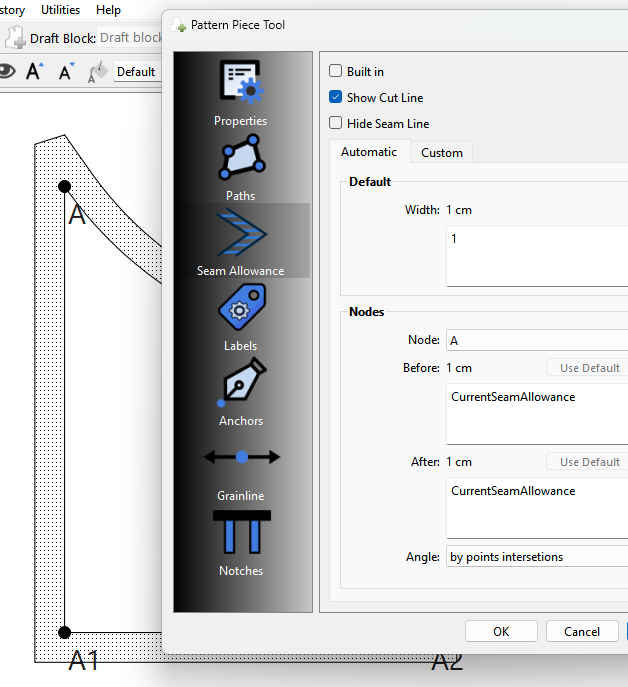
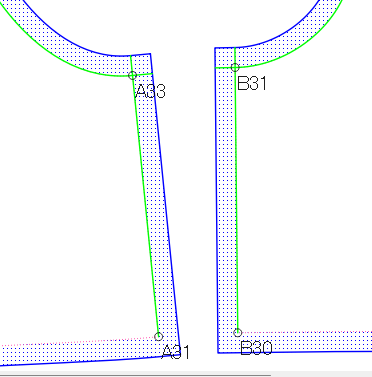
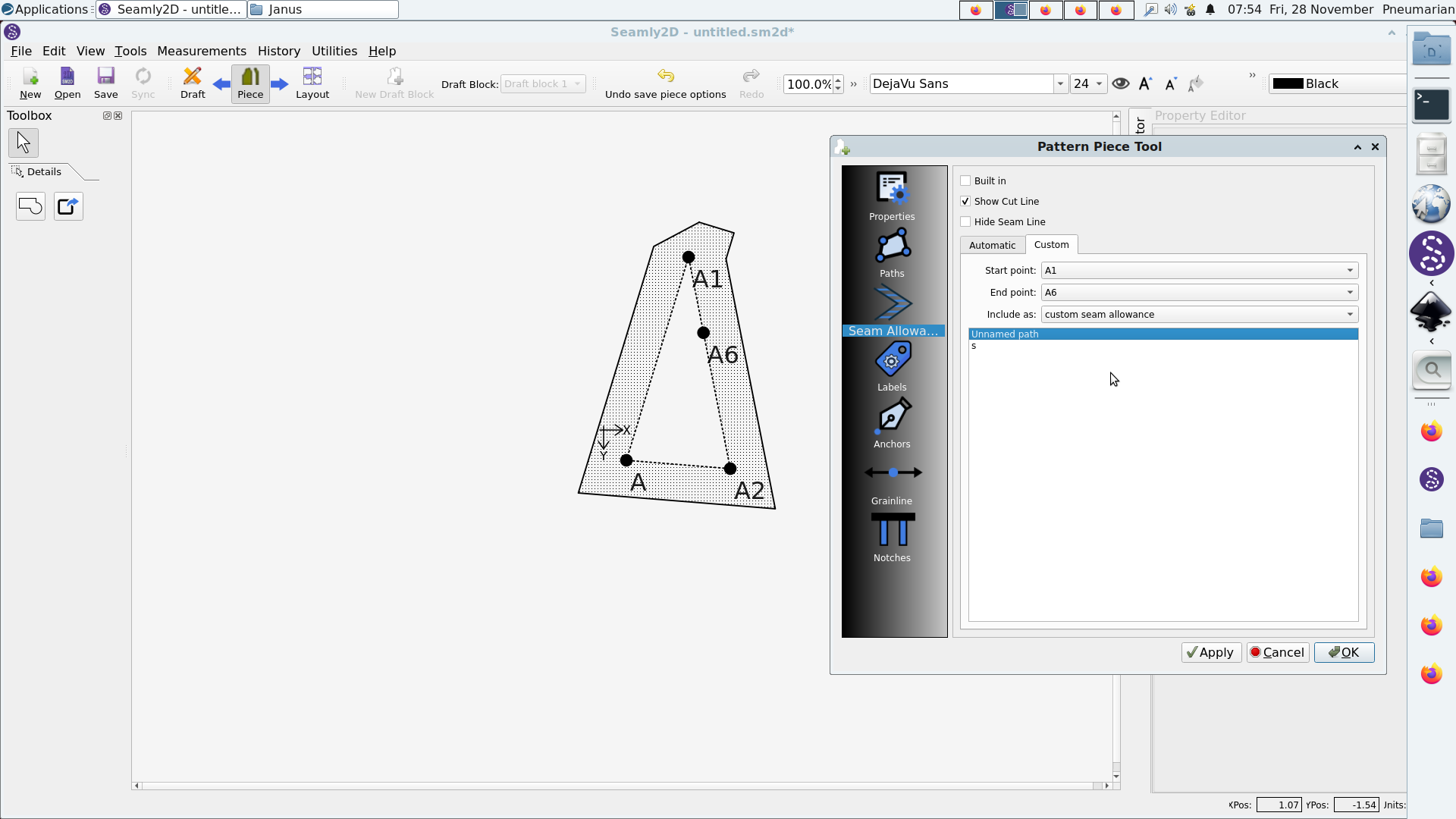
So I select the what-it-seem-to-me-the-correct parameters on both node :
and I see what it does, create a squared ligne on the selected border, then find the intersection with the other seam allowance border. but can it does it while adding the seam allowance value ?
I don’t know if I am doing it right, that why I chose the “how to” category and not the bug one.
Douglas
November 27, 2025, 6:17pm
2
Luuminante:
Hi, I have a probleme with seam allowamce corners.
I have that, and I want the seam allowance to be the same length for easy alignement when sewing :
Try the intersection corner:
Yes I know it, but this type of corner aren’t used for this type of corner (typically sleeves corner on jacket) where you want the seam allowance to be the same length.
Grace
November 28, 2025, 7:53am
4
I normally do mine like this:
I add internal paths that I extend beyond the seam lines so that they cross through the point to indicate where the seamlines meet.
It’s a bit of a work-around, but it serves the purpose.
Douglas
November 28, 2025, 9:41am
5
I quote your original post… “I have that, and I want the seam allowance to be the same length for easy alignement when sewing”
Right… So explain what the problem is? I’ve been sewing and drafting patterns for nearly 50 years and this makes sense to me:
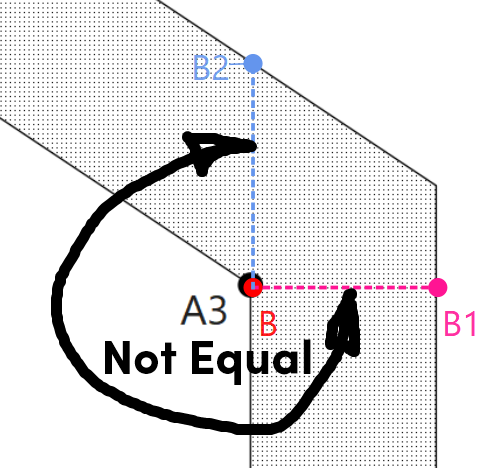
And this CAN NOT be equal…
I think you need to freshen up on your geometry. The only way for the SA to be the same width at a corner like you show is with a rectangle.
Douglas
November 28, 2025, 9:52am
6
Grace:
I add internal paths that I extend beyond the seam lines so that they cross through the point to indicate where the seamlines meet.
It’s a bit of a work-around, but it serves the purpose.
Doesn’t address the OP question, but why not just use an Intersection Notch?
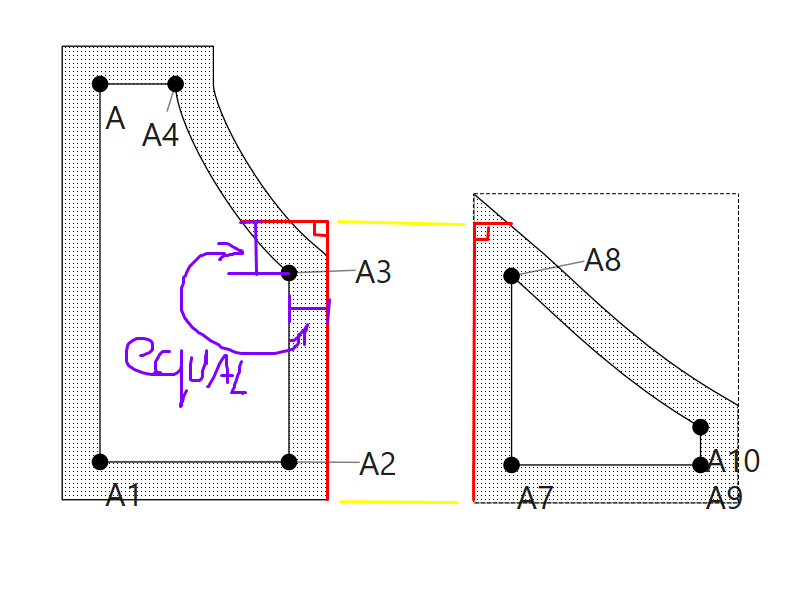
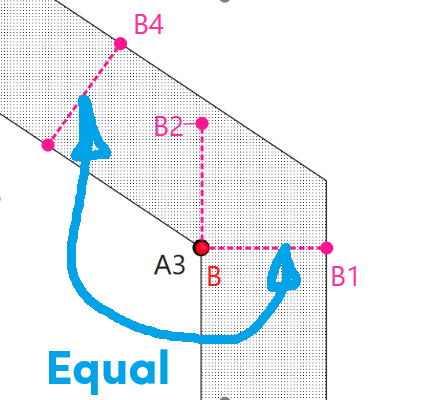
Sorry, I haven’t been clear, and I am sorry if I upset you, I do not compet with your experience. I want to achieve what I use to do and what I’ve been taught to do in my pattern situation, which is as follow :
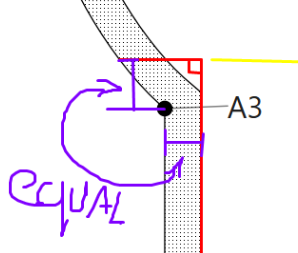
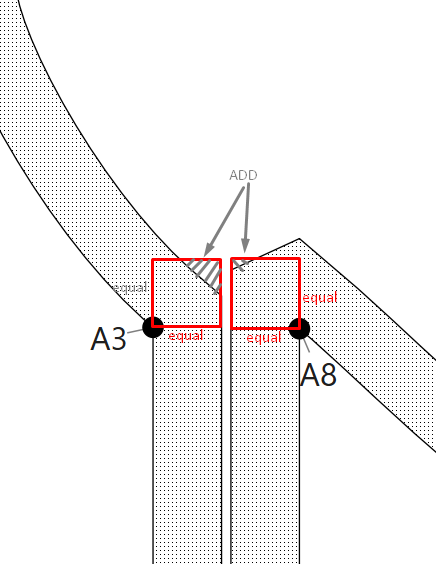
as for my geometry, here what I wanted to say, sorry for not been clear the very first time :
(the two squares are perfectly equal, they doesn’t seem to, but it is in reality, my screen shot software accuracy problem)
Maybe you could use the Internal Path tool to get something that works close enough?
It would mean drafting in a #seamAllowance width square on the corners.
Douglas
November 28, 2025, 2:19pm
10
There currently is no corner option that will do this. There are some issues with the right angle corners that haven’t been a priortity to fix yet.