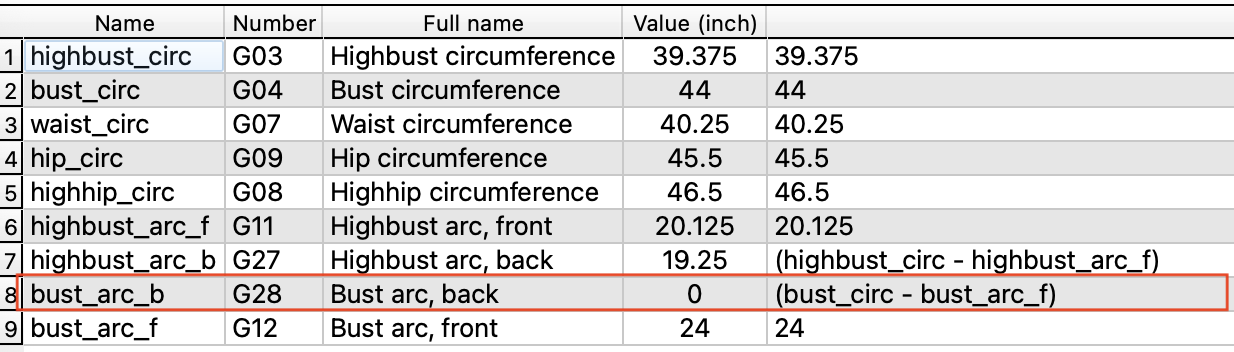
Hi there. Another newbie here, trying to figure it all out when using Seamly on a Mac. I’m trying to set up my first measurement file in SeamlyMe, and one of the formulas isn’t executing, even though the math makes sense. See attached image for details. The bust circumference measurement is 44 inches, and the bust_arc front measurement is 24 inches, so the calculated result for bust_arc back should be 20 inches, but all I’m getting is zero. The formula shown in SeamlyMe is (bust_circ - bust_arc_f), which looks OK to me. Am I missing something? Any suggestions?
This is also why sorting is disabled in SeamlyMe… as the order of measurements matters with fomulas.
This is a common theme in Seamly. Due to the way the pattern is parsed in sequential order - tools, variables and measurements can only access or refer to only what was created before it in the time line (History).