Hi,
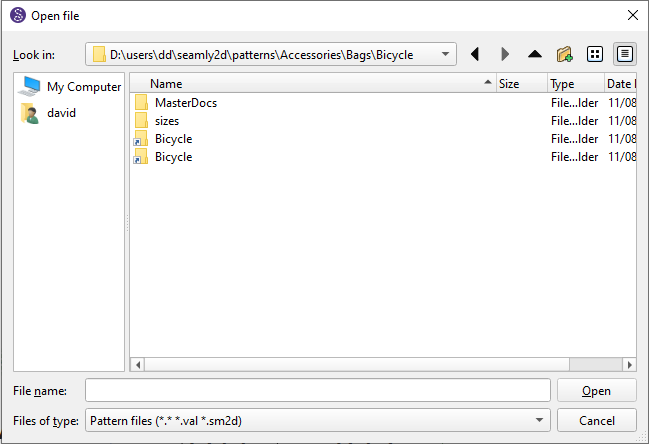
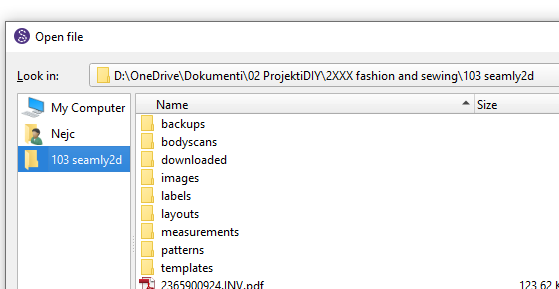
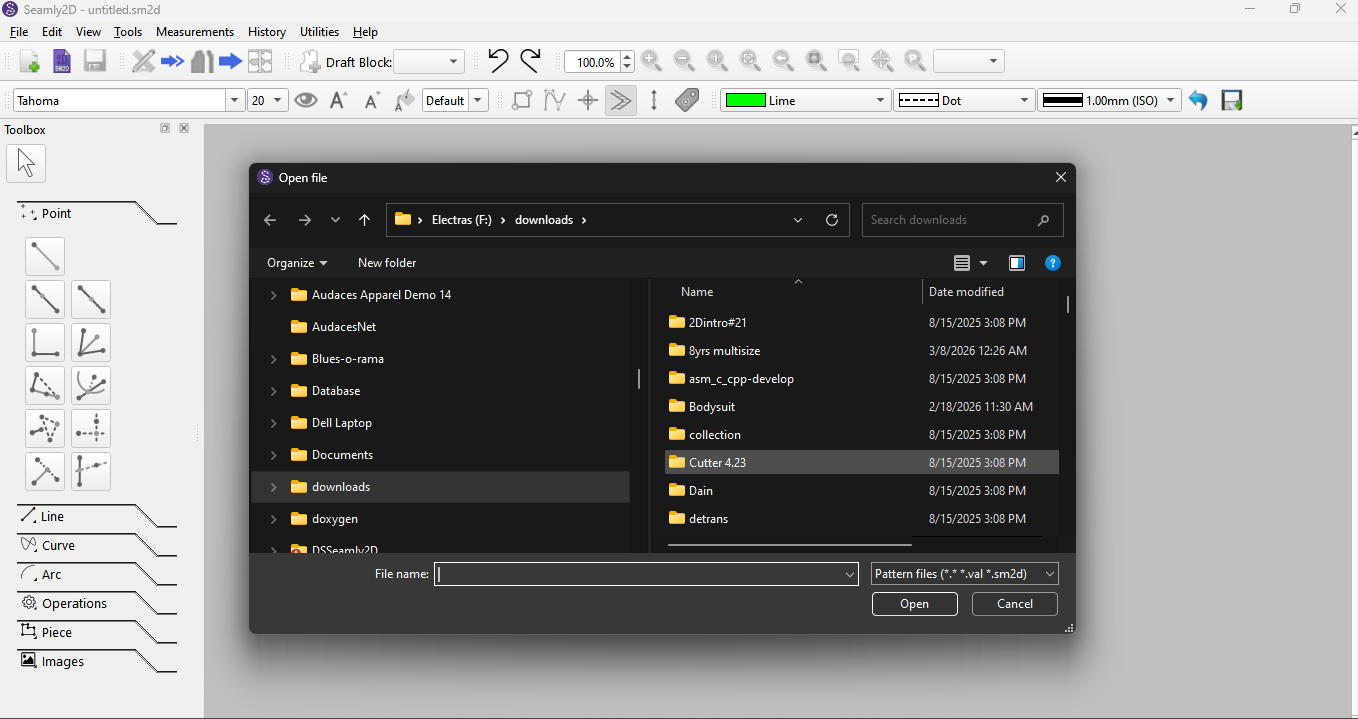
might there be a possibility to add new locations to the left hand (Look In) pane on the Open File Dialogue?
Selection of <User> takes me to the windows standard <User> drive:\folder (normally ‘C:’).
For <reasons> I have my application-data folders (not ‘C:\program files’) at a location that is also available to my parallel Linux installation (consecutive, NOT concurrent access!) In view of the multitude of ‘clicks’ required to navigate through ‘My Computer’, it would be more comfortable to be able to add additional / alternative locations.
I wrote this as a suggestion because I have not found a way to fudge this functionality, or trick the application into allowing this. If there are any gurus that may have magical (Registry?) hacks, I would like to hear of these.
I’m pretty sure Seamly gets the file dialog from the system. At least in my XFCE Devuan Linux install that panel has all the folders I have available in my thunar side panel. So it does have the Seamly folder I have on a shared device.
Ok… if I understand correctly… you want to see more shotcuts in the left sidebar:
That said… currently the file dialogs use the non native dialogs.. for we which could popluate the sidebar with more shortscuts OR switch to using the native dialogs.
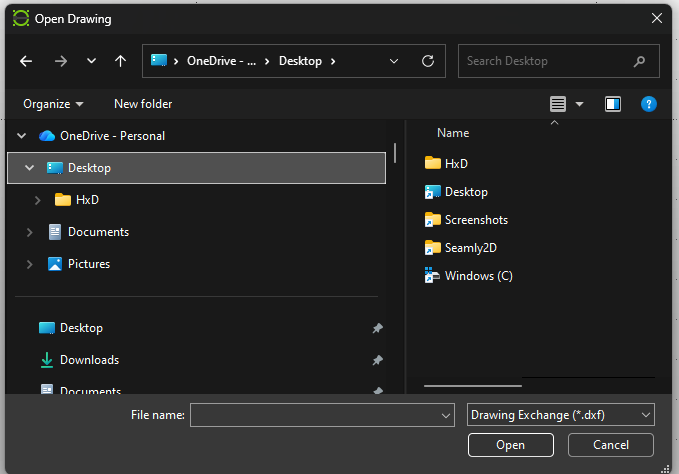
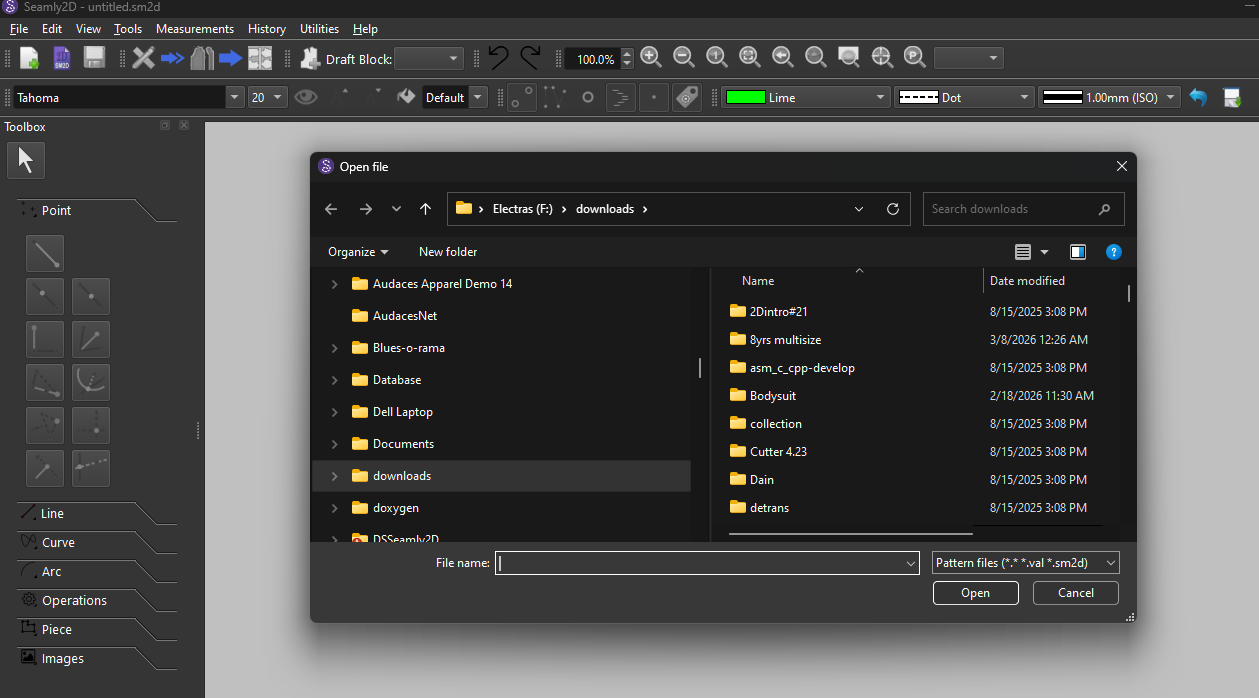
The issue has been that until rencently Seamly did operate in Dark mode… and if your system is set to use Darkmode the dialogs will open like this on the Seamly screen:
We basically have two options… switch to the Native dialogs - which may still present the issue of a dark dialog on a light Seamly OR add more shortcuts to the non native dialog. Question is what shortcuts to add? They can be different on every machine.
Personally I’d prefer just using the native dialogs. Less work to implement, and in many cases any one using Dark mode for the system can now use Dark mode in Seamly (with a few caveats). Also it’s not the end of the world to see a Dark dialog on a light Seamly screen.
All in favor of Native Dialogs…?
All in favor of keeping the Non Native Dialogs…?
Update:
There’s 3rd Option… I could add a Preference and the user can choose.
All in favor of a Preference to use Non Native or Native dialog?
Yes… or what it would look like in Seamly - the screen cap is from Librecad.
Not if the system is set to using Dark mode… like mine is. And that’s been the issue. Until recently Seamly was basiclly a light mode app.
Yes
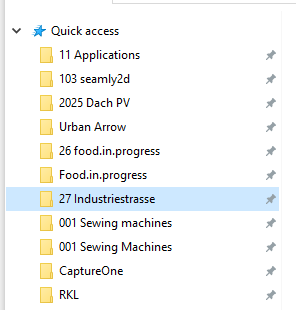
The Native dialog uses the Quick Access, the Non Native does not. It’s why I’m in favor of just using the native dialog… as the dialog will then mirror what you see in the File Explorer or Finder… and what ever Linux uses.
I prefer the concept of native dialogues. It’s basic behaviour and, if I understand correctly, easier to implement.
Non-native dialogues would only make sense if they could be personalised, but that sounds complex to me. I don’t think there’s any need to complicate things at this stage of the programme and invest more work in that.
Exactly. Again the only reason for the non native was a dark native dialog on a light Seamly screen.
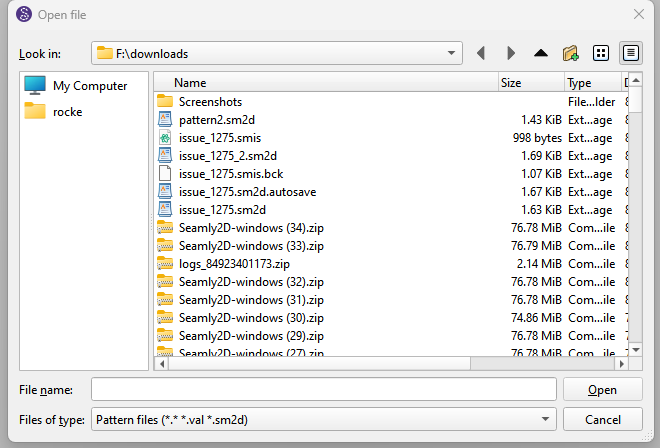
BTW… Correction… the non native dialog only apply to Windows. I forgot @csett86 set the Mac and Linux versions to use the Native dialog… In my memory I thought it was only for the color dialog, but it was for file dialogs as well:
i just built Seamly using the Native file dialogs… this is the point I was making when using native dialogs with the OS in Dark mode and Seamly in Light mode:
The native dalog palette can be hacked in Windows, but not on the Mac where the file dialogs are sandboxed. I don’t think it’s worth the effort. I think the best solution is give the user the option of which dialog to use in the prefs.
Ok… I went and just added a pref to use native dialogs or not.
The pref applies to both file and color dialogs. Note: Widows uses the same color dialog for native and non-native while Mac and LInux have their own native color dialog. The default is ‘Use native dialogs’.
However, as in my previous moaning about the file open dialogue, I can live with this.
Since all of my efforts are directed towards a transition to Linux - which cannot be 100% because some of my software smiths (e.g.: Wilcom ‘Hatch’) are not going to produce Linux versions of their applications - could I get the Linux version (Linux Mint 22.3 “Zena”) to show alternatives to the default location(s)
Using the XCFE UI I just right-click a folder & select Send to, Side Pane. Then it’s available from all directory navigating windows which call on the default UI. I’m unfamiliar with Cinnamon, which is the default UI for Mint, nor am I familiar with KDE, having last experienced it back before Red Hat Linux had an “enterprise” option.
Hi, thanks for the info … Just as a matter if interest, which ‘version’ of Seamly2D should I use on ‘Mint’? AppImage or Flatpak ? I assume that there is no ‘APT’ install in this case.What are the up- and down-sides for each type of install?
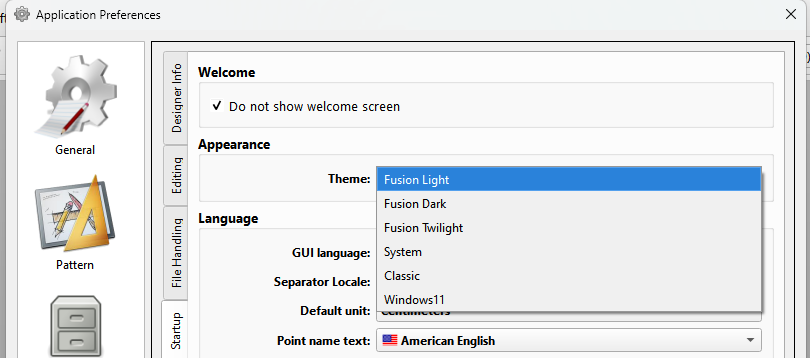
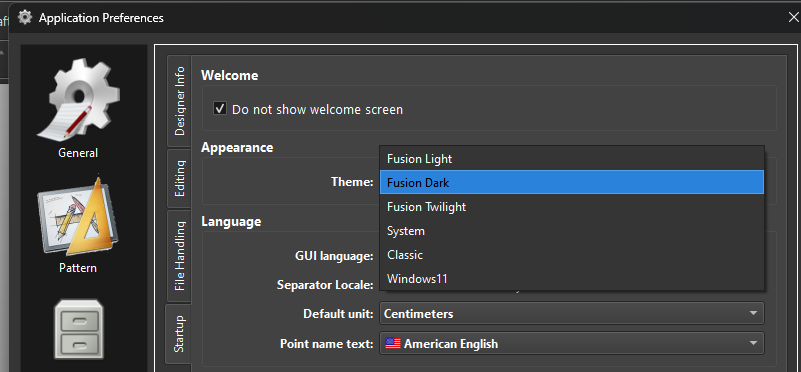
This is precisly the reason why I choose over riding the system style & palette to set a theme - rather than using the (new) builtin Qt stylehints for darkmode. Qt does not play well with KDE and Dark mode as KDE is doing IT’S own thing.
It also means we can set any number of custom pallets other than just the System’s light or dark. Such as the “Fusion Twilight” theme… which needs some tweaking.
I have been testing Seamly with Kubuntu off a USB stick on my old laptop.
Weeeelll, I generally build it from source, or when that’s not convenient I do use the AppImage. The less UIs I have to install to make my software work, the better IMO, so I don’t like flatpak. & I don’t like AppImage because I can’t set files to open in AppImages when I open them. Mind you, I’m pretty sure it can be done, but if I’m going to be jumping through weird hoops to make it work, I’d rather just build from scratch.
Maybe a subject for another topic… but Since it would behove me to be able to build the app for Linux locally… How exactly does one go about doing that?
To me anything other than building for Windows in Creator with a minGW kit is jumping through hoops. I’m too old and done my time in command line hell.
First, I make sure that I have all the necessary packages installed to build Seamly. I’m not sure I came up with the actual right list, but this command seems to work in Debian-based distros which are new enough:
With the necessary, (possibly more?) tools, I download & extract the .tar.gz, open a terminal in that folder, (you should be able to context-menu open terminal in current directory,) &
I’m not sure which of those options are essential, but at least some of them are.
Assuming that it didn’t error out, next I sudo make, (I’m not sure that sudo is really necessary, but since I’ll be installing it in the root directories, I figure its for the best,) & go do something else for a while, such as write this post. If that works, I sudo make install & moments later am using the newest Seamly release.
On the other hand, if I get error: 'ParseResult' is not a member of 'QDomDocument' I figure I must be missing something important, which last time was fixed by updating my Devuan release to the current stable. Unfortunately, my apparently ancient Chromebook Debian VM is no longer being supported by Google, so I’ve been using the AppImage there. But hey, what’s the worst that could happen if I try manually advancing it from bookworm to trixie?





 Weeeelll, I generally build it from source, or when that’s not convenient I do use the AppImage. The less UIs I have to install to make my software work, the better IMO, so I don’t like flatpak. & I don’t like AppImage because I can’t set files to open in AppImages when I open them. Mind you, I’m pretty sure it can be done, but if I’m going to be jumping through weird hoops to make it work, I’d rather just build from scratch.

 Yup it takes about 18-20 mins when I do a clean MSVC build.