It’s not a error… it’s an Info dialog… thus the ? icon.
It means the name or path of the last saved measurement file has changed. By clicking Yes it allows you to select another measurement file or path. If / When you save the pattern file it will update the link to the measurement file. I have to do this all the time when I have to fix user pattern files as when I download pattern & measurement files the user’s paths are never going to be the same as mine… Unless the measurement file is relative - i.e. in the same folder as the pattern file on the user’s system.
Yes you may. This error is from a bug in a version awhile back that is writing the < groups > and < images > blocks out of order.
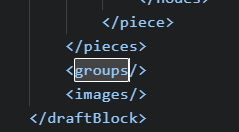
Update to the latest version and this won’t happen… except with any patterns that were already saved with the bad version. These patterns need to be manually fixed. If you post your pattern file I can fix it for you OR if you feel adventurous you can edit the xml pattern file in any text editor so any < groups > blocks appear before the < images > blocks:
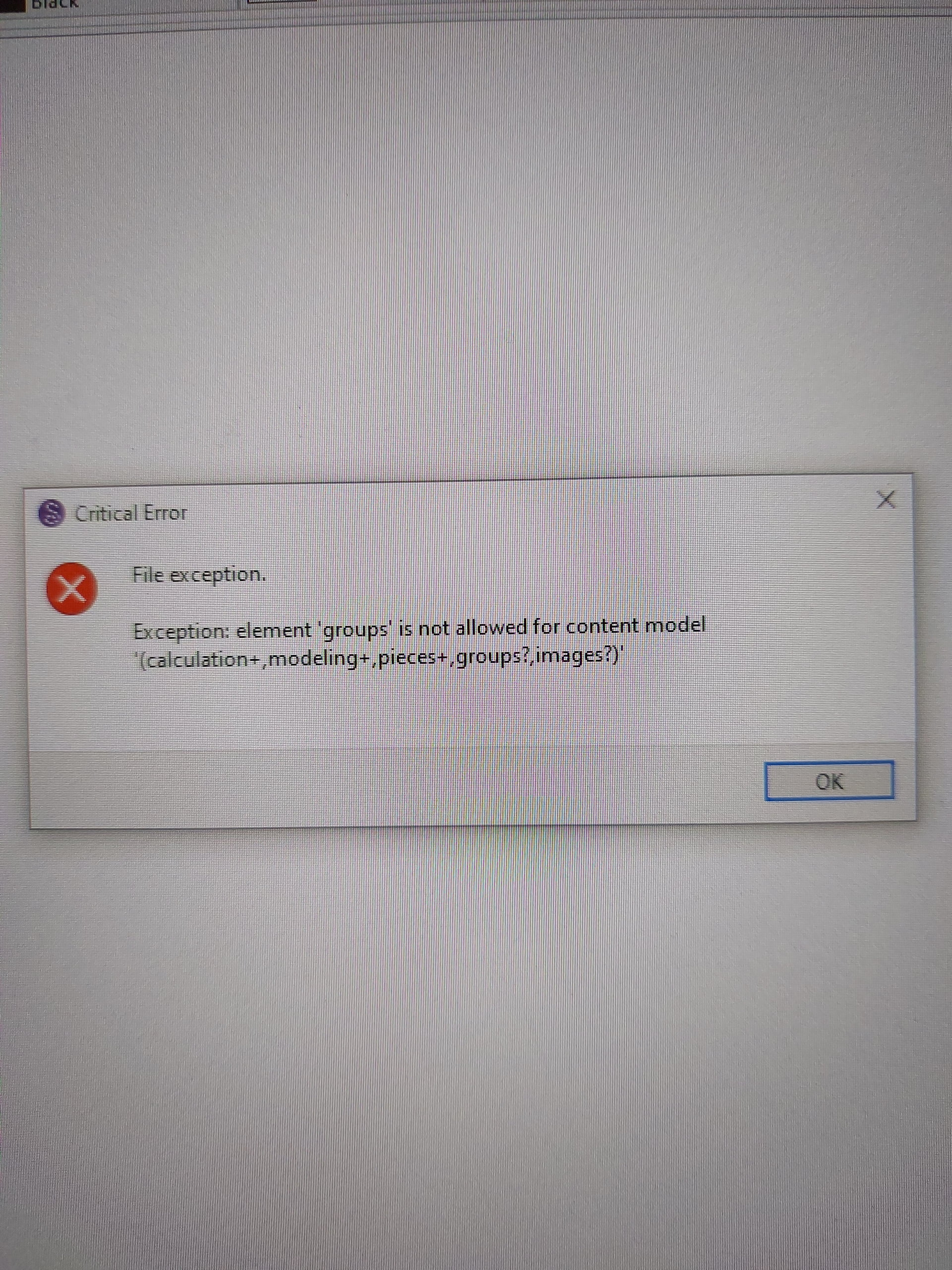
 This error is from a bug in a version awhile back that is writing the < groups > and < images > blocks out of order.
 If you post your pattern file I can fix it for you OR if you feel adventurous you can edit the xml pattern file in any text editor so any < groups > blocks appear before the < images > blocks:
 I’m eage to learn!