Hello everyone, I need some help. I’m new to Seamly, and I never thought finishing my project would be so frustrating. I’m having an issue where my pattern pieces appear stacked on top of each other; I’d like to know if I’ll be able to rearrange them after exporting the file and opening it in another program.
Hello and welcome, @ivyana77
I normally arrange my pattern pieces in Piece Mode to the best that I can and then export directly from there as an SVG.
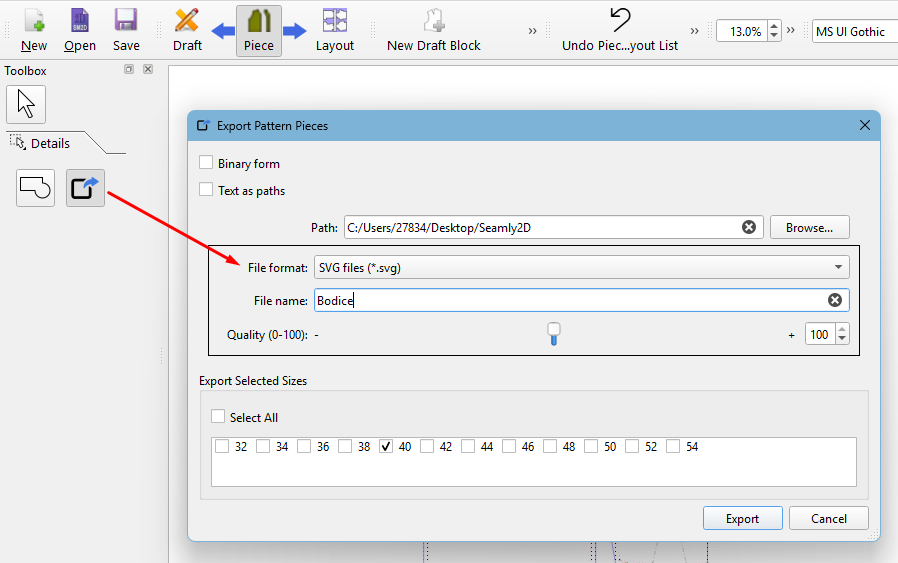
(A new addition to this is that you can now select which sizes you would like to export if you are working with a multisize measurements file.)
Once you’ve saved your pattern to SVG, you can open it in Inkscape and arrange all of the pattern pieces as you wiish. Inkscape is an open source software and also has pages that you can set up to save to a multi-page PDF, if you wish.