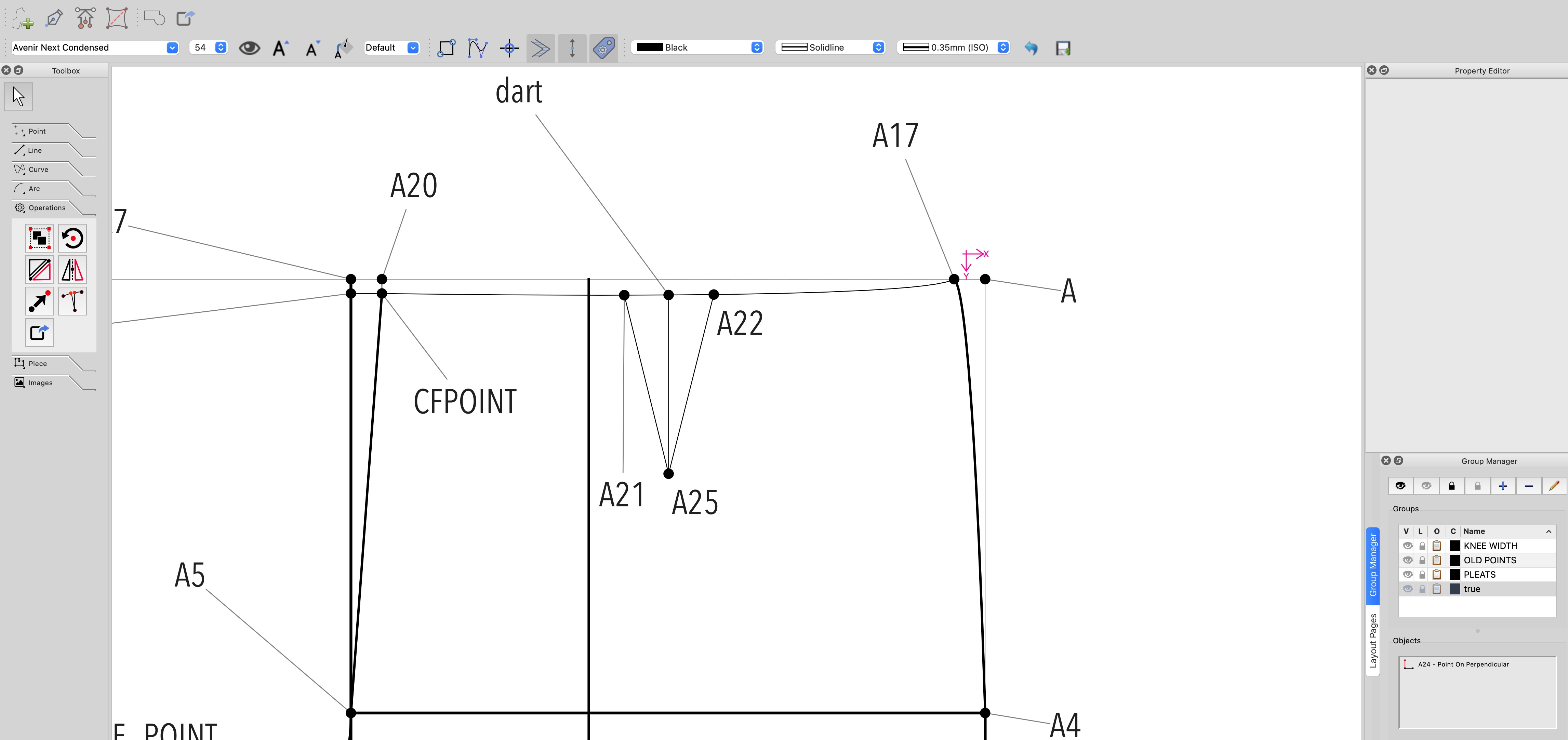
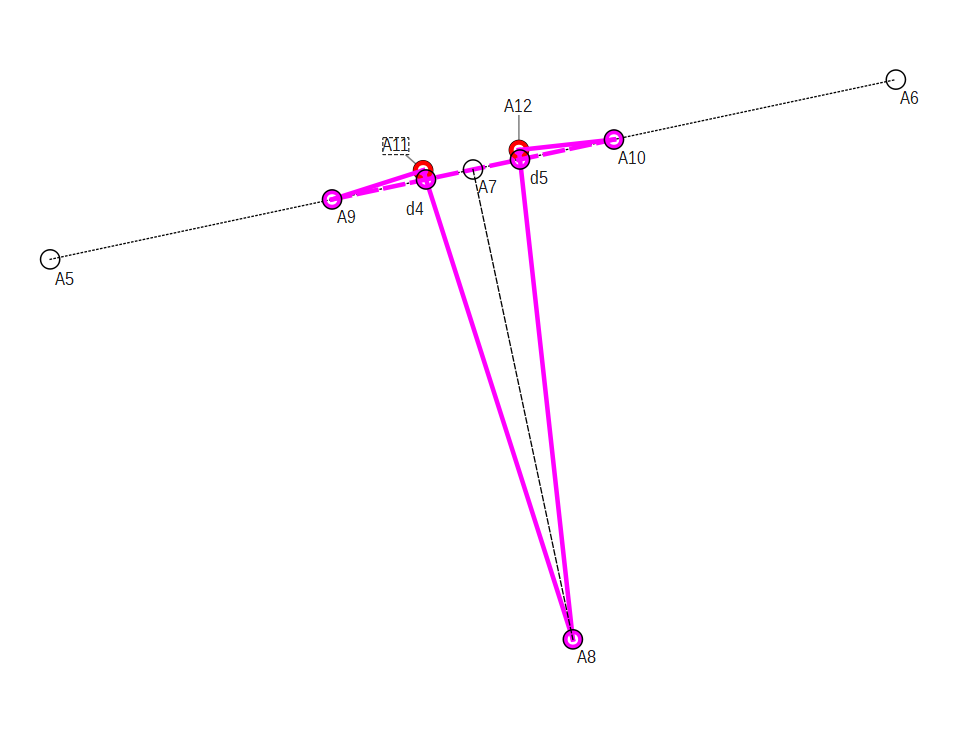
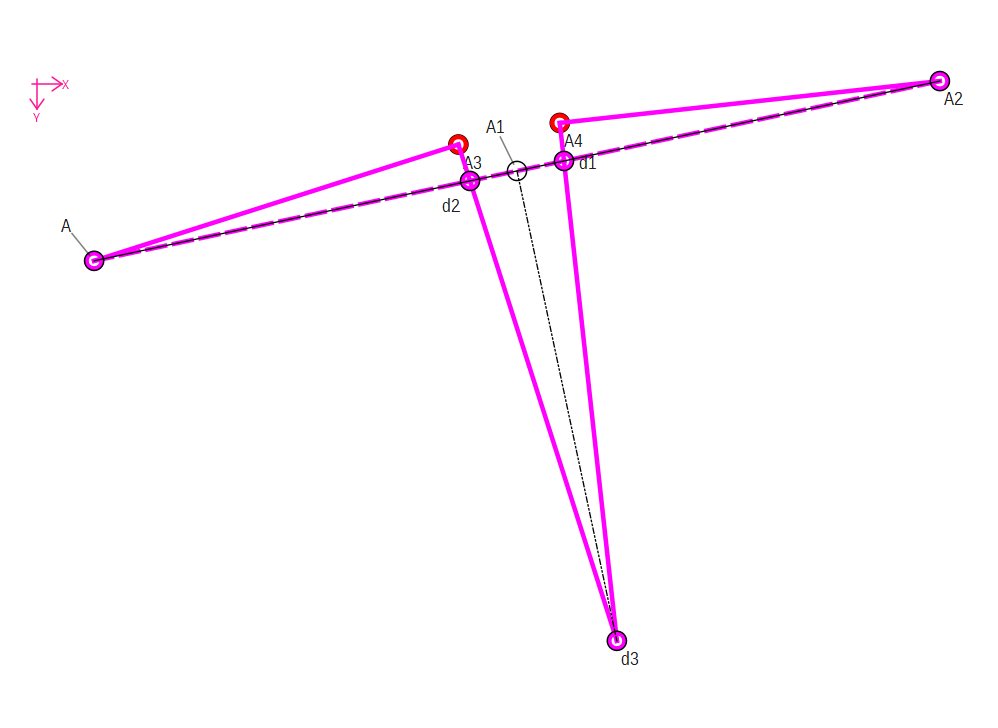
Hi, I’m drafting this pants pattern and I’m trying to add a dart and make sure that the tip is the right length to create the smooth curve when its going to be closed.
In the Operations tab I see the True dart tool and when I click it it asks to select two base points and three dart points, but I only have four points, and cant really tell which are the base and which the dart points.
Thanks @Pneumarian , I followed your steps and I think Im getting closer.
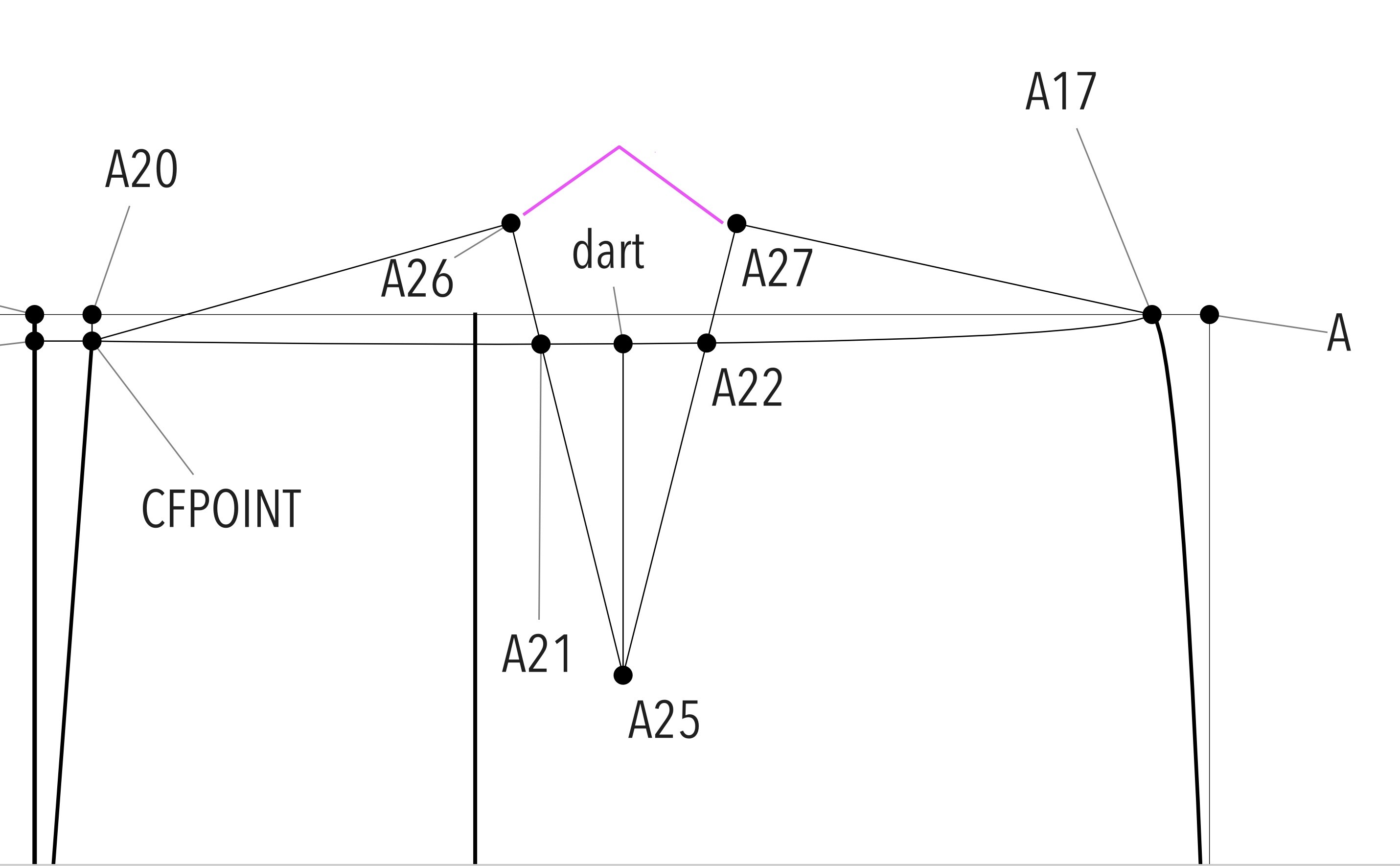
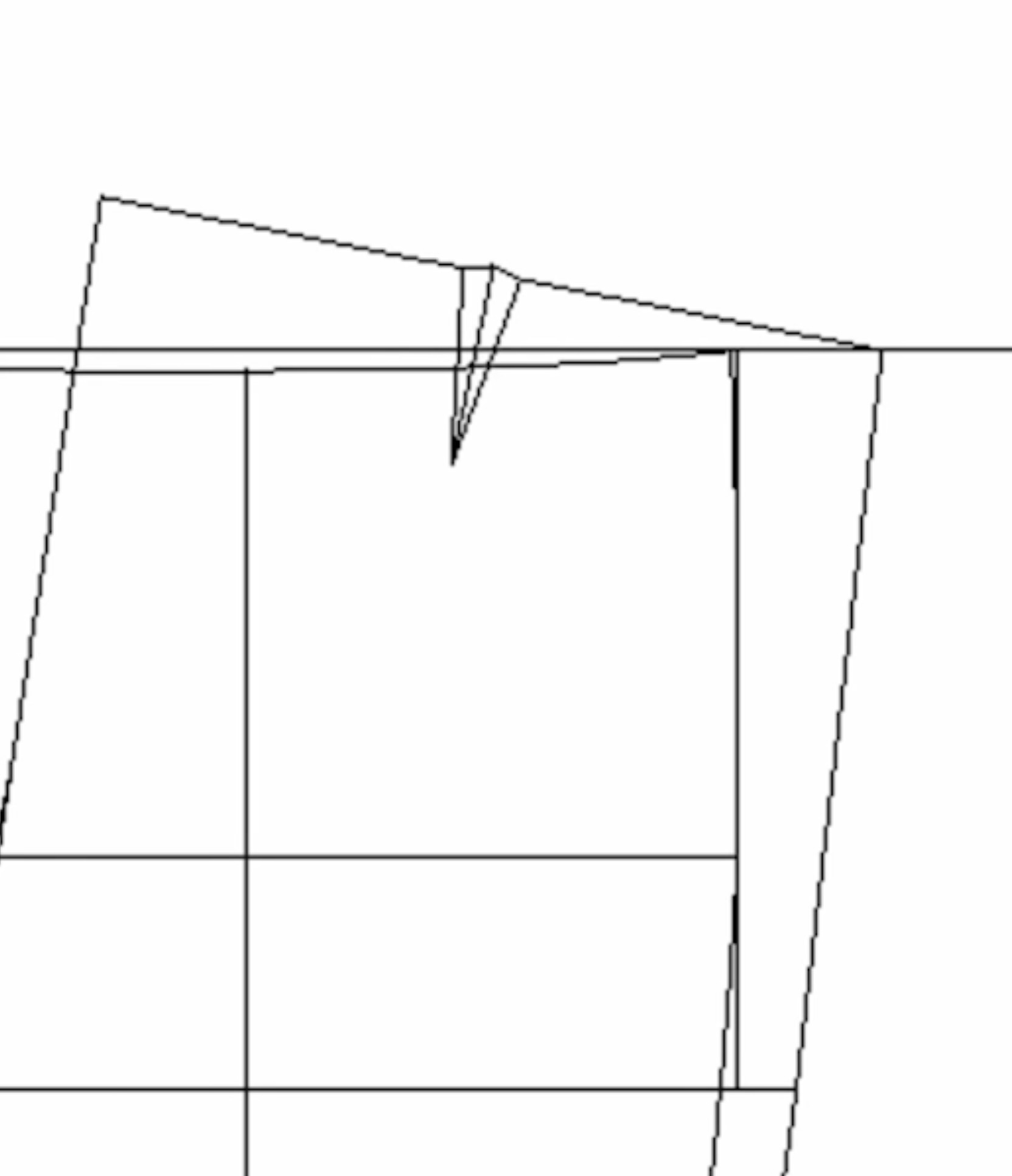
I still don’t know how to draft the tip as the one I sketched in pink. I tried making the pattern in paper and matching the dart but the waistline is not coming out right yet.
Wouldn’t all that excess fabric flapping around be cut off anyway? But if it will help you follow your directions as written, either use the Line tool, “Point - Intersect Lines,” & denote one line with CFPOINT & A26 & the other line with A17 & A27, or to get the midpoint to be the exact same length as the sides, use the “Point - On Line” tool, your first point will be A25 your second point dart & your length will be Line_A25_A26 (if that line doesn’t exist, use the Line tool to denote it.)
When you are in the tracing around the pattern stage, you will select the points (& curves) that your pattern is defined by, the lines between points in draft mode are just to help you remember what’s going on.
But now I’m getting kind of confused, Im just getting started with pattern making so the answer to my question might sound obvious, but is there a difference between truing the darts they way Seamly does, so changing the angle of the waistline in this case, and just adding the tip on top of the dart, like other patterns sometimes show (like in the second picture)?
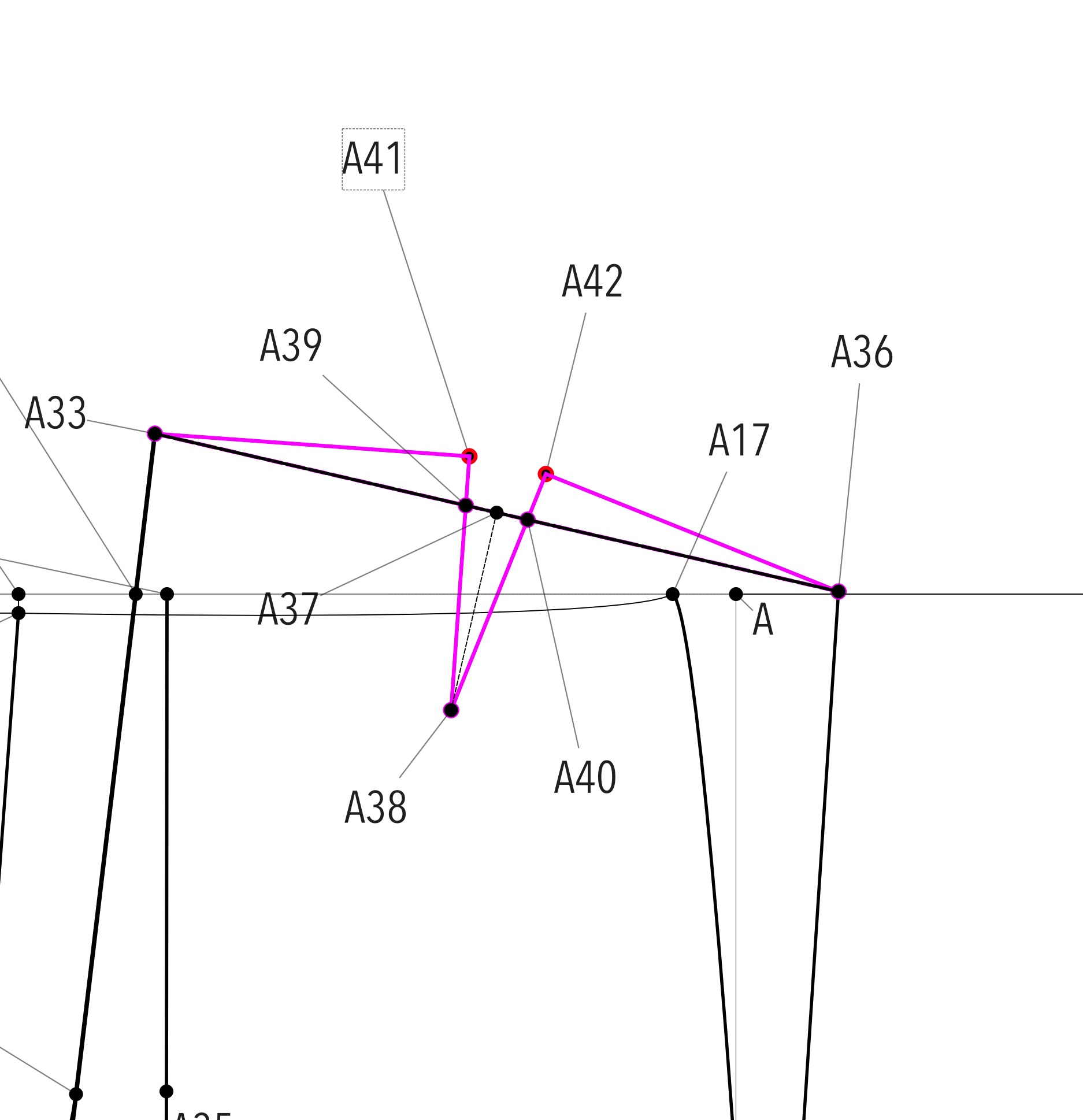
Yes. The way Seamly way is actully trueing the darts, making it so the angle at the 2 darts poimts (A41 and A42) is 90 degs. When you sew the darts up you get 90 + 90 = 180 degs or a straight line.
If you were to sew the dart in the second imgage you will get a Vee across the waist line, and it’s really only sowhen you stitch across the dart you catch the edge of the dart in the seam so it doesn’t stick out.
In practice if it’s only a small dart like 3/4 " it won’t really matter, and the second way is acceptable, but If the dart is wide then it really needs to e trued up.
Just draw a dart up both ways on a piece of paper, cut it out, and fold the dart and you will see what I mean.