System Details:
• OS: macOS Ventura 13
• Hardware: Intel Mac
• Previous Working Version: 2026.7.6.215
• Current Version: 2026.10.26.416
I had been using the version 2026.7.6.215 for a while until I updated to 2026.9.28.151. Since then I have noticed a couple of user interface changes. These behavior continued as I updated to 2026.10.12.200, 2026.10.26.416.
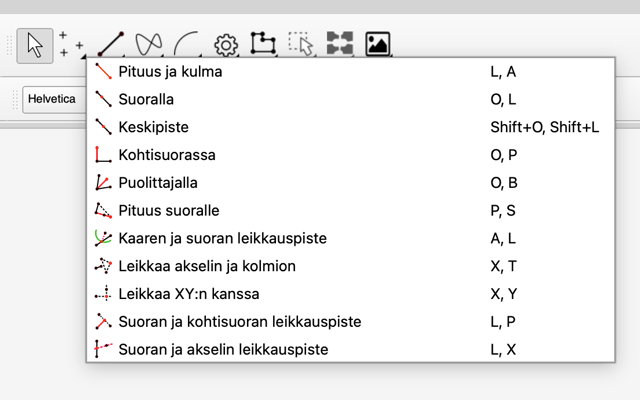
Missing Icons in Tool Dropdowns:
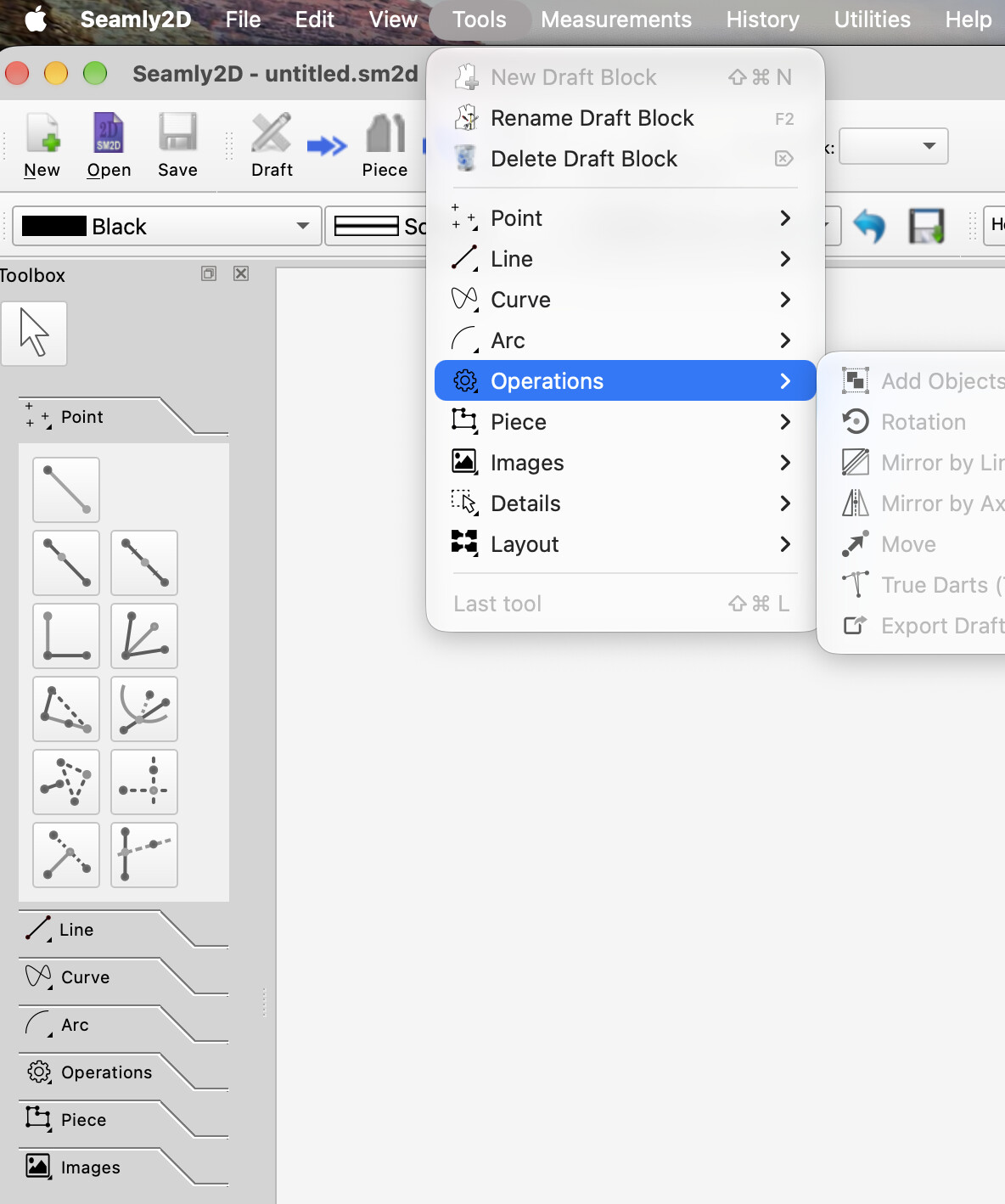
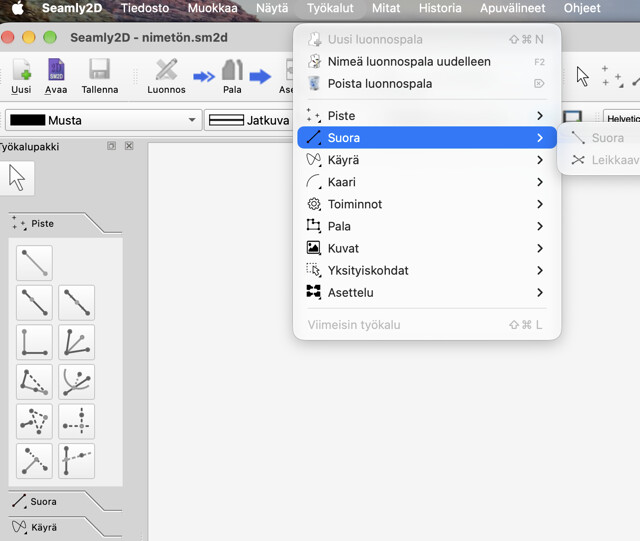
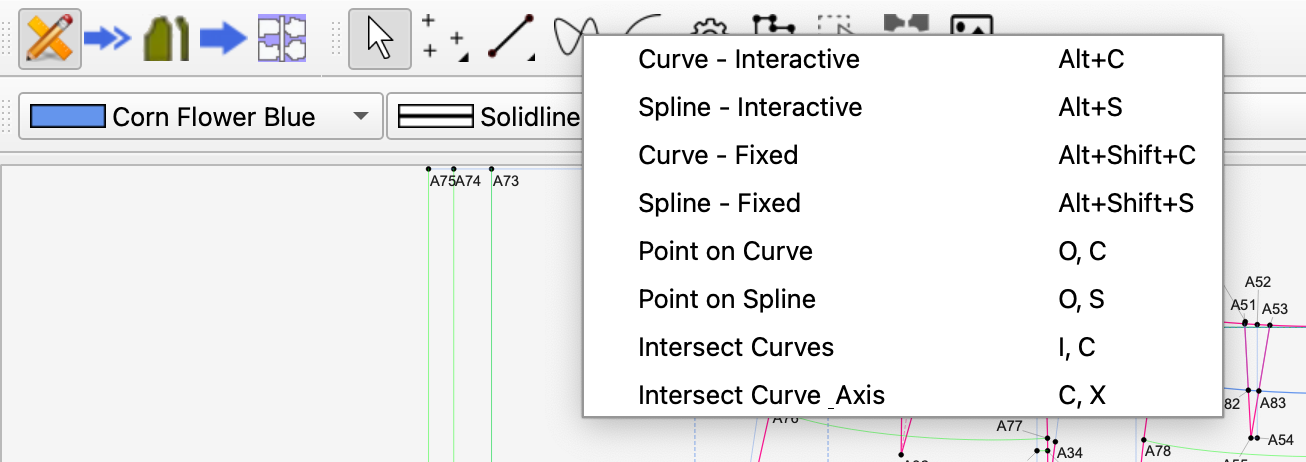
The visual icons have completely disappeared from the dropdown lists for the tools.
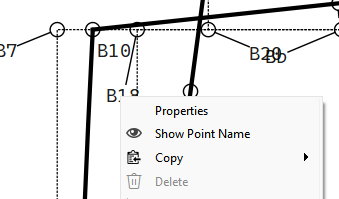
Context Menu “Delete” Behavior:
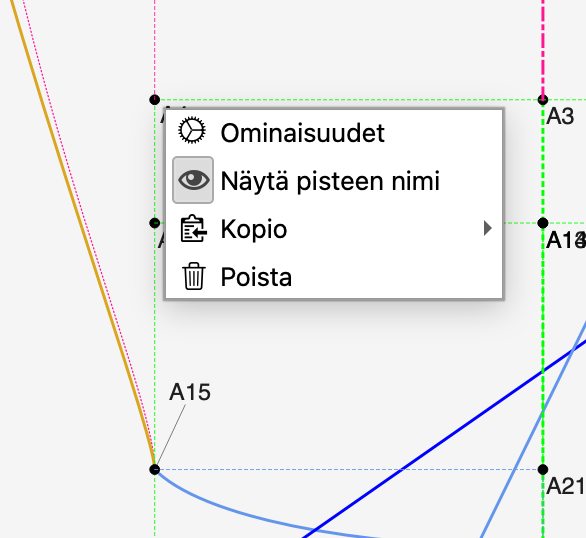
When an object cannot be deleted, the “Delete” option in the right-click context menu used to be grayed out (disabled). In the new version, it remains visually active. I now have to hover my mouse over “Delete” just to check if it is actually clickable.
No. You were using a version before the change to Qt 6.8 which changed a lot of the painter engine… so there could have been changes in how the menus are be handled - such as how the app is painting the widgets.
I will take a look on the mac as soon as get a chance.
The behavior is same on Windows… back in July we switched to building with Qt 6.8
Q: Did the behavior of menu items change with qt6.8 where a item no longer shows greyed out
A: Yes, there have been recent core changes and known bugs introduced around Qt 6.8 that alter how menus, popups, and disabled items appear visually
1. The Core Bug: Disabled Items Not Visualizing “Greyed Out”
A specific regression was tracked where disabled menu items fail to render as greyed out.
The Symptom: In certain OS configurations and theme engines interacting with Qt 6.8+, using .setEnabled(false) on a menu action makes it unclickable, but it fails to change color. It retains its standard active foreground color, giving the illusion that the item is available when it is not.
Why it happens: This is frequently tied to how Qt 6.8 hands off style palettes to the host operating system’s desktop environment managers (such as GNOME/Wayland or specific Windows/Linux dark mode integrations).
In the case of the greyed out items I have a fix… in the palettes I need to implicitly define the colors for the disabled states. Easy fix.
In regards to the missing icons I’m at loss at the moment since @03Pencil has reported no issue on the mac builds… assuming we are talking about the same menu items?
Q: Why would there be an option to NOT show icons. It’s just counter intuitive.
A: 1. The Platform Purism Argument (Why Apple hates menu icons)
Apple’s official Human Interface Guidelines (HIG) have historically argued that putting an icon next to every single item in a dropdown menu creates visual clutter and slows down visual search times.
According to Apple’s UI philosophy, menus should be clean, text-based lists.
Icons are meant for toolbars and grids where space is tight.
When Apple recently experimented with adding icons to every menu item in an operating system update, it faced an enormous backlash from UI designers who called it an “anti-pattern” that resulted in information overload. Apple quickly reversed course in subsequent macOS updates, removing the default menu icons entirely.
Frameworks like Qt included the DontShowIconsInMenus attribute so that developers could tell their app: “When you are running on a Mac, hide the menu icons so our software looks like a native Apple application.”
The fix is to add this line in the code to restore the icons for the older macOS 13.
I probably also have the no show icon issue fixed on the macOS, but you’ll either have to download the artifact build off Github (which requires a Github account) once I make a PR, or wait till next weeks release. Once you update you’ll have to let us know if the issue is fixed.