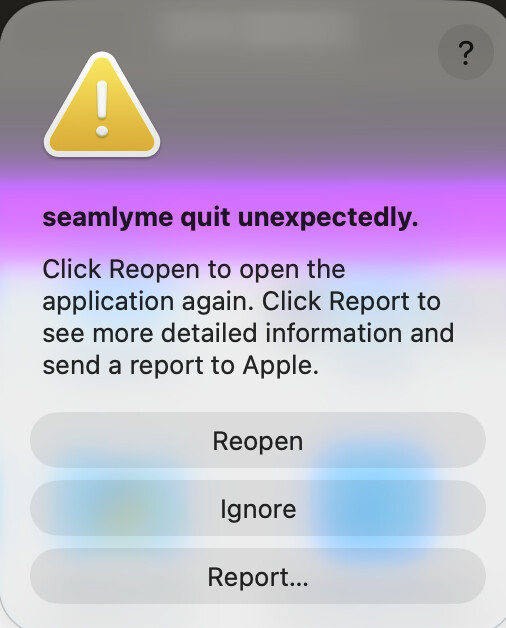
No matter how many times I attempt, reboot, uninstall then reinstall, I can’t seem to get either program (Seemlyme & Seemly2d) to open! I feel like I’m losing it, because I can’t figure out if it’s a compatability issue with my mac (Golden Gate 27.2 is the most recent update on my macbook) or if there’s something within the program itself that isn’t letting me in.
Hi,
I don’t have this problem with macOS 27.0.1. And now I will wait before i update. Thanks for the info! And Welcome to the forum!
But then I was looking from the web and it seems that some another Qt program (OBS) have maybe similar problem with macOS 27.2 and Qt.
I am not sure if this helps but maybe developers can look if Seamly have same Qt version.
Did you try “Ignore”?
I can confirm this crash on my setup as well.
Environment
- Seamly2D 2026.10.26 (bundled Qt 6.11.1), ARM-64 native (not Rosetta)
- macOS 27.2 (26B123)
- iMac21,1, Apple M1, 8 GB
Behavior The app crashes immediately on launch and the main window never appears. The same app version worked the day before. The only change was updating macOS to 27.2. A fresh download and reinstall gives the same crash.
Exception EXC_BREAKPOINT (SIGTRAP), Code 5, “pointer authentication trap DA” Triggered by Thread 0 (com.apple.main-thread)
Crashed thread 0 CoreFoundation __CF_IS_OBJC + 52 1 CoreFoundation CFGetTypeID + 180 2 CoreGraphics CGColorSpaceGetType + 28 3 CoreGraphics valid_image_colorspace + 32 4 CoreGraphics verify_image_parameters + 520 5 CoreGraphics CGImageCreate + 136 6 QtGui QImage::toCGImage() const + 260 7 QtGui (unsymbolicated) 8 libqcocoa.dylib (unsymbolicated) 9 libqcocoa.dylib (unsymbolicated) 10 QtWidgets (unsymbolicated) 11 QtWidgets QMenu::actionEvent(QActionEvent*) + 1204 12 QtWidgets QWidget::event(QEvent*) + 132 13 QtWidgets QMenu::event(QEvent*) + 1156 14 QtWidgets QApplicationPrivate::notify_helper(QObject*, QEvent*) + 332 15 QtWidgets QApplication::notify(QObject*, QEvent*) + 3484 16 Seamly2D Application2D::notify(QObject*, QEvent*) + 28 17 QtCore QCoreApplication::sendEvent(QObject*, QEvent*) + 172 18 QtWidgets QWidget::insertAction(QAction*, QAction*) + 356 19 Seamly2D (unsymbolicated) 20 Seamly2D MainWindow::createActions() + 48 21 Seamly2D MainWindow::MainWindow(QWidget*) + 280 22 Seamly2D main + 336 23 dyld start + 6652
Analysis The crash happens while building the menus in MainWindow::createActions(). Qt converts an action icon with QImage::toCGImage(), and CoreGraphics on macOS 27.2 receives an invalid colorspace object, which triggers the pointer authentication trap. The crash persists after ruling out display-related configuration, so this points to an incompatibility between Qt 6.11.1 and macOS 27.2.
Ok Folks… Apparently there is an issue with Qt 6.11.1 and macOS 27.2. The good news is we have already bumped to Qt 6.11.3 which should fix the bug in Qt.
So you can wait till sun / mon for the next release or if you have a Github account you can download the artifact build.
I updated my Mac(m1) to 27.2.0 and Seamly2D version: 2026.11.2.131 And Seamly opens and works like before OS update. No problems in my testings with updated OS and new Seamly update (yesterday’s).
Good news then. I guess Qt fixed the issue with mac os 27.2 in 6.11.3 and ironically we just bumped the CI ver up to 6.11.3.