When I add an Image file (SVG) to a pattern the image is shrunk. Is there an easy way to resize it to full size?
Hmmmm… it should be importing at 100%.
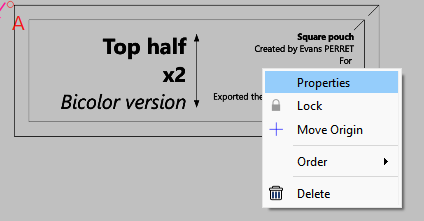
Open up the properties - use the Context menu:
And check if the x /y scale fields are 100%. If not you can set these to 100%. If you lock the aspect ratio you only need to change one of them.
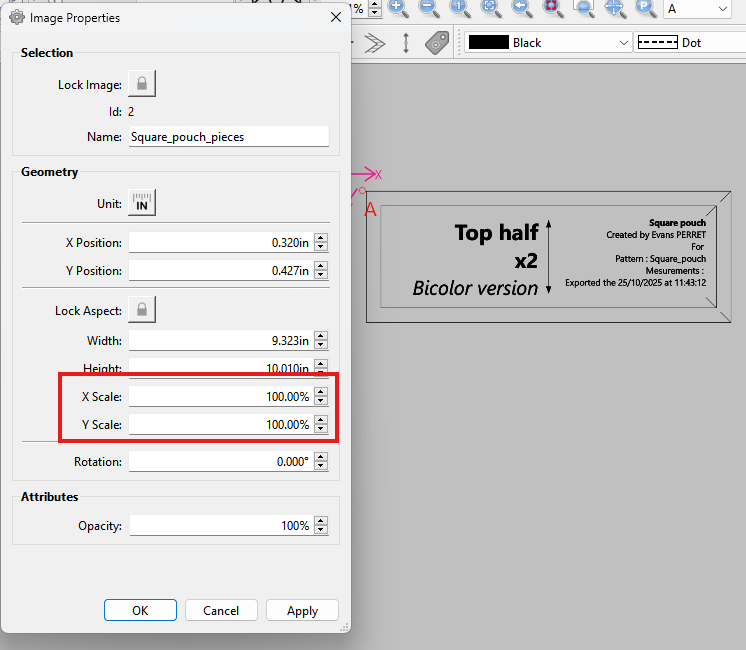
You can also switch tp pixels andf check the width & height of the svg to see if it’s correct.
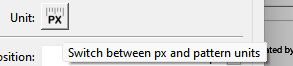
Also you can set the width & height to match what the svg should be.
Thanks, Yes it says it is at 100%, but I have to increase it to about 135% for it to scale correctly.
Just out of curiosity have you adjusted your screen scale or resolution?
No. My scale is 100% and resolution is 1920 X 1080
Need more info…
What OS are you using?
Atre you using on a second monitor?
What app created the SVG? SVG’s from Inkscape scale correctly at 96dpi. Adobe Illustrator uses 72dpi which when scaled 135% = 96dpi.
I using Windows 11 with 2 monitors. I used Adobe Illustrator to create the svg’s. That is interesting about the different dpi.
Adobe Illustrator hardcodes SVG exports at 72 DPI** (where 1 pixel = 1/72 of an inch), whereas Inkscape, web browsers, and modern CAD/laser tools use 96 DPI (1 pixel = 1/96 of an inch)**. When you bring an Illustrator SVG into a 96 DPI environment, it shrinks to roughly 75% of its intended physical size (72 / 96 = 0.75).
That includes Seamly.
Method 1: The “Uncheck Responsive” Fix (Easiest)
By changing your export preferences, Illustrator will write real-world dimensions into the file header rather than scaled pixel calculations..
- Go to File > Save As and choose SVG (svg) from the format dropdown.
- Check the Use Artboards box.
- Click Save to bring up the SVG Options window.
- Look for the Responsive checkbox at the bottom and uncheck it.
- Click OK. Opening this file in Inkscape will now generally maintain a 100% scale match.
I always get a little annoyed when I open a vector file from somewhere else, & Inkscape asks me what the dpi is. Um, it’s a vector? it’s not made of dots? Thanks for explaining what’s going on there.

It’s reated to the 'viewbox"
“An SVG defines an internal, resolution-independent coordinate system, whereas DPI (Dots Per Inch) is a raster concept that SVG handles dynamically through scalable user units rather than fixed pixel grids”
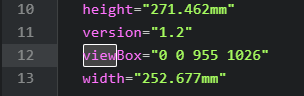
How SVG Relates to DPI
-
Vector nature: SVGs do not have a fixed DPI because they are made of mathematical paths, not static pixels.
-
User units vs. physical units: By default, 1 user unit equals 1 CSS pixel. When you introduce absolute physical units (like
in,cm, ormm), renderers convert them using their default reference DPI (commonly 96 DPI in web browsers or 90/72 DPI in print/vector software like Inkscape. -
Controlling output size: To prepare an SVG for high-DPI (Retina) displays or physical print, you define physical dimensions on the outer
<svg>element or scale theviewBoxratio to provide enough structural detail, letting the display device handle the sub-pixel rendering.
Thanks so much. That fixes it.