Hello @karen1983 , welcome to Seamly! We’ll try our best to get your Seamly drafting working for you!
I assume that you are saying that using the Union tool in ‘Pieces’ crashes Seamly, not that adding points crashes Seamly.
In the ‘Draft’ mode you will need to use the Rotate tool from the Operations toolbox.
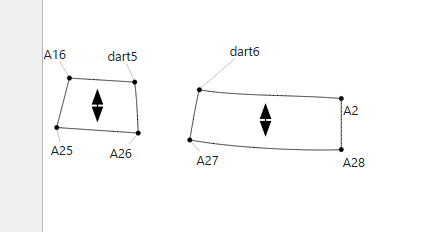
Select the objects you want to rotate. Using your example, & I’m making assumptions about your spline names, I think you’d choose dart6, Spl_dart6_A2, A2, A28, & Spl_A28_A27
Hit Enter
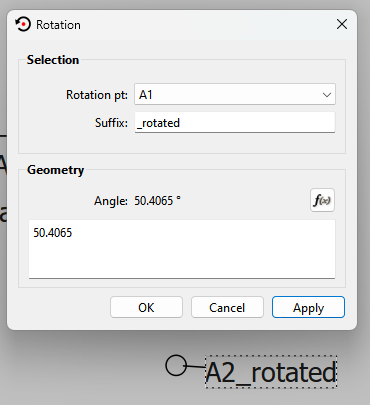
Select A18 as your rotation point.
Enter AngleLine_A18_dart5-AngleLine_A18_dart6 (or whatever formula actually matches your pattern) as your rotation formula.
Click OK
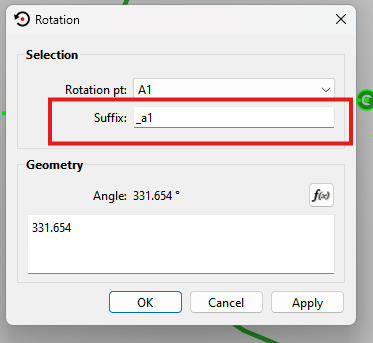
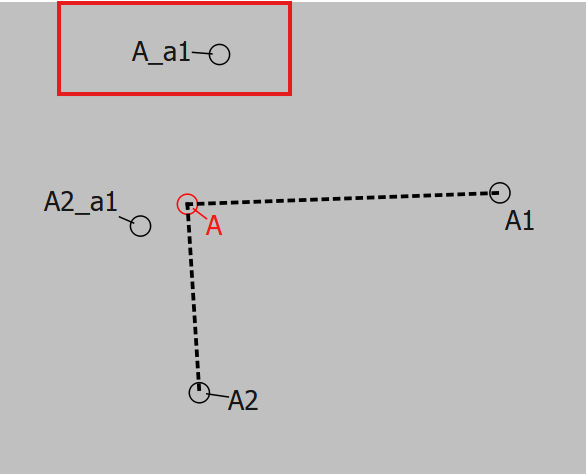
If you didn’t change the suffix, you will now have point dart6_a1 overlapping dart5, A27_a1 on A26, & curves, A2_a1 & A28_a1 sticking out up from the draft.
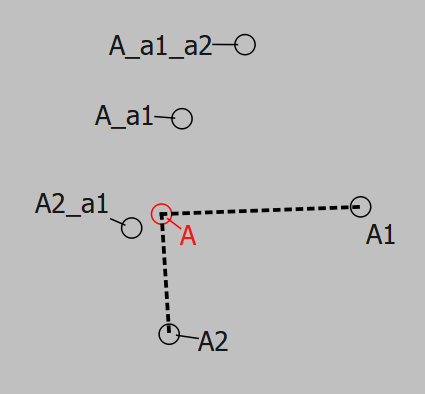
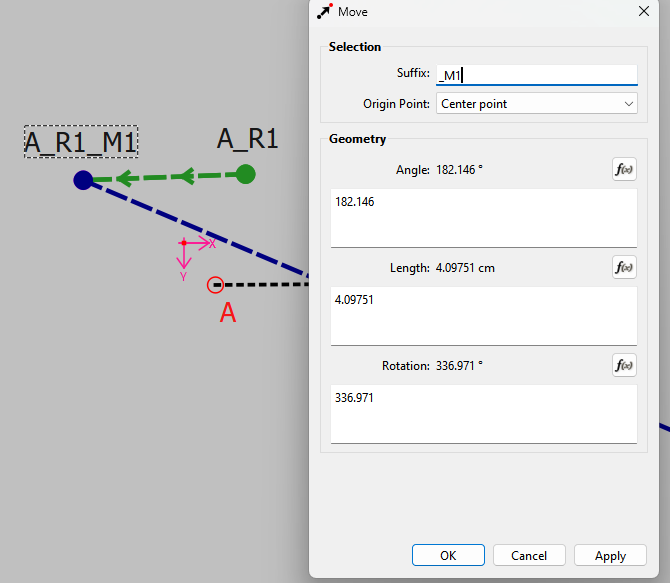
Each new instance of the Rotate tool will add another layer of suffix. So, for instance, if you started on the left side & closed dart A13, & then dart A14, you’ll have a point A1_a1_a2 curved out away from your main draft with its friends.
I hope that helps! If my guesses are completely off & you aren’t seeing how to make them right, please feel free to post your pattern & measurement files, & one of us will help you get it working right!
I managed to rotate the curved lines, but now… how do I make a Piece of it? It doesn’t work when I click the points/lines to make a piece. Have I forgotten something?
also: what is the suffix please? (I’m new to all this )
If I had used the default a1, a2… the rotated & moved Point would be named A_a1_a2 not knowing what tools were used or in which order… without looking them up in the history.