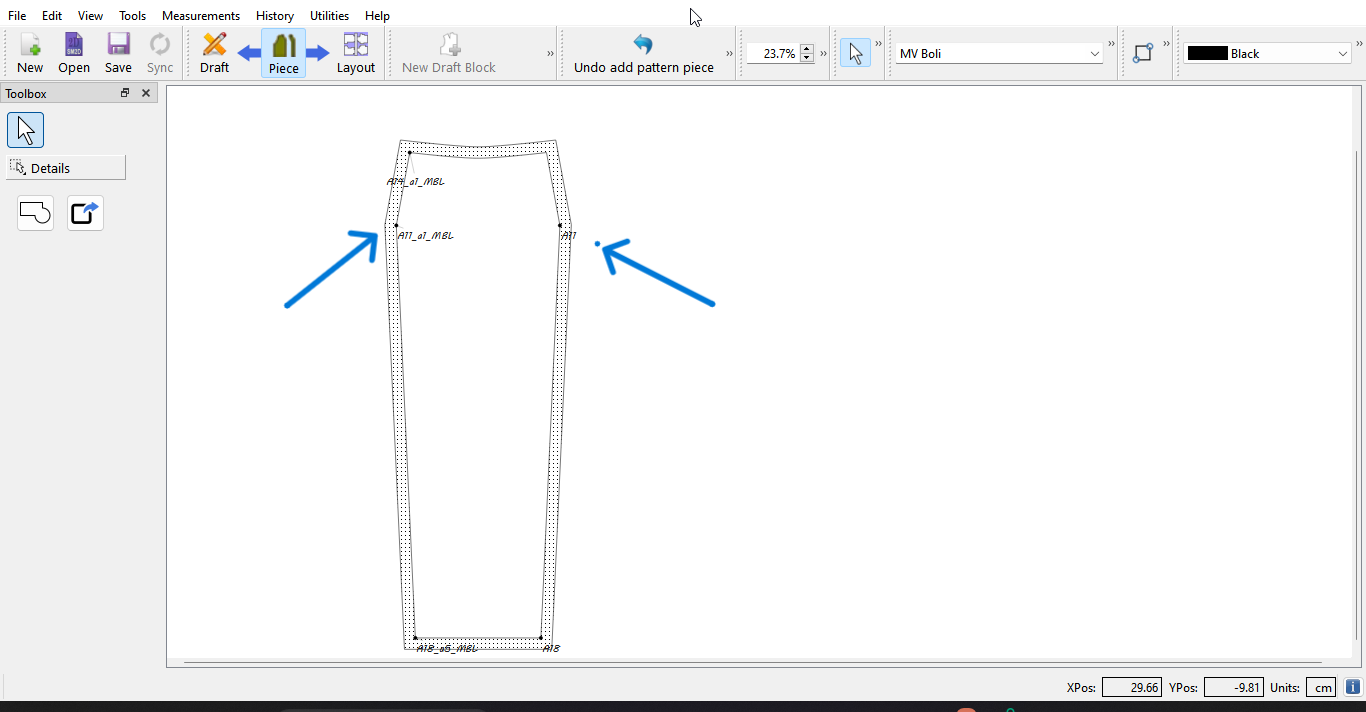
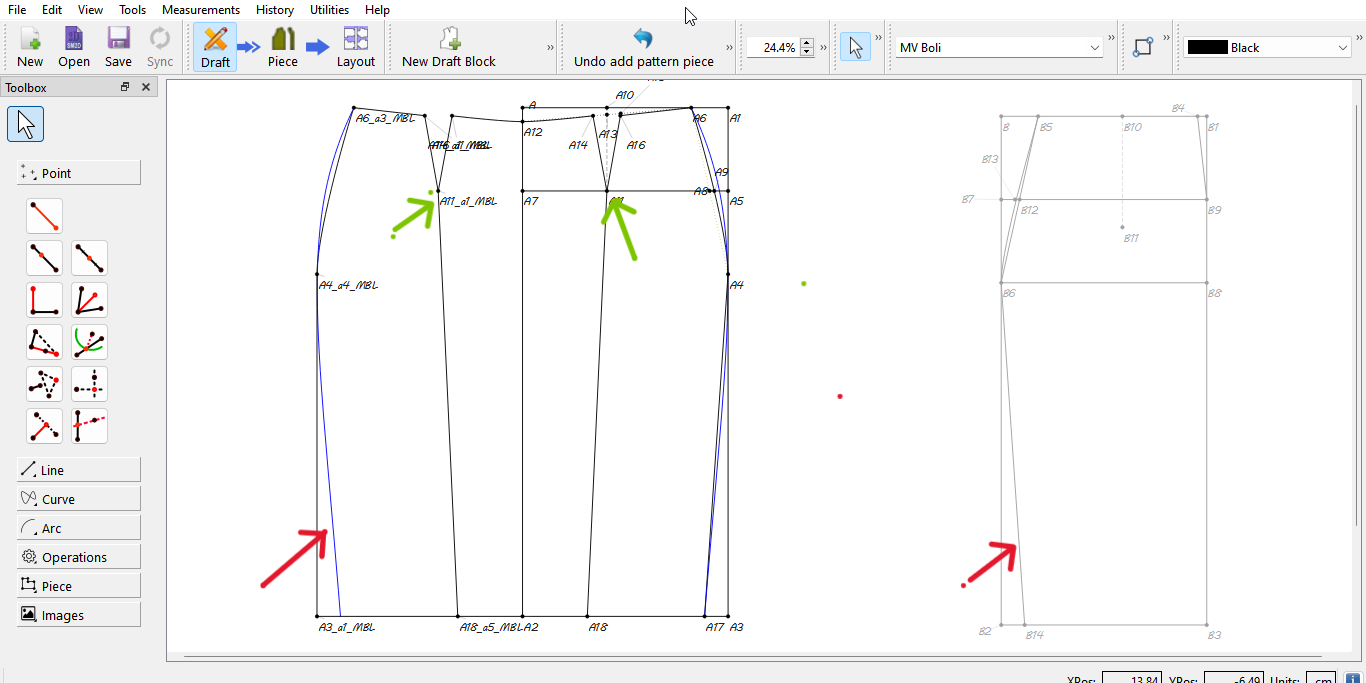
If i was drafting on paper, i would use my curves to smooth out the points with the blue arrows. However, I’m not sure the best way to do that in seamly.
Yes, I know I could just draw curves but if I do, how do I maintain the curves over the range of sizes without manually manipulating for each size? I tried to follow the existing line angles on the straight line on both ends of the line (green arrow) but that just gave me a curve i couldn’t work with.
Also, how do i copy the exact curve i have on the highlighted draft piece to the other draft piece (red arrows). That’s I want to have the same side seam curve on both front and back piece. I tried copying the exact line length and angle for the curve but that didn’t result to an exact curve.
Thank you for the pointers, I would look through the forum.as suggested.
Maybe i understand the mirror tool differently. I know I can mirror the left side of a skirt front for example to get the right side of the skirt front.
But how does the mirror tool work when my skirt front is one pattern piece and skirt back is another pattern piece and they both share nothing in common, no line, no point.
Aah… the mirror tools only work with one draft block. One of the many reasons to draft with one block rather than multiple blocks. If it were up to me I’d just draft the back block on top of the front front block and use the Groups to manage the visibilty of the various tools / objects. You have to keep in mind that when you’re drsfting in Draft mode you’re only making a bunch of points and curves, and not actual pattern pieces (yet), so you can draft a front and back together.
That being said, you should be able to reproduce the geometry from draft block A to draft block B using the variable from draft block A in draft block B.
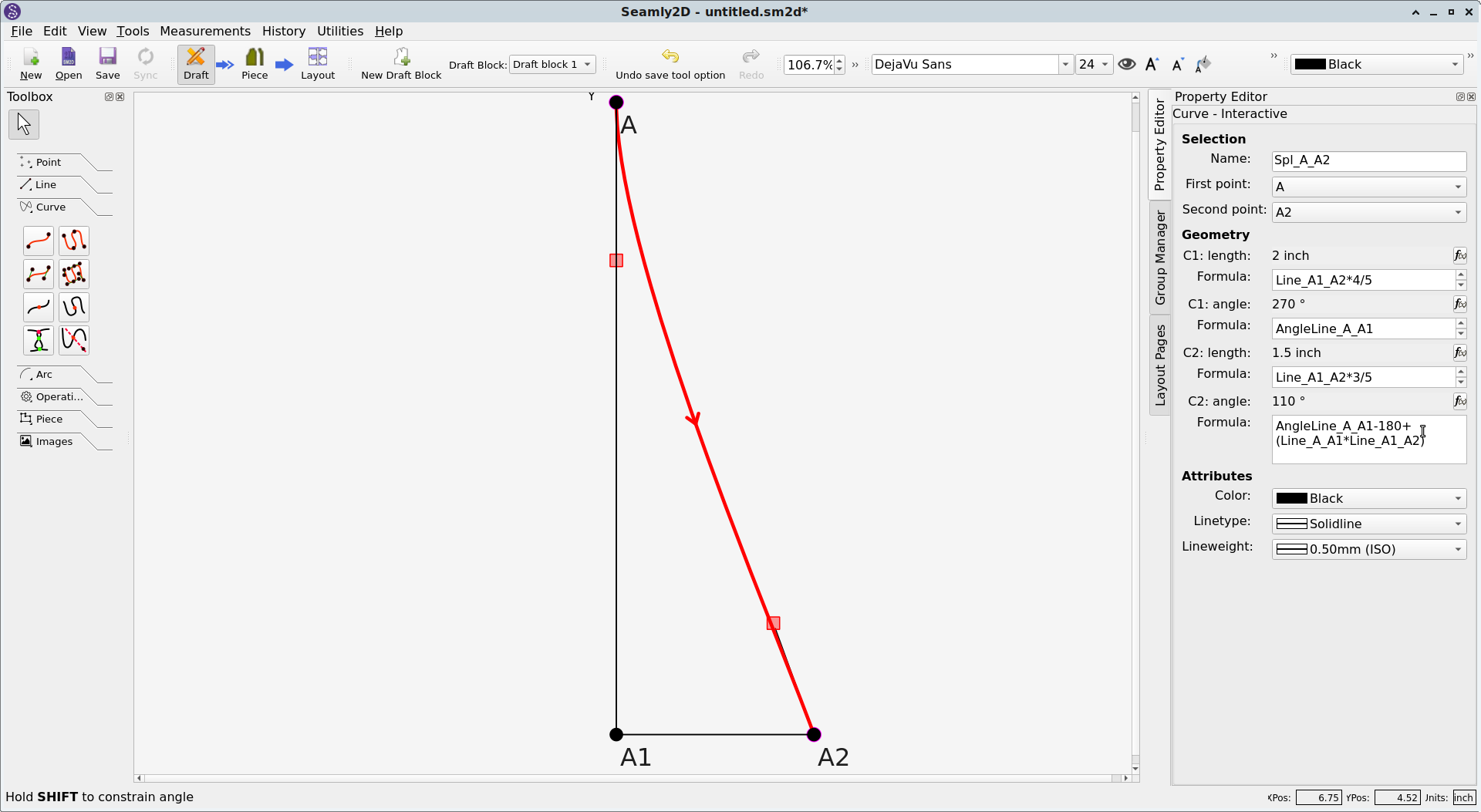
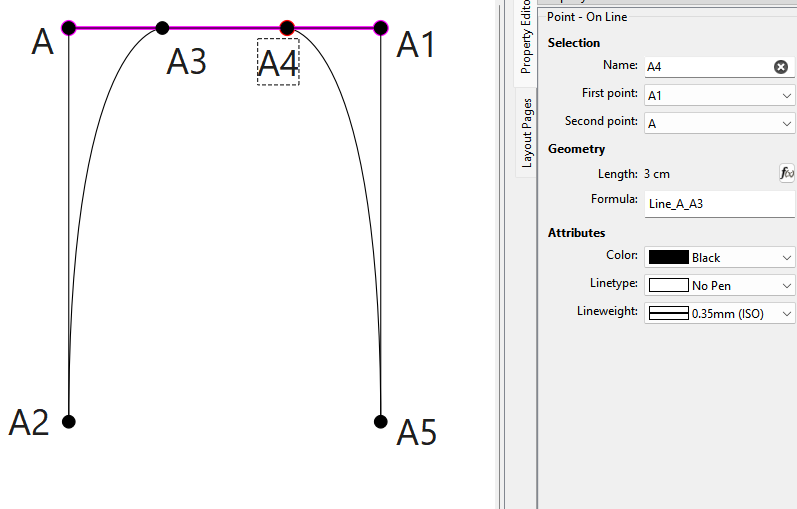
In context you won’t be using the same formulae I used, of course, but here you can see that I used the variable AngleLine_A_A1 for the angle of the first control point. Other variables include the measurements from the measurements file, & custom variables from the Variables dialog, but those are less likely to be apropos to creating bezier curves.
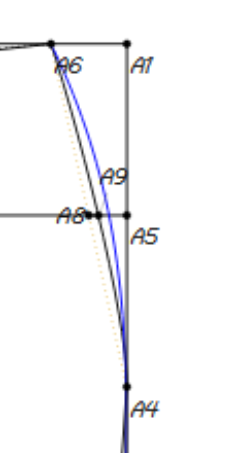
I made the length of A1 t A4 = Line_A_A3, and the legth of A1 to A5 = Line_A_A2 and created a fixed curves. If using an interactive curve you can use the variables for the CP lengths and angles.