Why is it not possible to export a drawing to pdf format in the program? In the “Operations” section, I don’t have an export button at all. When I select “File” - “Layout” - “Export as,” all the buttons are grayed out and unavailable for selection. I need to print the drawing itself, not the layout, but in order to achieve good quality, I need to convert it to pdf format, which is not possible in this case. Online converters do not understand the file format, which prevents them from converting it to pdf.
2 Likes
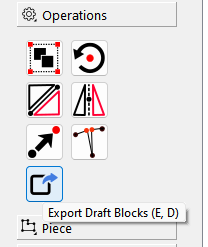
If you want to export the raw draft, go to the Operations toolbox & click the square with the arrow out of it.
If you want to export the “seen” pattern pieces from the Piece mode, go to the Details toolbox & click the square with the arrow coming out of it.
Yeah, it’s hardly intuitive, but at least it’s there. I think that menu is going to get a bit of work as the improved layout mode finally gets finalized. We live in hope.

2 Likes
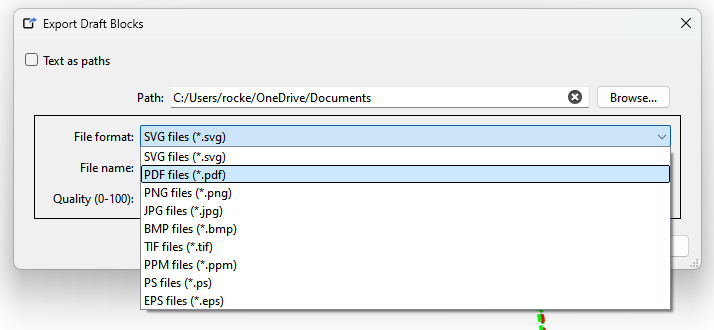
3 Likes
Для печати на листах A4 лучше выбирать PDF tiled (*.pdf)
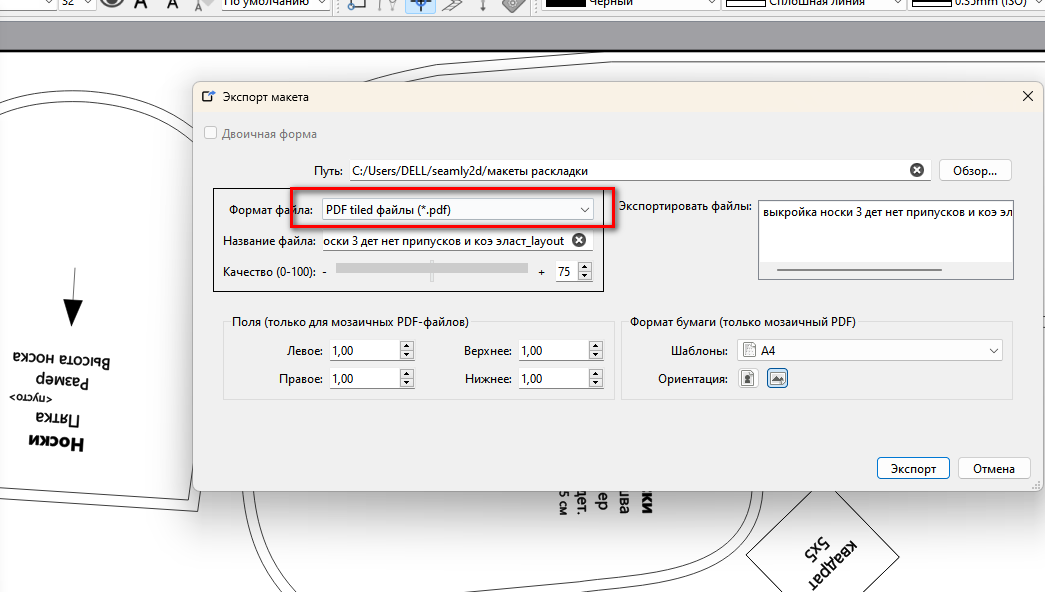
Программа отлично разбивает на отдельные листы
Welcome @Cheririna
Note: The Tiled PDF option is only available for a Layout, and not an export from Draft or Piece mode.
To tile print a PDF created from Draft or Piece mode you would have to use another app like Corel Draw or Adobe Acrobat that supports tiled printing.
Only thing it doesn’t do is a great job at is creating an efficient layout.  It leaves for a lot of blank A4 pages. While you can preview and only print the non blank tiled pages… I would usually just print everything to save time, then recycle any blank pages.
We have a better layout engine in the works. 
1 Like