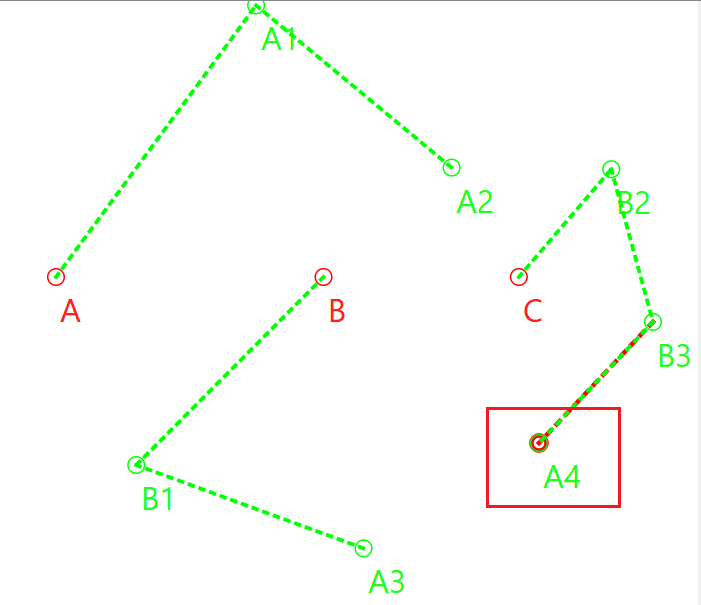
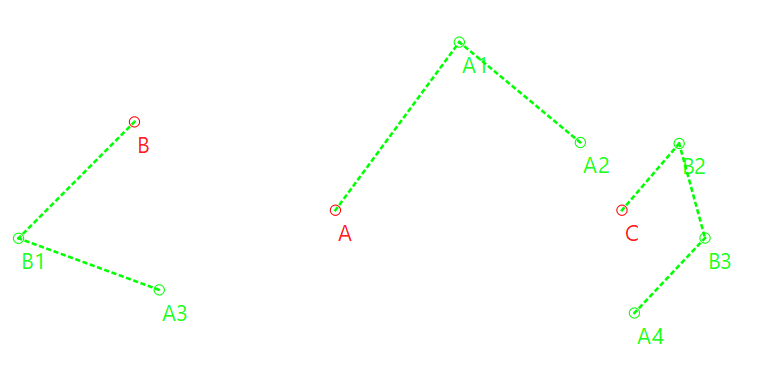
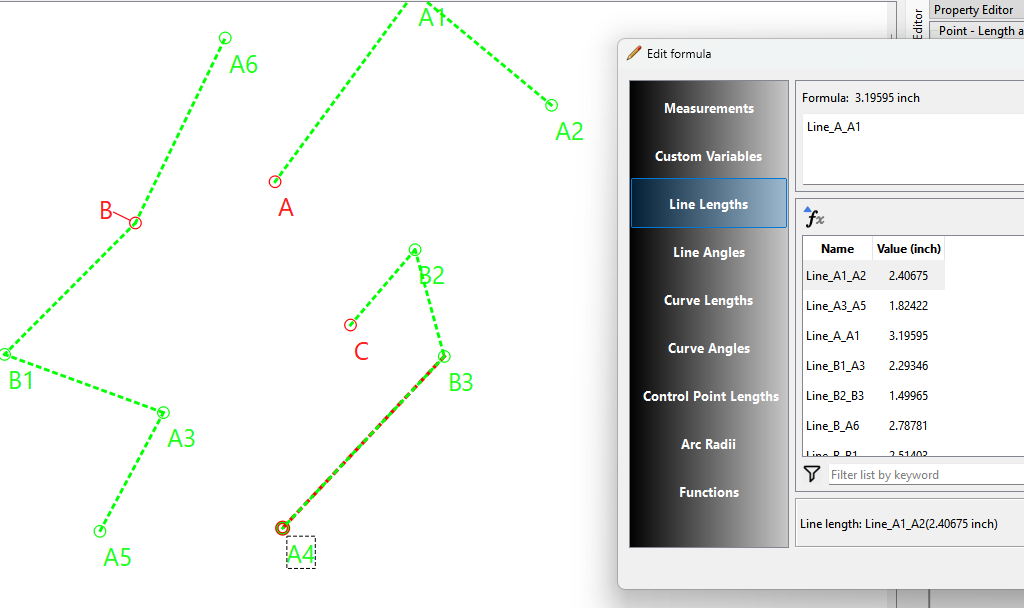
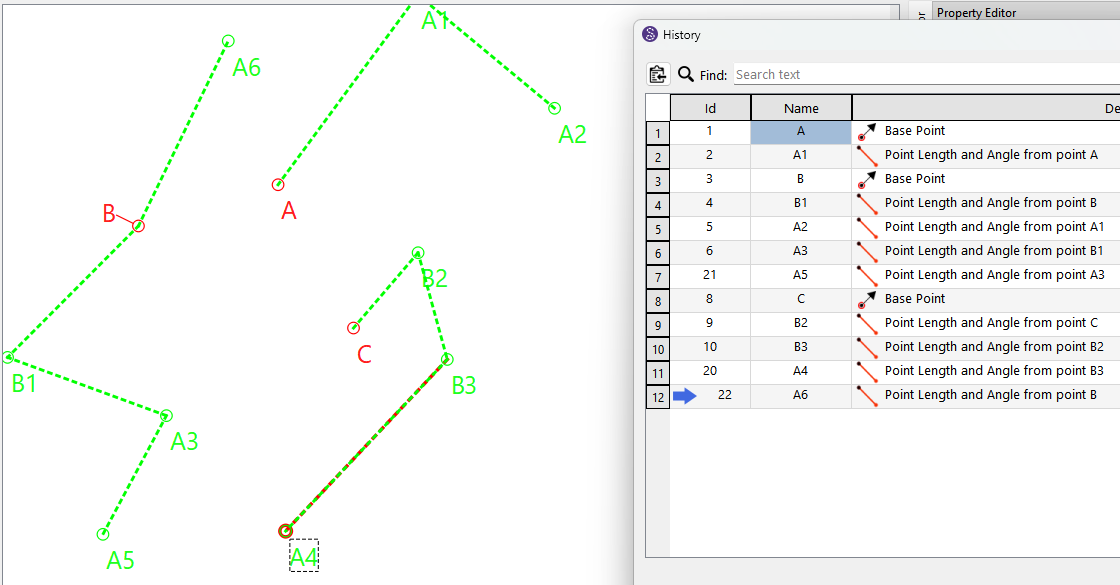
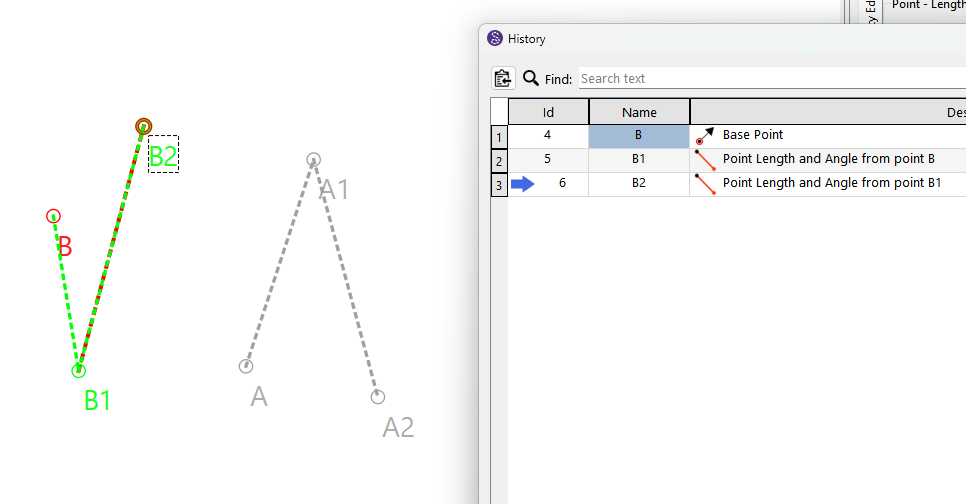
Ok folks… I was playing around with Seamly2D and I was able to do this:
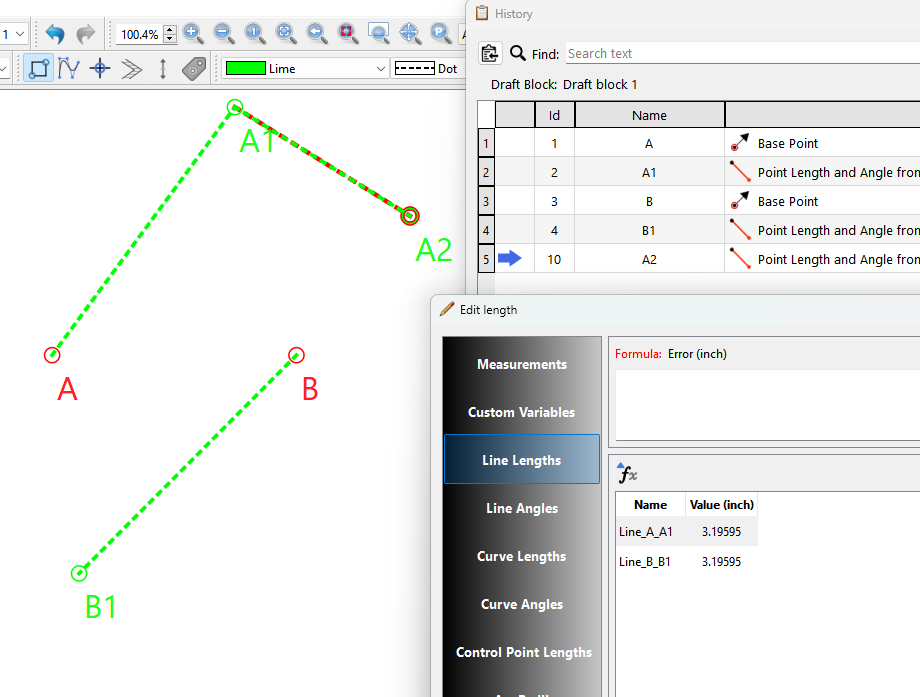
Can anyone catch it? With some work this could change how we draft. 
Ok folks… I was playing around with Seamly2D and I was able to do this:
Can anyone catch it? With some work this could change how we draft.
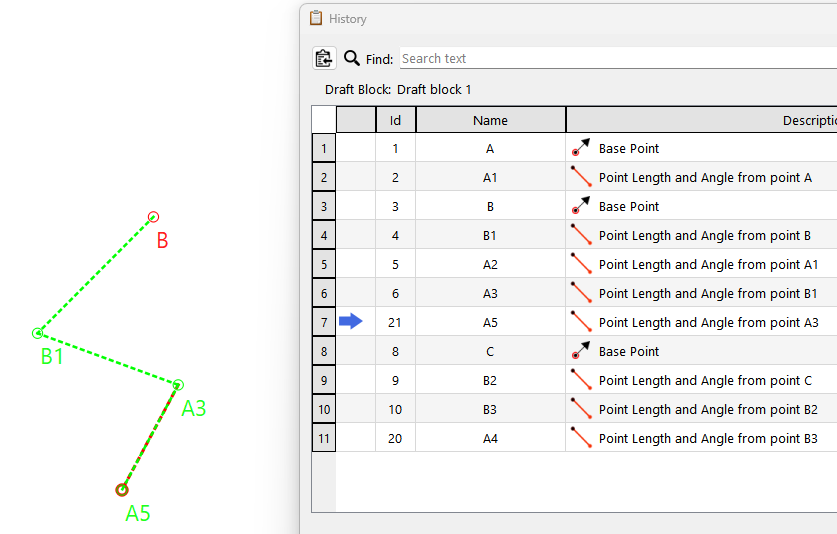
You mysteriously got two basepoints on one block? What happens if you make another draft block now?


It just creates a new draftblock and still works. Everything is still in order of creation so it all works… with the exception of what the base of the new pointname is. Here the 2nd draftblock has base point C… but is still using the base “A”
Minor issue… as we can switch the basename to what ever.
Think about it though… if we have an “Insert Basepoint” tool… we can have multiple blocks within a draftblock without an etch-e-sketch connection to some random point like we have to do now. Also each block can move on it’s own:
You could also change the history cursor pointer to point to the last tool in a block and append tools to that block or the default at the history end appending to last block.
BTW… In case you’re wondering what I did… I just combined all the common elements together from 2 draftblocks. 
Like I said…this could change the way we draft. Since there could be multiple blocks within a draftblock, the basepoint could have a “rotation” attribute that would rotate the whole block… which you could then move independently next to or over another block to say check if 2 seams match up.
Hmmm… Or a block basepoint could have a “scale” factor.
Oh, @Douglas , I love you to the moon & back!!! 

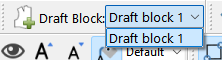
What if… we have a selection box that we can click on to say which draft block we’re working on (instead of the dropdown), that we could just click to add new points to the other “drawing board”, so that we don’t need to open the History and move the cursor down to the place? And this selection box has an “Eye” that can be opened or closed to control visiblity, like the groups?
I think that an option to place the Base point on top of another point may also be an added plus.
What if we add a new “Blocks” dock where you can add or delete blocks, and it has the visibilty eye and lock like the groups. So adding a new block adds the basepoint. for the block. You would be able to show / hide, lock / unlock a block. Selecting the row of the blocks selects which block is active. i.e. sets the cursor pointer in the History to the end of the block. Something to be worked out.
The structure of the xml could be simplified. It would be like:
< pattern >
    < blocks > // represents the full history
        < block name = "block1" visible = "false">
           ... // block 1 tools
        < /block >
        < block name = "block2" visible = "false">
           ... // block 2 tools
        < /block >
        < block name = "block3" visible = "true">
           ... // block 3 tools
        < /block >
    < /blocks >
    < modeling >
       ...
    < /modeling >
    < pieces >
       ...
    < /pieces >
    < groups >
       ...
    < /groups>
    < images >
       ...
    < /images >
< /pattern >
In the basepoint tool there could be a an “anchor point”… where you could anchor the basepoint to another point on the board… or “None” of you want it to float. For ex: Say we have block A and block B… you anchor block B to point A1 in block A. Moving block A also moves block B. Block B is prevented from moving by moving basepoint B as it’s anchored to A1 in Block A.
The main thing to work out would be converting from the current schema to a new schema, but it would automatically solve this topic’s question:
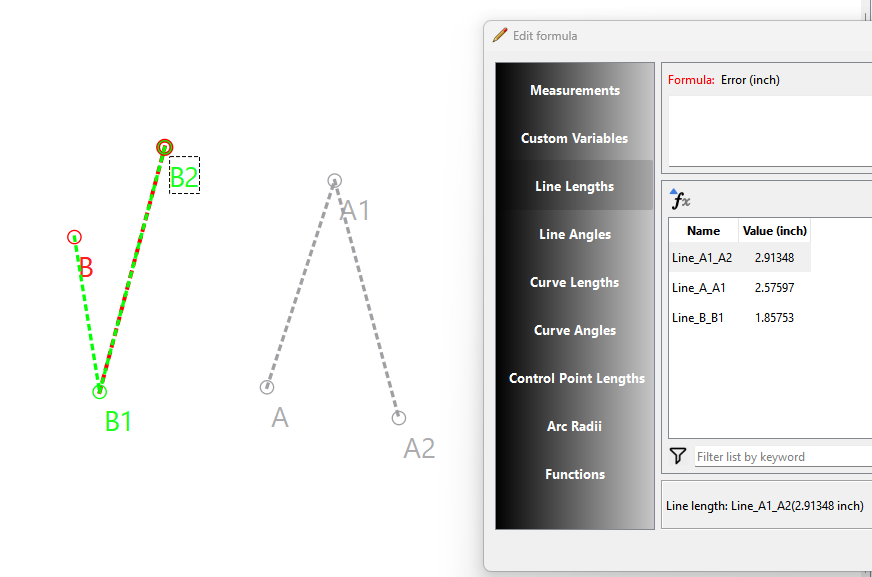
Does this impact the ability to reference lengths or points across different blocks? In both good or not so good ways.
And if so, I could associate this potentially helping you making a function that searches dependencies. The Am I off?
No difference.
VS
But the history would now be:
VS
It might make it easier giving the History wouldrepresent the whole pattern, not just the active draft block.
Yes. It means that there is functionally only one block as far as Seamly is concerned. Draw a line from C to B, then put a point on Line_B_A of Line_C_B length… Is it helpful? I don’t know, but it sure is entertaining!
I am a bit concerned that it may lead to more confusion regarding the interaction between different draft blocks, but with normal layer features like @Douglas has suggested, I am somewhat hopeful that it won’t be a huge deal.
Exactly that! It could be the Tree that you need.
Yes! Yes! Yes! 


Then we can join the skirts to the bodices with absolutely no issues!!!
The only problem that we may have is when we redesign the side seam between the 2 sections 
Yes, it may take some time for you to get it up & running. I’m really excited about this!!! 
It may be good to have a History choice… Draft block 1, 2, 3, etc.
I often search the History for formula dependancies when deleting items. The 1st step is to delete the pattern pieces, and then search the History. You can pick up quite a few of the references to an object by pasting the label in the search bar. Perhaps not all, but most.
This should be even easier with the recent History update as I added the fornula colums for radius / length and angle.
Hmmmm. Think about this… like I mentioned before if we added “Scale” to the base point, and assuming we use a transform to do this… using a negative 100% scale has the effect of flipping an object. So now you if could flip, rotate, move, and anchor a block… you could create “unions” in draft mode and avoid all the issues that we have with it in Piece mode.
Hmmm again… take it a step further… what if a mirror operation instead of creating flipped fixed points and curves it really creates a new mirrored block that is free to rotate and move and or anchored to another point. i.e. There could be a “Copy” block tool, where the copied point names are named with the suffix just like the ops tools.
I’m a bit uncertain about the “Rotation”. It sounds like it would make the zero point on the compass be placed somewhere other than the right horizontal.
Do we not already rotate using the ops Rotate tool? **
Thinking inside the box… what if we could import blocks (because we develop semantic based prefixes for the block’s point names), and there’s a set of French curve blocks? And that imported block is able to move and rotate.
** Being able to rotate a group of objects, or in this case a block, would solve the issue I ran into while trying to flip and rotate pattern pieces. The problem is the points and curves for the pattern pieces use the modeling nodes, which are referenced copies of the calculation points and curves. Applying a transform to the modeling nodes works great… until the pattern is parsed, and they revert back to the orginal points and curves.
Ah, I think I see what you’re saying now.
AngleLine_A_A1.AngleLine in the formula. But that too seems, if less so, still a bit likely to break.Which brings me back to the notion of rotating the block itself, which would cause havoc if anyone tried relating it to other blocks &/or cause motion-sickness if integrated so that the view would shift to the rotation of the block in which the current tool is selected. I’m getting woozy just thinking of it!
I have some ideas, but have to think about it.
Ok, I’ve just whizzed through everything. I’ll come back to it in a bit, after I’ve wrapped my head around it all. 
It might help if you think of a block being like a group in Inkscape or AI. Actually the op tools act as a group and transforms are applied depending on which tool… Rotate applies a rotate transform, move applies a move transform, and the mirror by axis applies a scale transform, but only a -100% X or -100% Y scaling which flips the objects, and the mirror by line applies a rotate & scale.