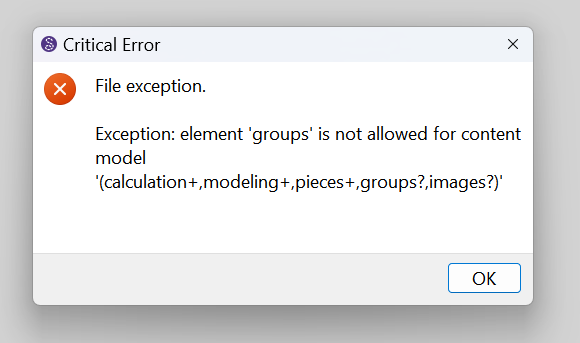
Hello, I am having a Critical Error every time I open my saved file in .sm2d file. It says: “Critical Error. File Exception: element groups is not allowed for content model ‘(calculation+, modeling+,pieces+,groups?,images?)’. I have already updated the software, restarted it, and still it does not open. Can you help me? Thank you.
You can check these posts for solutions, but you will need to manipulate the .sm2d file in a text editor. A certain level of caution is needed:
or you wait for moderators who will help you to upload your files and probably make those changes for you.
Hello and welcome to the Seamly forum, @janieve
If you open the pattern file in a text editor, the different sections of the pattern are listed in a certain order. A while back, we had a problem where the images section was saving before the groups section. This is why these 2 have ? after the name in the error. This has been resolved but earlier patterns will still have this error, so you need to fix it manually.
All you need to do is to drag the images section to after the groups section in the text editor and save the file. You will also need to update your Seamly software to the latest version to prevent this from happening again.
If you jare uncertain to do this, you are welcome to post the pattern & measurement file on here and one of us will do it for you.
Hello, Thank you so much! I have already fixed the problem. though I am thinking, is there any way that I can save the file with groups? I just deleted all the groups as per instruction. because if I’d be creating new groups, same problems might occur.
I don’t think this will repair the problem properly. As soon as you create new groups, the problem will come back (in my experience). You need to switch the 2 place holders for the images & the groups so that the groups are before the images & the images are last, and you need to update your software to the latest version so that this doesn’t happen again.
If you send us your files, we can do it for you very quickly, however, I’m at the office today, so I’ll only see the files this evening when I get home, but I’m sure there will be someone else who can help you during the day.
Besides correcting any pattern file(s), you need to update the application. You must have the build that was writing the groups and images in the wrong order.
Hi there Grace,
I downloaded Seamly today (04.01.2026) and created a new project. After closing and re opening the software I ran in to the same issue. Your fix worked for me (Thank You!). It seems the issue is still in the software.
You must have used the one build that was writing the tags incorrectly when creating the pattern. There was still an issue with the groups and images tags out of order in the pattern file. The newer app will only prevent writing the tags incorrectly, but will not fix pattern with an incorrect order in the tags. That’s why one has to edit the pattern manually, AND update the app.
You downloaded it today, but was it the Latest, or what was the release date? Because no releases have gone out today, so I know the date you posted isn’t the release date of what you downloaded.

@Sue Does the “official” download link auto-update, or does it rely on someone to make sure that it’s pointed to a recent stable release?
Yes - It Auto Updates. It’s all built into the CI workflow. When a new “release” is built (either by the CI chronologically,
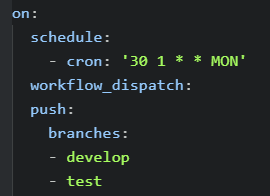
or manually converting a pre-release to a release) Github will update the latest release on the Seamly Github code page:
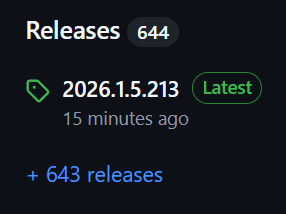
Note: There is a new build released 15 mins ago via the CI chron build.
When the CI workflow is run at the specified time, it will build and run the tests, build the Linux, Mac, and Windows releases, and Publish an update of the Doxygen documents. Any of the Workflow actions are available through the Actions tab… you can then download an artifact build from a specific PR or for ex: the CI workflow.
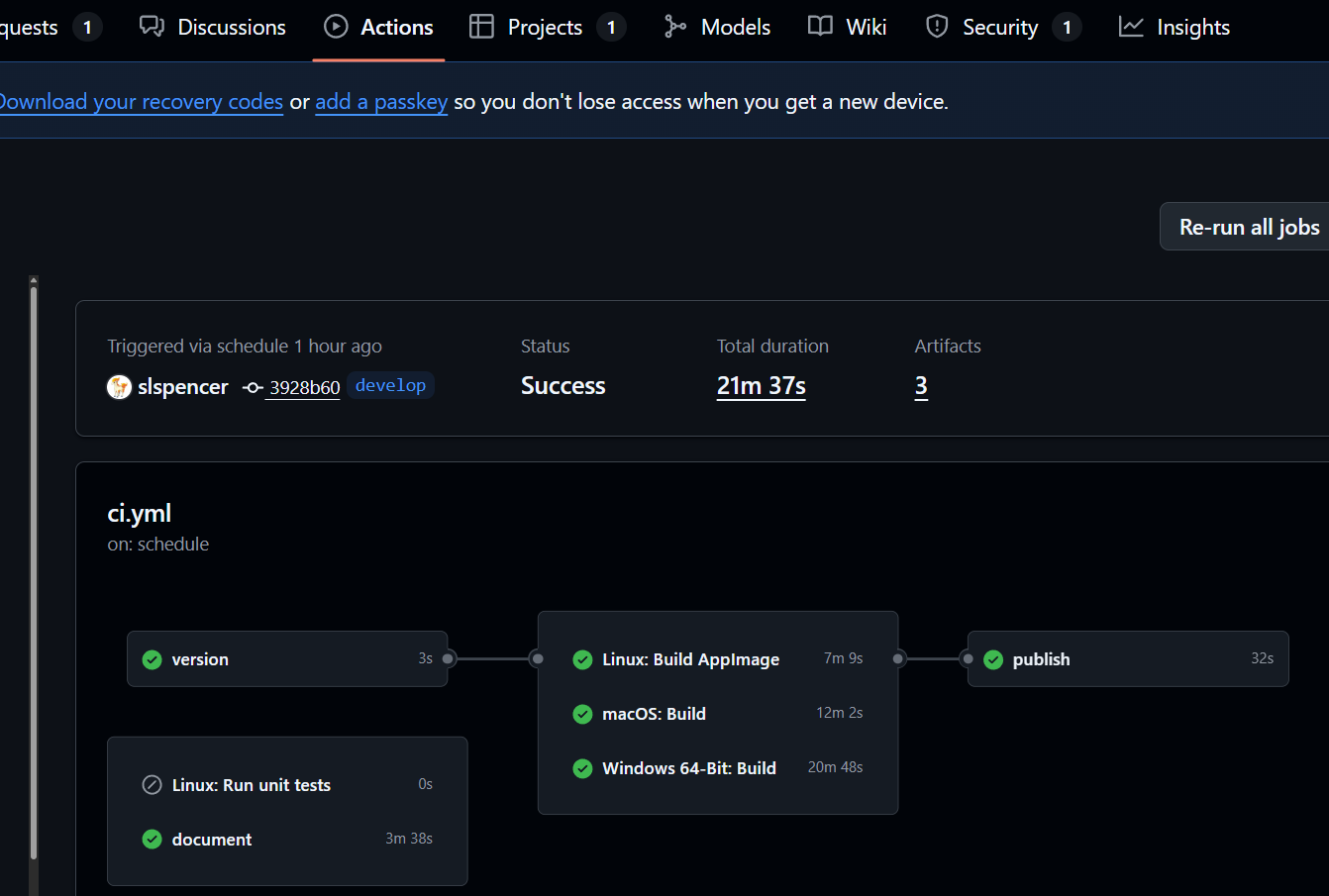

That means with downloading an artifact you can get a build in the middle of the week that may fix a bug or have a new feature without waiting till Sunday / Monday to download the Latest release. Frankly I wish more users would download artifacts or pre-releases so they could test, and if needed a quick bug fix might be made before the actual release.
BTW… A pre-release is built when ever a PR is merged with the devlop branch.
An artifact is built when ever a PR is made or updated.
If you Check for updates in the App, the above release is what you would get.
If you click the + 643 releases link you will then get a listing of all the pre-releases as well as the releases.
The user said they downloaded Seamly on jan 4 2026… not that they downloaded a release from jan 4, 2026.
That being said… Without seeing the Build ver, we don’t know what they downloaded or from where. I pretty much can say that any build since I fixed the groups - images tag issue, it will not cause the tags to write out of order, but it will not fix a broken pattern caused by the one release that got out for a week or 2. I could write a patterm conversion that could auto fix the order issue, but writing XML to reorder element & attribute tags can be tedious. At this point not worth the effort as we’re getting further away from that bad release.
I am new and am having the exact error as described above (critical error when trying to open file). I am attempting to copy/paste the file here. I opened in a notepad and suspect my file is a mess. Help and Thank you!
BodiceFrontUSE.sm2d.sm2d (21.4 KB)
I am confused and curious about the comment in the proposed solution about having been fixed with updates as I just downloaded Seamly2d last week-ish.
The original bug was introduced when we added the Image import and did not realize the application was not implicitly writing the <groups/> tag in the patten xml file. Since a pattern was not writing a <groups> tag until a group was added… it meant the <groups> would be written out of order after the <images> tag. The application uses a schema file that outlines what order and what is valid data for the elements and attribuutes. When a pattern is loaded it gets validated against the schema… if the validator finds an error in the file it throws an exception. In this case it found the images before the groups which is out of order. While a bit cryptic the exception shows exactly whats wrong… the schema model expects groups before the images… the ? showing the offending tags.

The issue was fixed for NEW patterns where the empty <groups> and <images> tags are implicitly written whenever a new block is added. However, the bug fix update does NOT fix a broken pattern… that is it does not correct any out of order <groups> and <images> tags. That has to be done manually in a text editor.
This is where the issue is in your pattern…
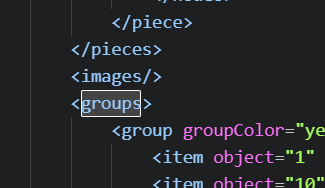
The <groups> block has to come before the <images/> tag. Like:
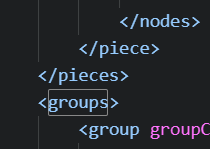
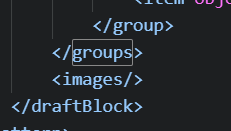
Here’s the fixed pattern file. BodiceFrontUSE_fixed.sm2d (21.4 KB)
 Wow! The explanation is far beyond my technical understanding, but I am so pleased to have a fix and amazed that this reach out/communication worked. thank you!
Hi! I tried the solution mentioned before for the critical error message appearing when trying to open the file but it doesnt seem to be working. i have no idea if ive done it right. i downloaded seamly yesterday and i have the latest version so i dont think thats the issue either. please tell me if anyone has any idea why this issue is occuring for me. Thank you!!
Upload a pattern file that won’t open and we can take a look and fix it.
pattern.sm2d (16.6 KB)
sorry! I meant to attach this too to the previous reply.
Measurements.smis (13.6 KB)
Here’s the pattern file… it had another issue other than the <groups> and <images>
pattern_fixed.sm2d (16.6 KB)
The measurement file is missing a bunch of measurements so I could not test the pattern file, but it should be fixed.

Hello & welcome, @a_g_26
I was busy looking at the files and @Douglas beat me to it 
I found that the first few rows in the pattern file were somewhere in the middle of the pattern, so I moved them to the correct place. However, when I tried to open the pattern, I was getting a date error from the measurements file. What I found there is that someone had deleted the date in the information section, so I put the default date back in and everything worked perfectly, except that I think you need to double check your measurement values.
Here are your files back:
Measurements.smis (13.7 KB)
pattern.sm2d (16.5 KB)
Ah.. that make sense. Thanks Grace.